
Audit Template
12131I. Function Overview
The audit template feature is a powerful and flexible tool within the Jianghu Audit System, allowing users to customize and configure audit templates based on different auditing needs, such as tax audits, special audits, financial audits, etc. With this feature, users can easily add commonly used documents, forms, and checklists to the templates, enabling quick initialization of these template files when conducting the same type of audit, thereby significantly improving work efficiency.
II. Function Entry
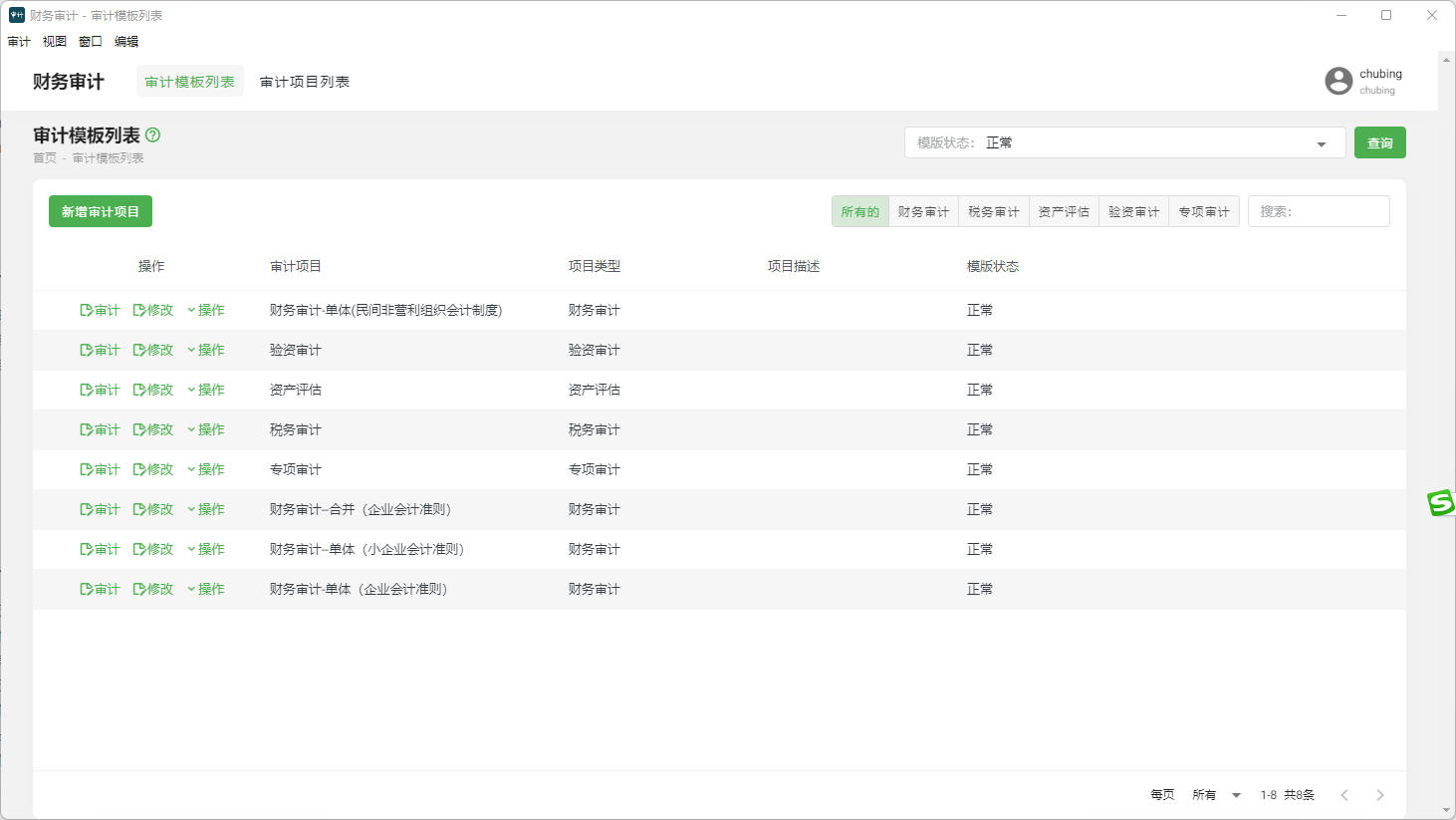
After successfully logging into the Jianghu Audit System, users can quickly access the audit template management page by clicking the "Audit Template List" menu at the top of the page, allowing them to start configuring and managing their audit templates.
III. Function Details
1. Add New Audit Template
By clicking the "Add New Audit Template" button, users can enter the template name, description, and select the template type (such as tax audit, special audit, financial audit, etc.). Once created successfully, users can add the necessary documents, forms, and other relevant materials to the template.
2. Audit Template List
In the audit template list, users can view and manage all created audit templates. By clicking the "Edit" button next to a specific template, users can modify the template, such as updating files and adjusting the directory structure. If a template is no longer needed, users can choose to move it to the recycle bin to free up storage space and keep the list tidy.
3. Auditing
After selecting an audit template and starting the audit, users can organize and manage the materials collected during the audit process according to the preset files and directory structure in the template. The system provides flexible file management features, allowing users to upload, download, edit, and delete files, as well as adjust the directory structure to meet different auditing needs.
IV. Notes
- When creating or modifying an audit template, please ensure that the added files and materials match the selected template type to avoid confusion during subsequent auditing processes.
- Regularly clean and organize the audit template list by deleting templates that are no longer needed to maintain a tidy list and improve work efficiency.
- During the audit, please organize files according to the preset directory structure in the template to quickly locate the required materials during subsequent report generation and analysis.
V. Frequently Asked Questions
Q: How can I recover an accidentally deleted audit template?
A: If the audit template has been accidentally deleted and moved to the recycle bin, users can find and restore the template from the recycle bin. If the template has been permanently deleted, it will need to be recreated.
Q: Can I share audit templates with other users?
A: Currently, the system does not support direct sharing of audit templates with other users. However, users can share templates by exporting the template files and sending them to other users.
Q: How can I update an existing audit template?
A: In the audit template list, find the template that needs to be updated and click the "Edit" button to modify and update the template. Remember to save changes after completing the updates.