
Audit Projects
12131I. Function Overview
The audit project page is one of the core functionalities of the Jianghu Audit System. It provides a centralized platform to manage and track all audit projects, including various types such as financial audits and tax audits. Through this page, users can easily create new audit projects, manage account sets, view and modify the project list, and carry out reasonable task allocation.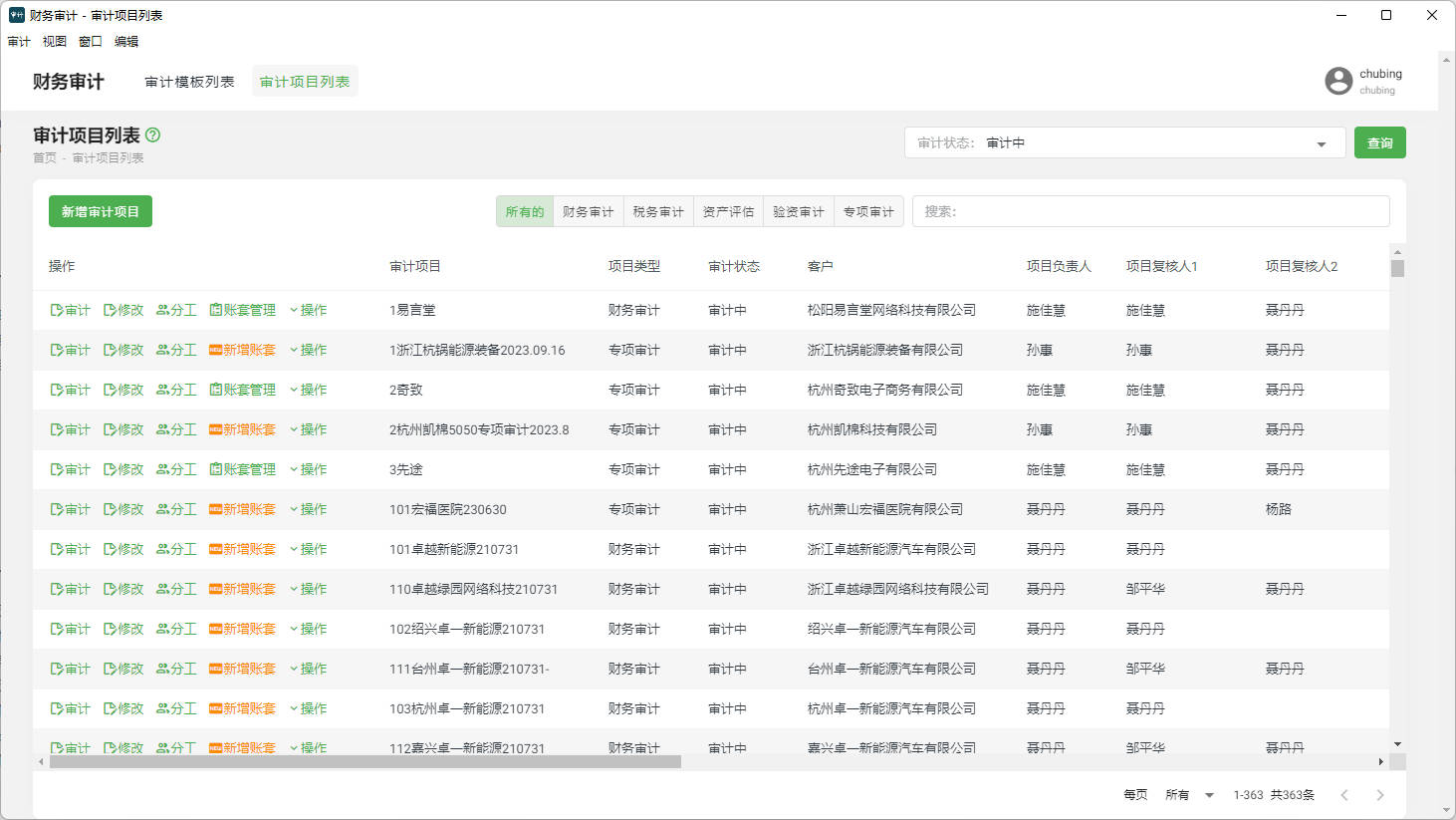
II. Function Entry
After successfully logging into the Jianghu Audit System, users can quickly access the audit project management page by clicking the "Audit Project List" menu at the top of the page.
III. Function Details
1. Add New Audit Project
By clicking the "Add New Audit Project" button, users can start creating a new audit project. During the creation process, it is necessary to input the project's name, description, type (such as financial audit, tax audit, etc.), and other relevant information. Once created successfully, the project will appear in the audit project list.
2. Account Set Management
Account set management is an important component of audit project management. Users can assign one or more account sets to each audit project to better organize and track the financial data related to that project. In the account set management function, users can create, edit, and delete account sets and associate them with specific audit projects.
3. Audit List
In the audit project list, users can view and manage all created audit projects. By clicking the "Edit" button next to a specific project, users can modify the project, such as updating project information or adjusting task allocation. Additionally, users can allocate tasks based on the actual situation of the project, designating different team members to be responsible for different audit tasks. If a project is completed or no longer needed, users can choose to move it to the recycle bin.
IV. Notes
- When creating an audit project, please ensure that the project information entered is accurate for subsequent tracking and management.
- When managing account sets, please pay attention to the naming conventions of account sets and the accuracy of associated projects.
- During task allocation, ensure that each team member is clear about their tasks and responsibilities to ensure the smooth progress of the audit work.
- Regularly clean and organize the audit project list, deleting completed or no longer needed projects to maintain a tidy list and improve work efficiency.
V. Frequently Asked Questions and Answers
Q: How can I recover an accidentally deleted audit project?
A: If an audit project has been accidentally deleted and moved to the recycle bin, users can find and restore the project from the recycle bin. If the project has been permanently deleted, it will need to be recreated.
Q: Can an audit project be assigned to multiple team members?
A: Yes, the Jianghu Audit System supports assigning an audit project to multiple team members for collaborative task allocation. Users can designate different team members to be responsible for different audit tasks in the task allocation function.
Q: How can I view and modify an already created audit project?
A: In the audit project list, users can find the created audit projects and click the "Edit" button to view and modify them. Users can update project information, adjust task allocation, etc. Remember to save changes after completion.