
Management Tools for Installing Servers: Jianghu Panel
120061. Installation Environment
- Environment Preparation
The environment for installing Jianghu Panel requires you to have a running server or virtual machine. You can choose to deploy Jianghu Panel on this server or virtual machine for installation, configuration, and management of the panel. Ensure that the server or virtual machine meets the system and hardware requirements of Jianghu Panel and has a reliable network connection for the panel services to function properly.
Reference articles: Understanding Servers, Enabling Servers
- Installation Commands and Steps
- Open the terminal. If you are not logged in as the root user, you need to execute the following command to obtain root privileges:
su root - Use the following command to download and install Jianghu Panel:
International source:
wget -O install.sh https://raw.githubusercontent.com/jianghujs/jh-panel/master/scripts/install.sh && bash install.sh Domestic source:
wget -O install.sh https://gitee.com/jianghujs/jh-panel/raw/master/scripts/install.sh && bash install.sh cn - Follow the guided instructions to complete the installation. Once finished, it will automatically start the panel and print out the panel information. You can use a browser to access the address printed out for Jianghu Panel.
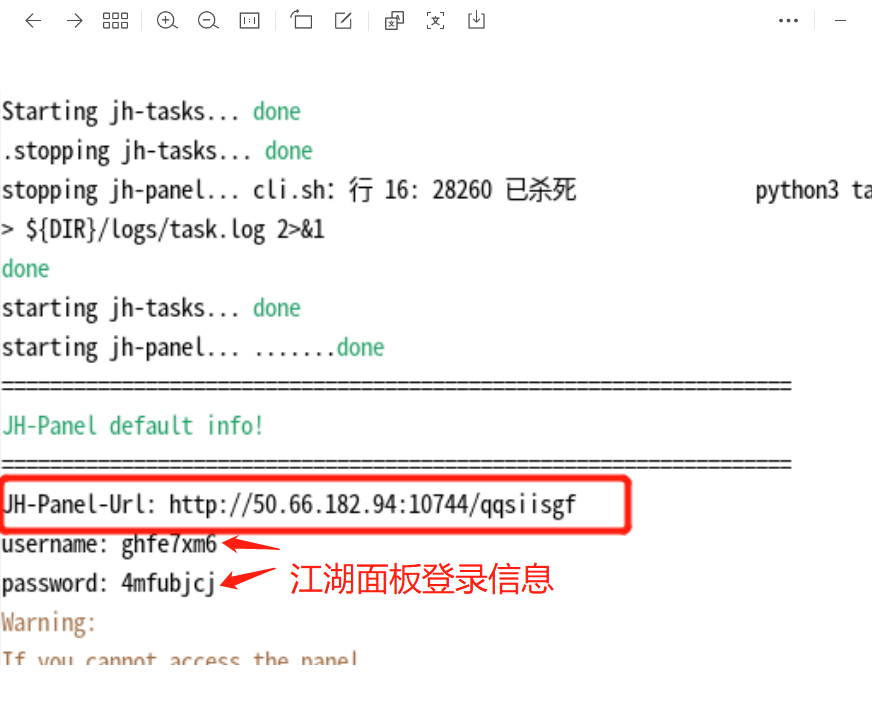
Note: Remember the login information for Jianghu Panel during this step.
2. Logging into Jianghu Panel and Initial Configuration
- Login
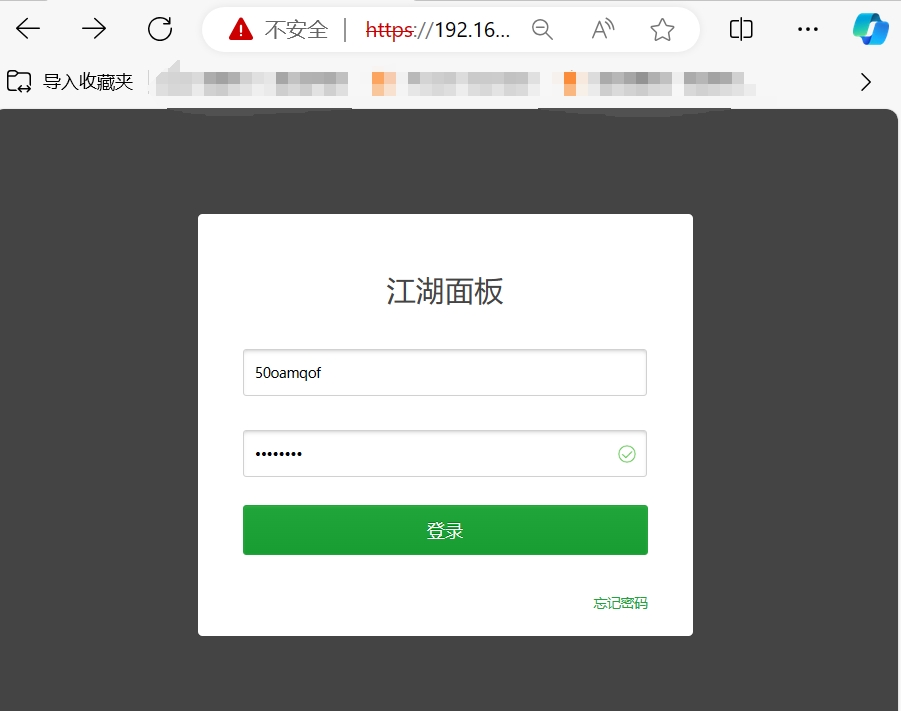
Copy the panel link, open it in a browser, enter your username and password, and log in to the panel.
- Installing Recommended Plugins
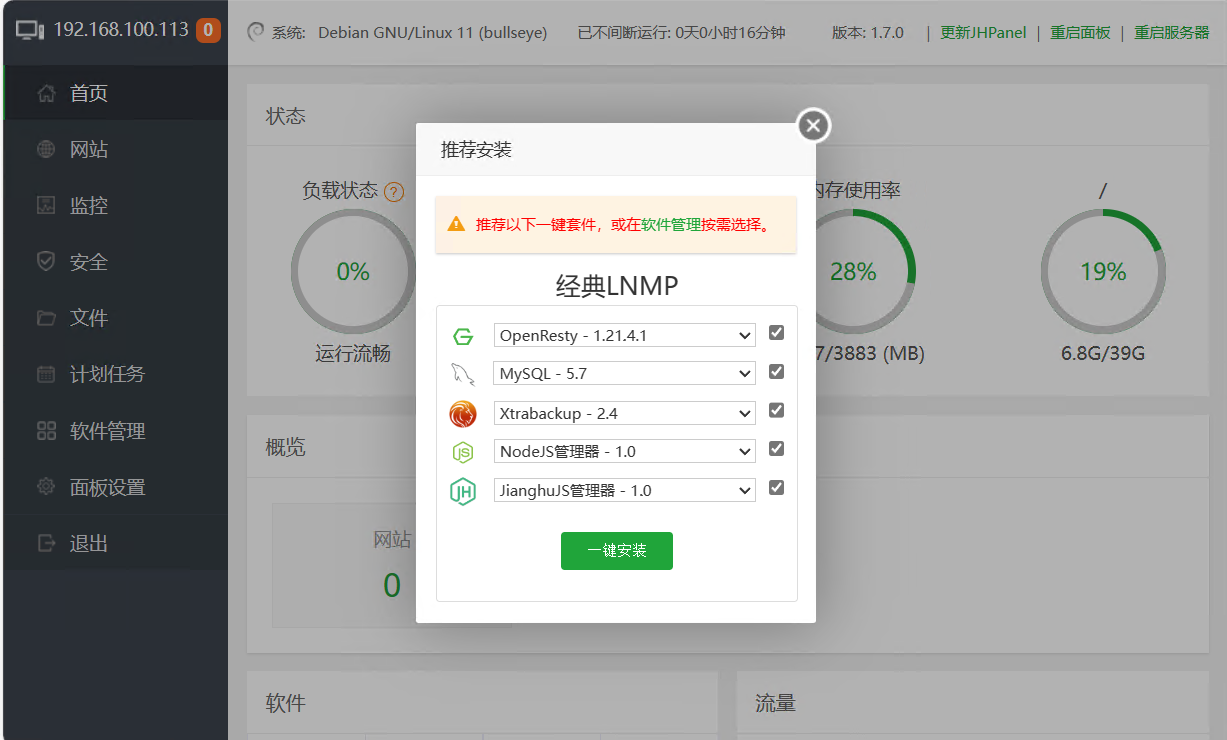
After logging in, a prompt will appear recommending plugins for installation. Select the necessary software to install, and it is recommended to use [One-Click Install]:
- OpenResty: Web server
- MySQL 5.7: MySQL database
- Xtrabackup: Backup for MySQL database
- NodeJS Manager: Node.js manager, includes node.js, npm, and nvm
- JianghuJS Manager: Manage JianghuJS projects
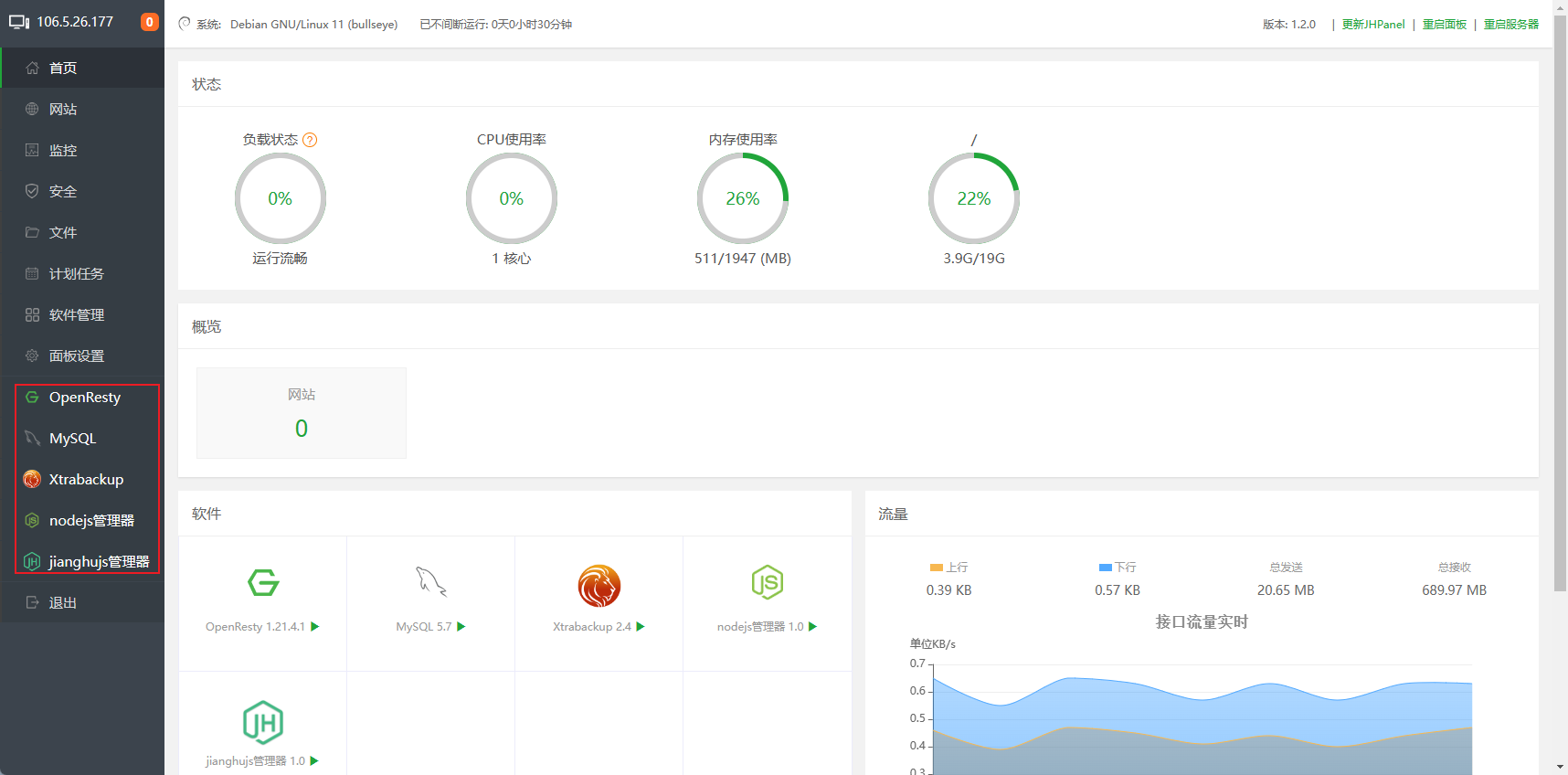
After installation, the plugins you just installed will appear in the left sidebar of the panel page:
- Installing Optional Plugins
You can also check and install more plugins through the software management menu. Commonly used plugins include:
- Xtrabackup Incremental Version: Supports incremental backups
- Docker: Containerization platform for rapid deployment, running, and management of applications
- NFS Manager: Configure and manage network file systems
- Rsyncd: Daemon for file synchronization and backup
- SSH Terminal: Quick access to the terminal
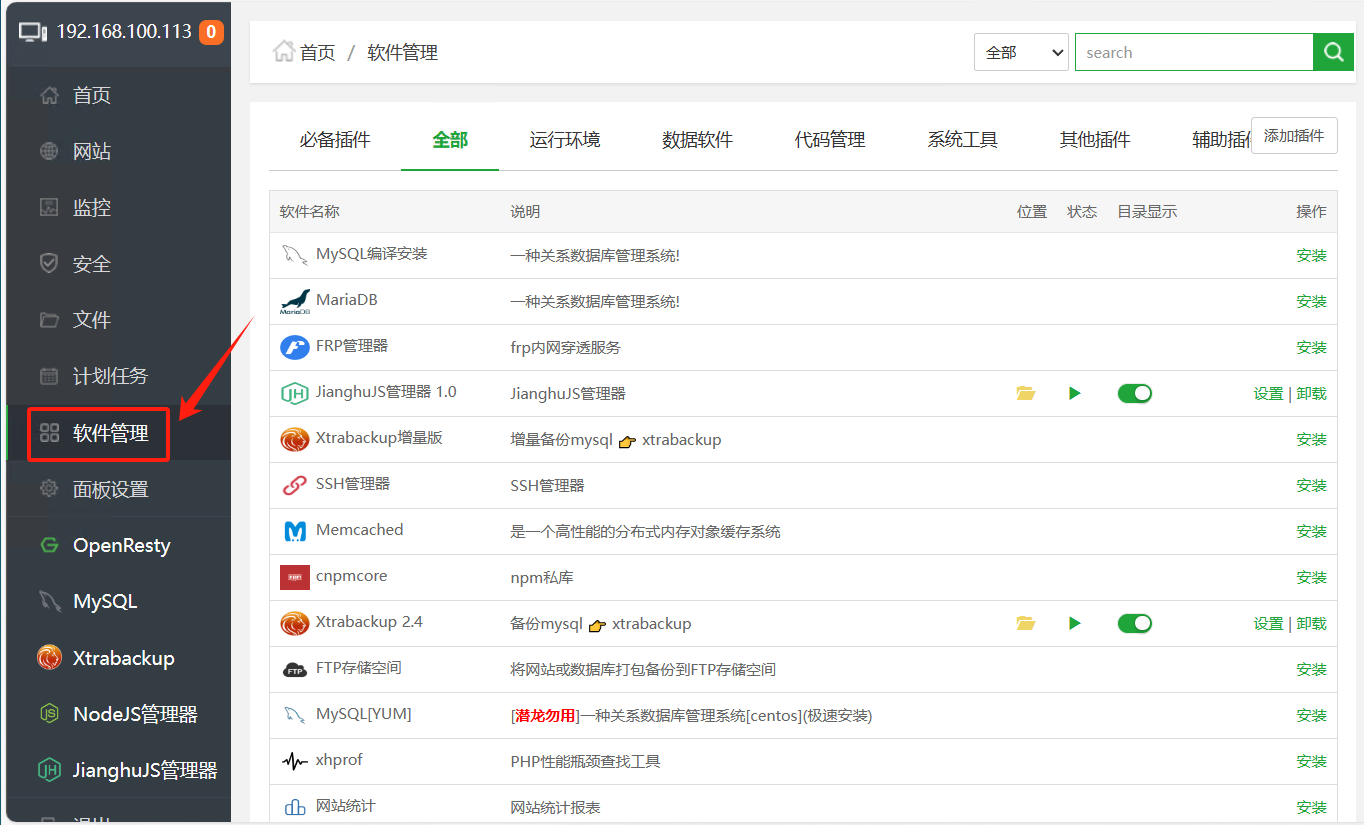
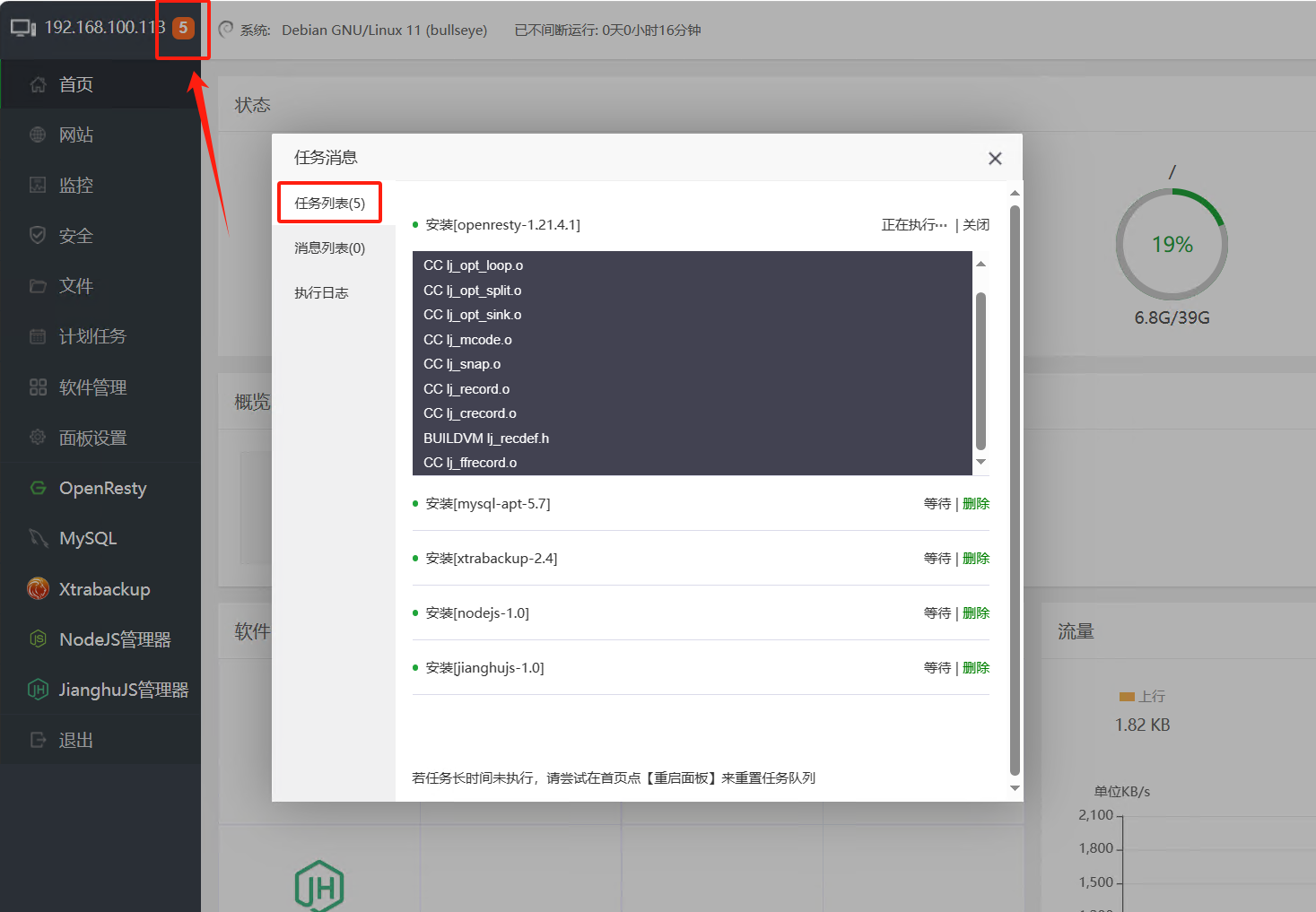
You can check the progress of software installation through the task list at the top of the left sidebar:
3. Panel Settings
- Basic Settings
In the left sidebar, select "Panel Settings" to view various settings of Jianghu Panel. You can try modifying the following configurations here:
Alias
Server IP
Panel Port: Default value is 10744
Security Entry, Panel User, and Panel Password
Security Settings
To enhance the security of Jianghu Panel, it is generally recommended to access the panel via HTTPS protocol. This requires enabling the panel's SSL settings:
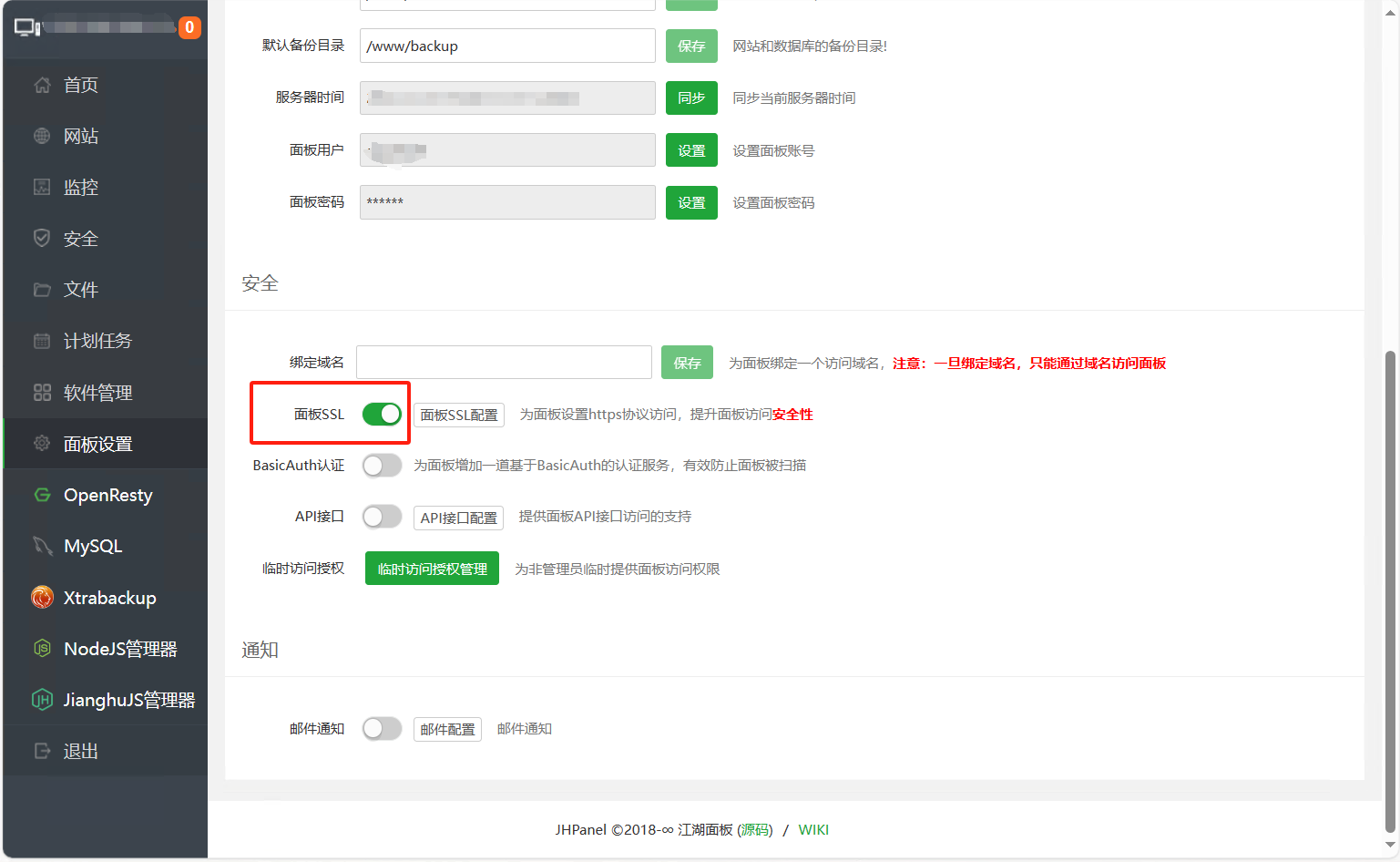
After enabling the panel's SSL settings, the browser will automatically redirect to access the panel via HTTPS protocol. Typically, when you first access the panel via HTTPS, you will see a page similar to the one below in your browser:
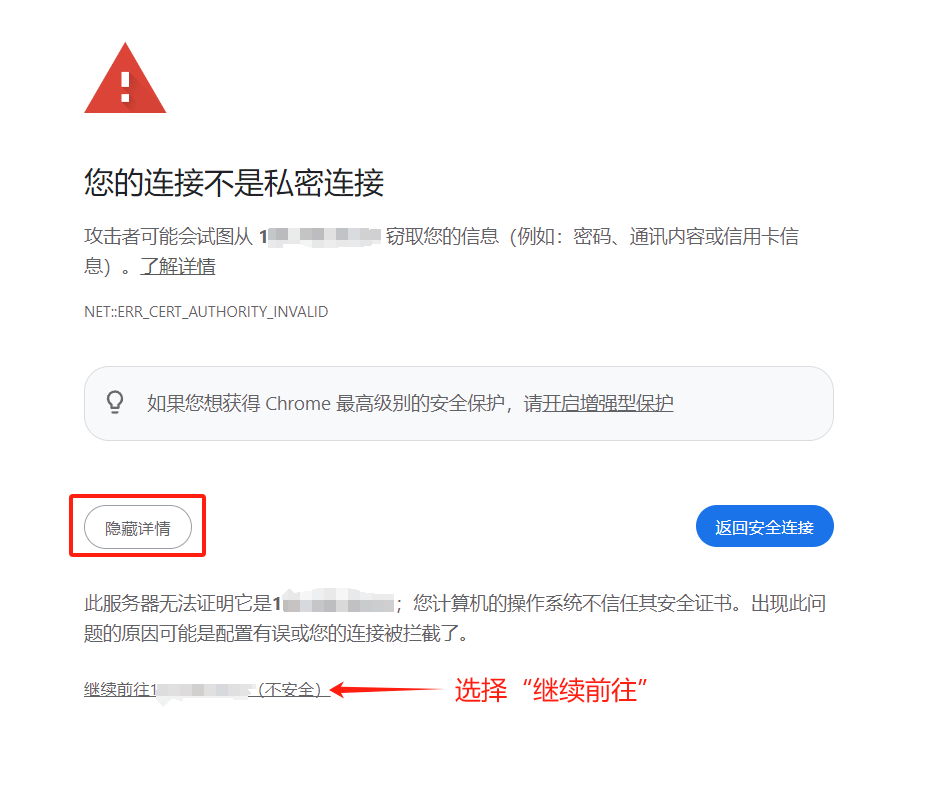
You just need to find the "Continue to the site" link and click it to proceed to Jianghu Panel.
4. Jianghu Panel Directory Structure
- Importance of File Standards
Linux systems follow certain directory structure standards (such as the Filesystem Hierarchy Standard, FHS), which helps maintain organization and consistency within the system. Adhering to these standards ensures that both users and programs can find their expected files and directories, thereby achieving secure and efficient file and directory management.
- Directory Structure and Overview
The main program of Jianghu Panel and the data for various applications are stored under the /www directory. In a typical server, the /www directory structure is as follows:
/www
├── backup
|   ├── database
│   └── site
├── recycle_bin
├── server
|   ├── cron
|   ├── jh-panel
|   ├── jianghujs
|   ├── mysql-apt
|   ├── nodejs
|   ├── openresty
|   ├── source
│   └── web_conf
├── wwwlogs
├── wwwroot
└── wwwstorage (optional)
In the above directory, the descriptions of each directory are as follows:
- /www/backup: Stores backup data for the server
- /www/recycle_bin: Recycle bin. This directory cannot be deleted
- /www/server: The main storage directory for various software and plugins required by Jianghu Panel. Each directory under it corresponds to an installed plugin. The most important directories are:
- /www/server/jh-panel: Storage directory for the main program of Jianghu Panel
- /www/server/web_conf: Storage directory for websites within Jianghu Panel
- /www/server/source:
- /www/server/cron: Storage directory for scheduled tasks
- /www/wwwlogs: Stores access logs for various websites
- /www/wwwroot: Stores code, configuration files, and running logs for various projects and websites
- /www/wwwstorage: Stores user data for various projects.