Running the Demo Project
12003This guide will walk you through how to run a basic JianghuJS demo project, from project initialization to startup, as well as how to access the project.
Download the Project
- First, ensure that
jianghu-initis installed. If it is not installed, execute the following command in the command line:
# Install using npm
npm install -g @jianghujs/jianghu-init@latest
# Install using yarn
yarn global add @jianghujs/jianghu-init@latest --registry=http://registry.npmmirror.com- Use the
jianghu-inittool to quickly create a new basic project. Execute the following command in the command line:
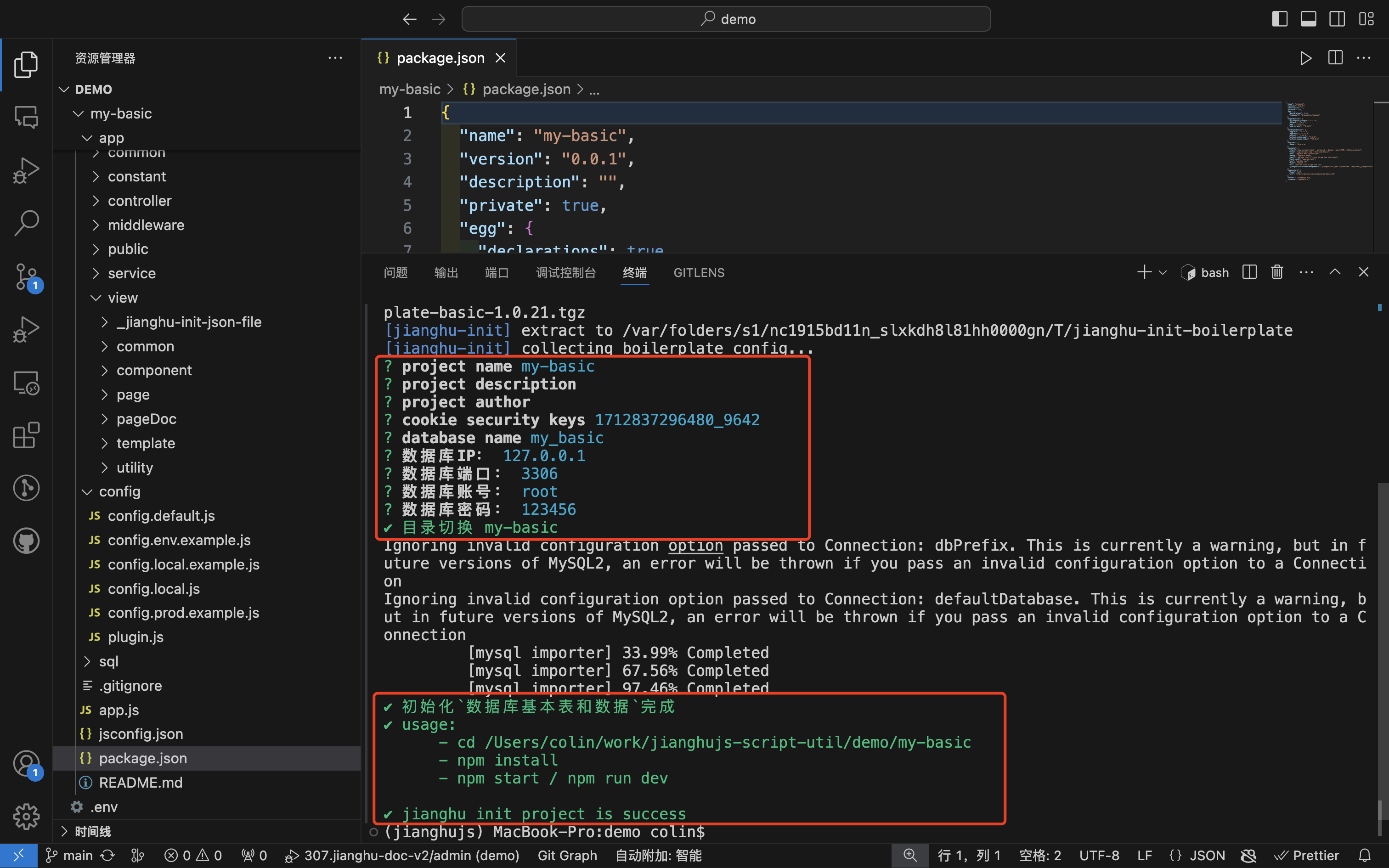
jianghu-init project --type=basic my-basic- Next, you will be prompted to fill in the project information:
- Project name: Enter the project name
my-basic. - Cookie security keys: Enter the keys for Cookie security; you can use the automatically generated ones.
- Database name: Enter the database name
my_basic. - Database IP: Enter the IP address of the database server
127.0.0.1. - Database port: Enter the database port
3306. - Database username: Enter the database username
root. - Database password: Enter the database password
123456.
- Project name: Enter the project name
- Then open the project using VSCode
Install Dependencies
- Navigate to the project directory
cd my-basic- Install dependencies
# Install using npm
npm install
# Install using yarn
yarn --registry=http://registry.npmmirror.com
Start the Project
After installing the dependencies, use npm run dev to start the project:
Once the project is started, you will see the startup logs and information, including the startup information for the jianghujs application.
npm run dev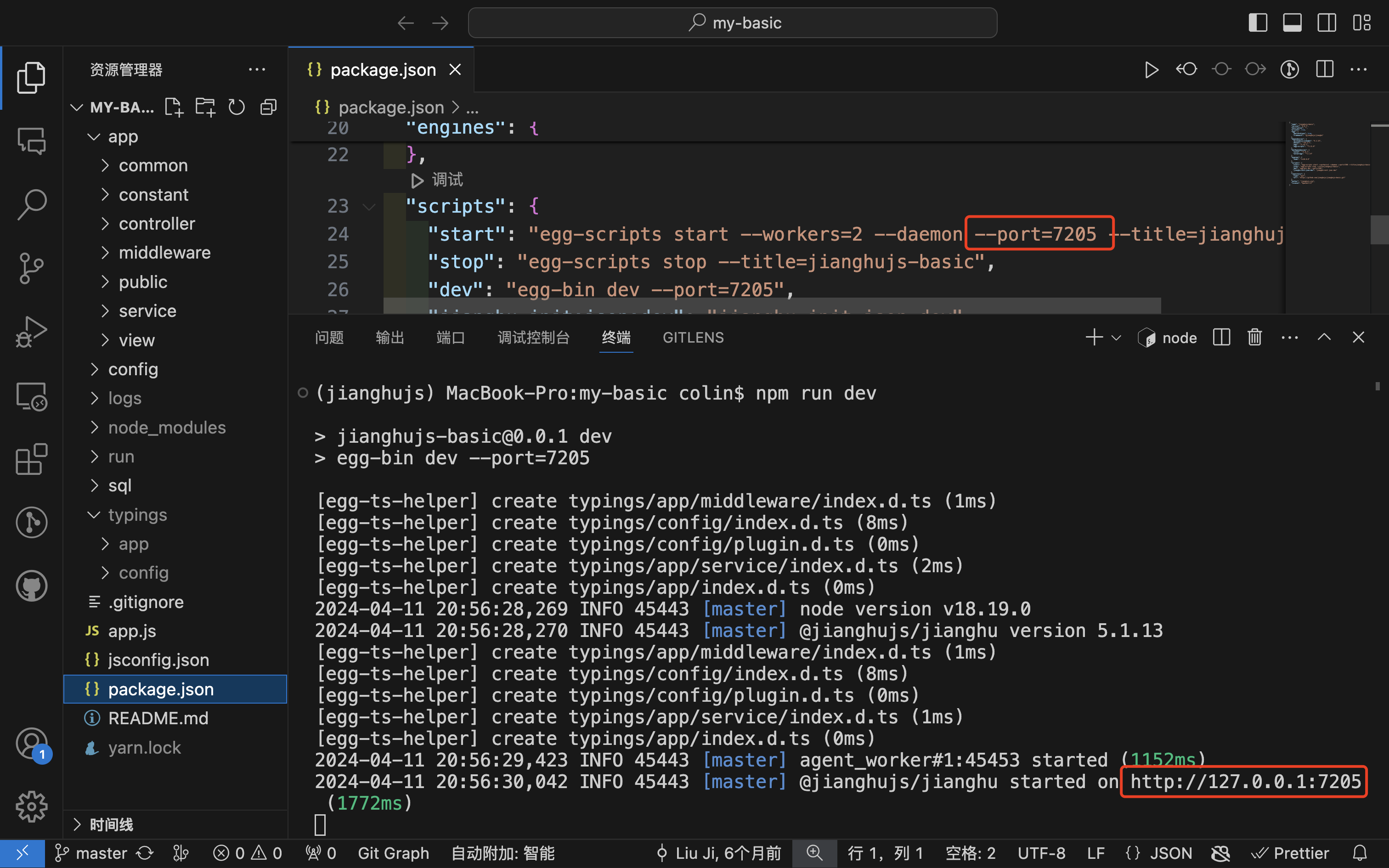
Access the Project
Open your browser and visit http://127.0.0.1:7001. Log in using the following information:
- Username:
admin - Password:
123456
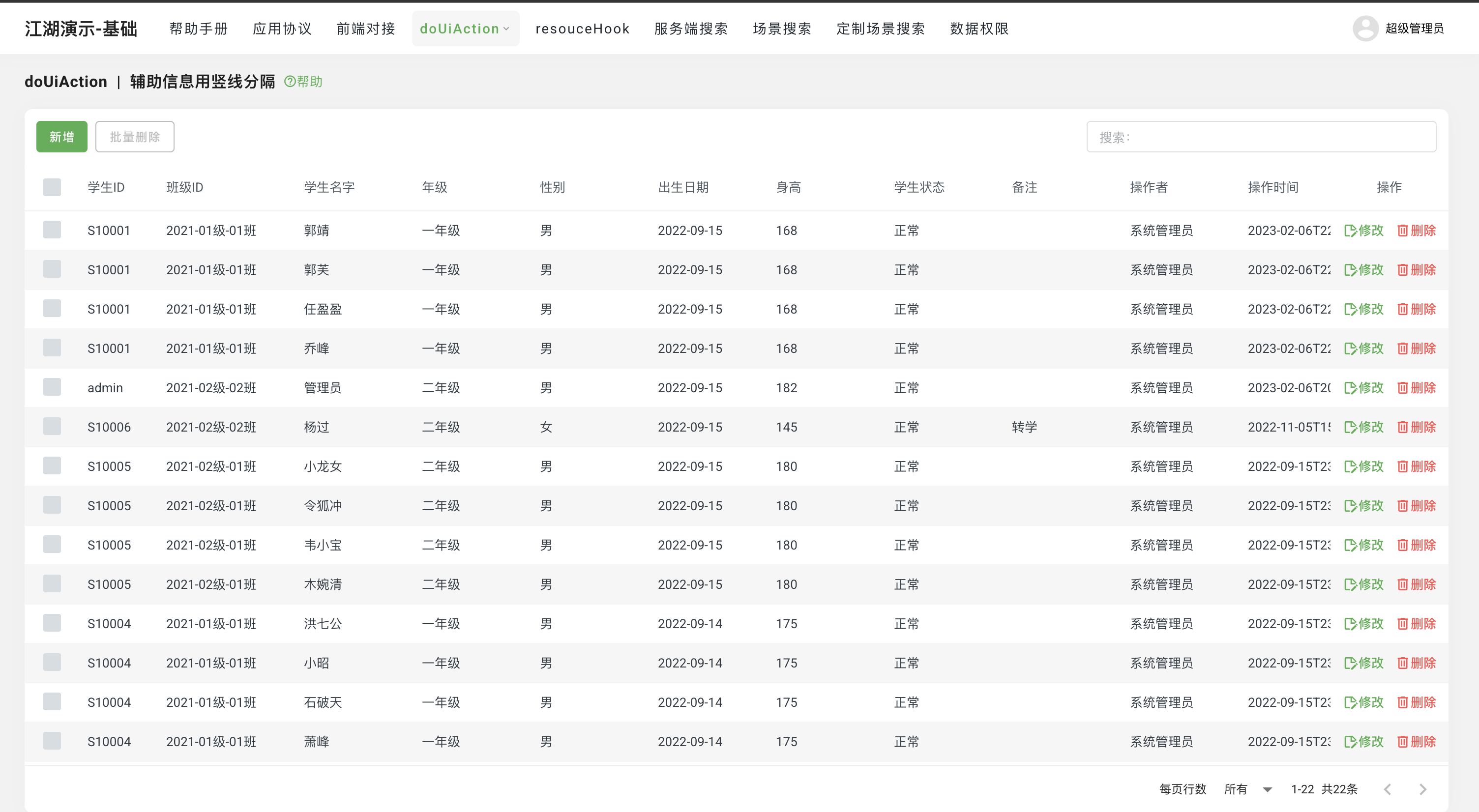
Now, you should be able to see the running interface of the JianghuJS demo project.
More information about 👉[jianghujs-basic](==to be supplemented==)