
Approval
12134I. Function Overview
The approval management function is one of the core modules in the Jianghu OA system, aimed at efficiently managing various internal approval processes within the enterprise through flexible configuration of approval templates. Users can create and customize approval processes based on actual needs. After submitting an application, the system will automatically notify the relevant approvers for processing. Once the approval process is completed, the system will record the entire approval process, ensuring transparency and traceability.
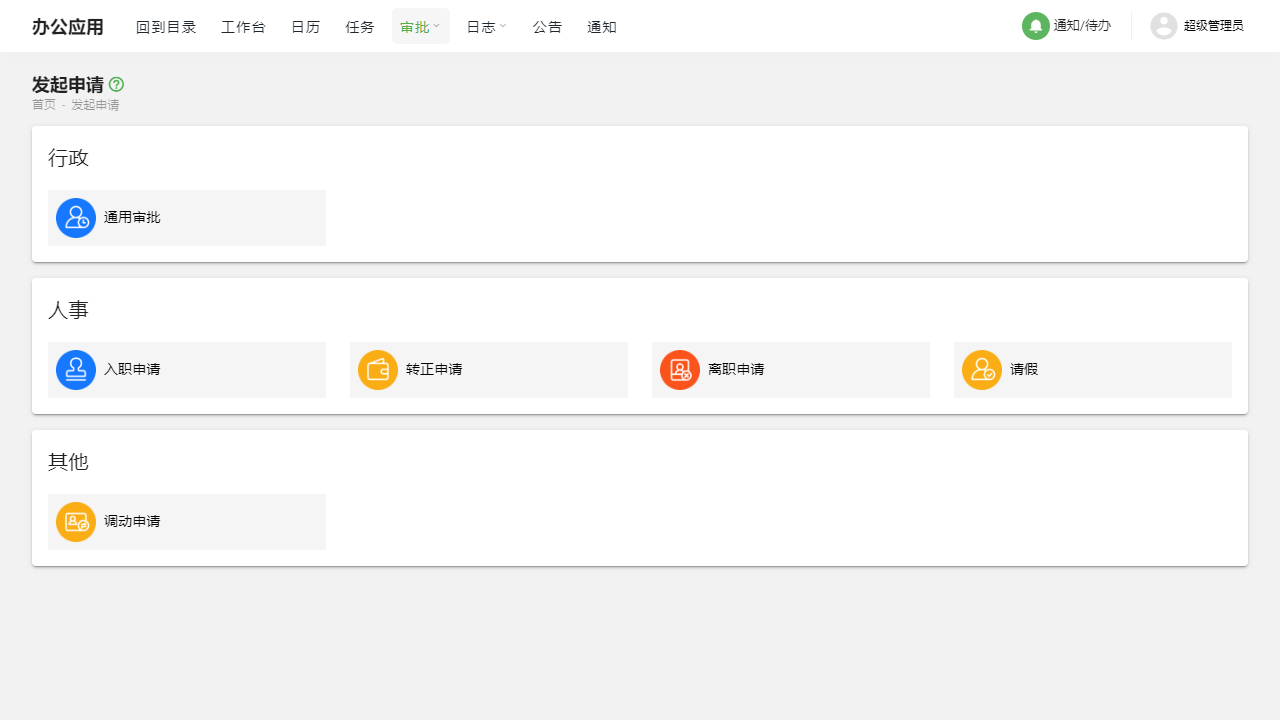
II. Function Entry
Users can easily access the approval management-related pages by clicking on the [Approval] option in the top navigation bar of the system, allowing them to start processing or initiating approval transactions.
III. Detailed Function List
Approval Template Management
- Add: Users can customize new approval templates to meet different approval needs within the enterprise.
- Modify: Users can adjust the content of existing approval templates at any time based on actual business changes.
- Delete: Users can delete approval templates that are no longer needed.
- Configure Approval Process: Users can set the sequence of approvals, approvers, and approval conditions, etc.
- Configure Approval Form: Based on the specific content of the approval matter, users can customize the approval form to ensure that necessary information is collected.
Initiate Application
- Users can select one from the preset approval templates and fill out the corresponding approval form based on the template.
- After submitting the application, the system will automatically initiate the approval process and notify the first approver.
Applications I Received
- Users can view all approval applications submitted for their processing here.
- The system distinguishes between "Pending My Processing" and "Cc'd to Me" applications, making it easier for users to prioritize urgent or important approval matters.
Applications I Submitted
- Users can view all approval applications they have initiated.
- For applications that have not yet completed the approval process, users have the right to modify or withdraw them.
IV. Precautions
- When configuring approval templates, please ensure the accuracy and completeness of the approval process and forms to avoid confusion and delays in subsequent operations.
- When initiating an application, please carefully verify the information filled in and submit only after confirming its correctness.
- When processing approvals, please maintain efficiency and fairness to ensure the smooth operation of enterprise processes.
- In case of special circumstances requiring withdrawal or modification of an application, please communicate promptly with relevant personnel to avoid unnecessary misunderstandings and conflicts.
V. Frequently Asked Questions and Answers
Q: How can I quickly find the approval applications I need to process?
A: You can quickly view and process all approval applications pending your processing through the "Applications I Received" function.
Q: Can I modify an approval application that I have already submitted?
A: Yes, for applications that have not yet completed the approval process, you have the right to modify them. Please enter the "Applications I Submitted" function to find the corresponding application for modification.
Q: What should I do if I accidentally deleted an important approval template?
A: If you have administrator privileges, you can try to restore the deleted template from the system's recycle bin or backup. If you do not have administrator privileges, please contact the system administrator for assistance immediately.
Q: How can I optimize the approval process to improve efficiency?
A: You can adjust the approval process and forms based on actual conditions, reducing unnecessary approval steps and information input to improve approval efficiency. Additionally, make good use of the system's automated notification features to ensure that approvers can process applications in a timely manner.