
Supplier Management⓵
12075Supplier Management
Function Entry: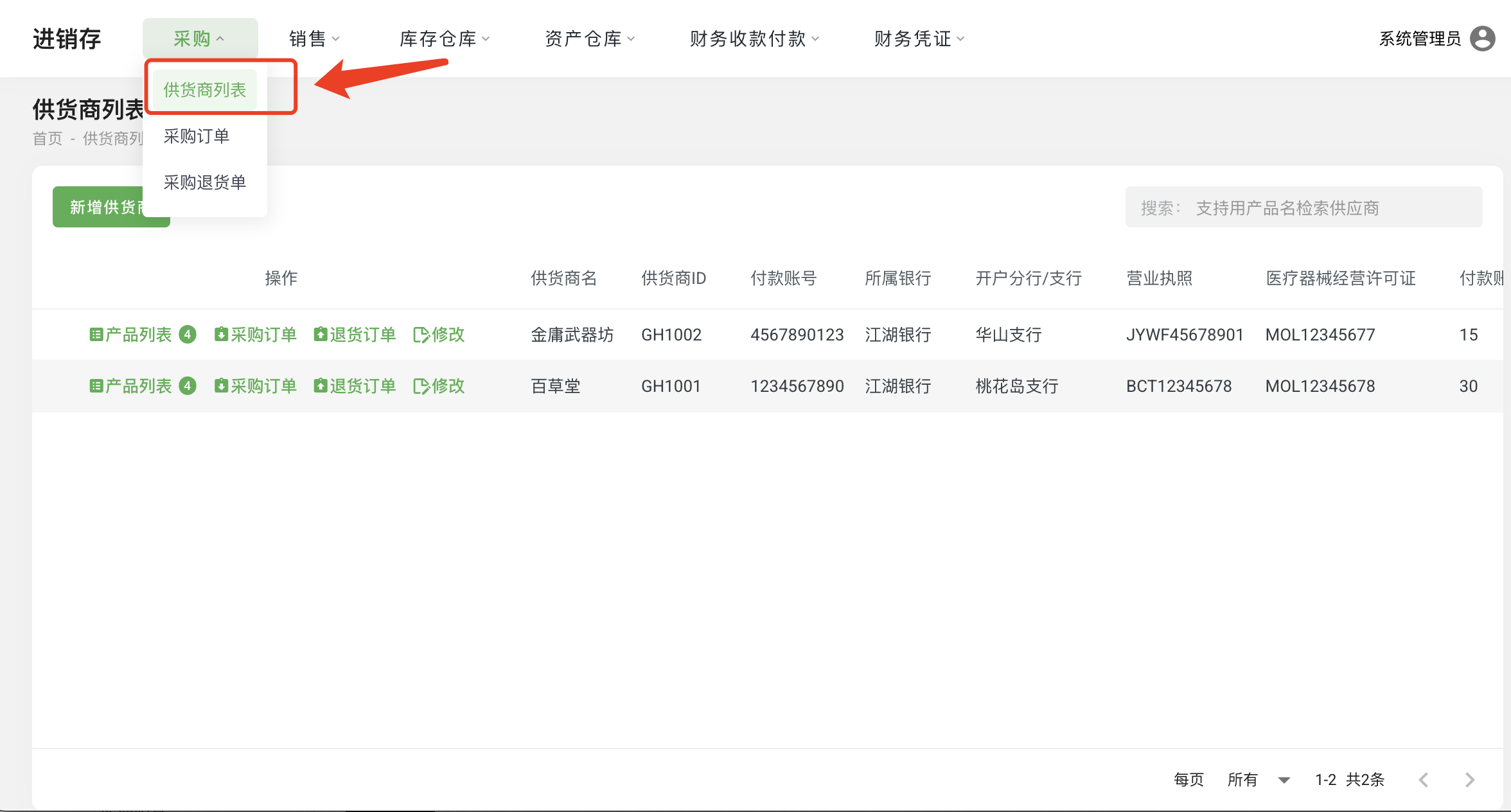
Operation Steps:
- Click on the menu “Purchasing — Supplier List” to enter the Supplier List page.
Operation Instructions:
- Add Supplier: Click “Add Supplier” to add a new supplier.
- Edit: Modify supplier information.
- Product List: Manage the product list of the supplier;
- Purchase Order: Create a purchase order under the current supplier.
- Return Order: Create a purchase return order under the current supplier.
Supplier - Product Management
Function Entry: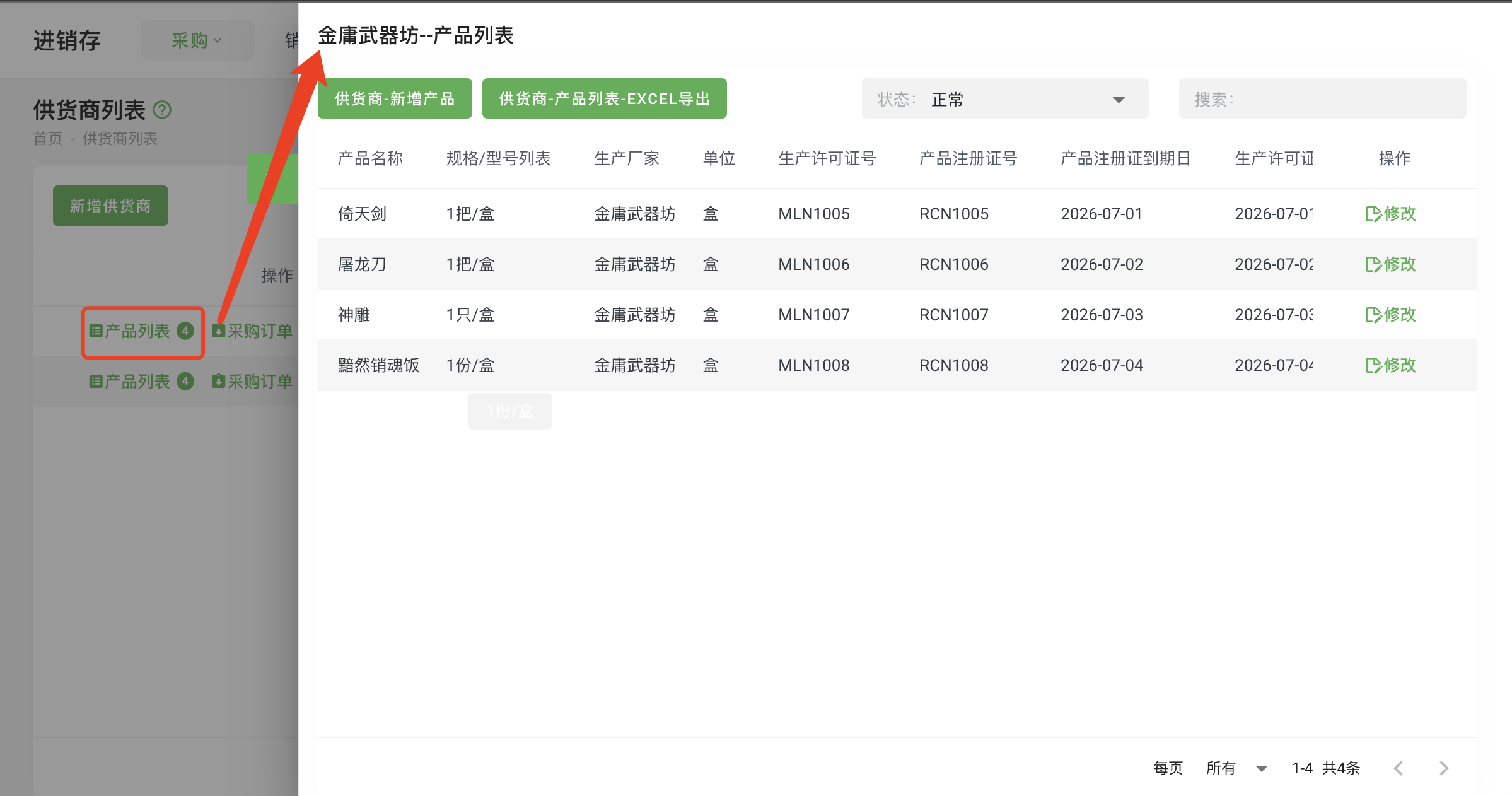
Operation Steps:
- Click on the menu “Purchasing — Supplier List” to enter the Supplier List page.
- Click the “Product List” button in the row of the supplier.
Operation Instructions:
- Supplier - Add Product: Add a new product under the current supplier.
- Supplier - Product List - EXCEL Export: Export the product list of the current supplier.
- Edit: Modify product information.