
Asset Value Management⓵
12075Asset Depreciation Settings
Function Entry:
Operation Steps:
- Select "Financial Vouchers - Financial Value Management" from the menu to enter the customer list.
- Click "Edit" to open the asset depreciation information settings page.
- Set "Asset Original Value," "Salvage Rate," "Estimated Usage Months," and click Save.
Depreciation Voucher Generation
Function Entry: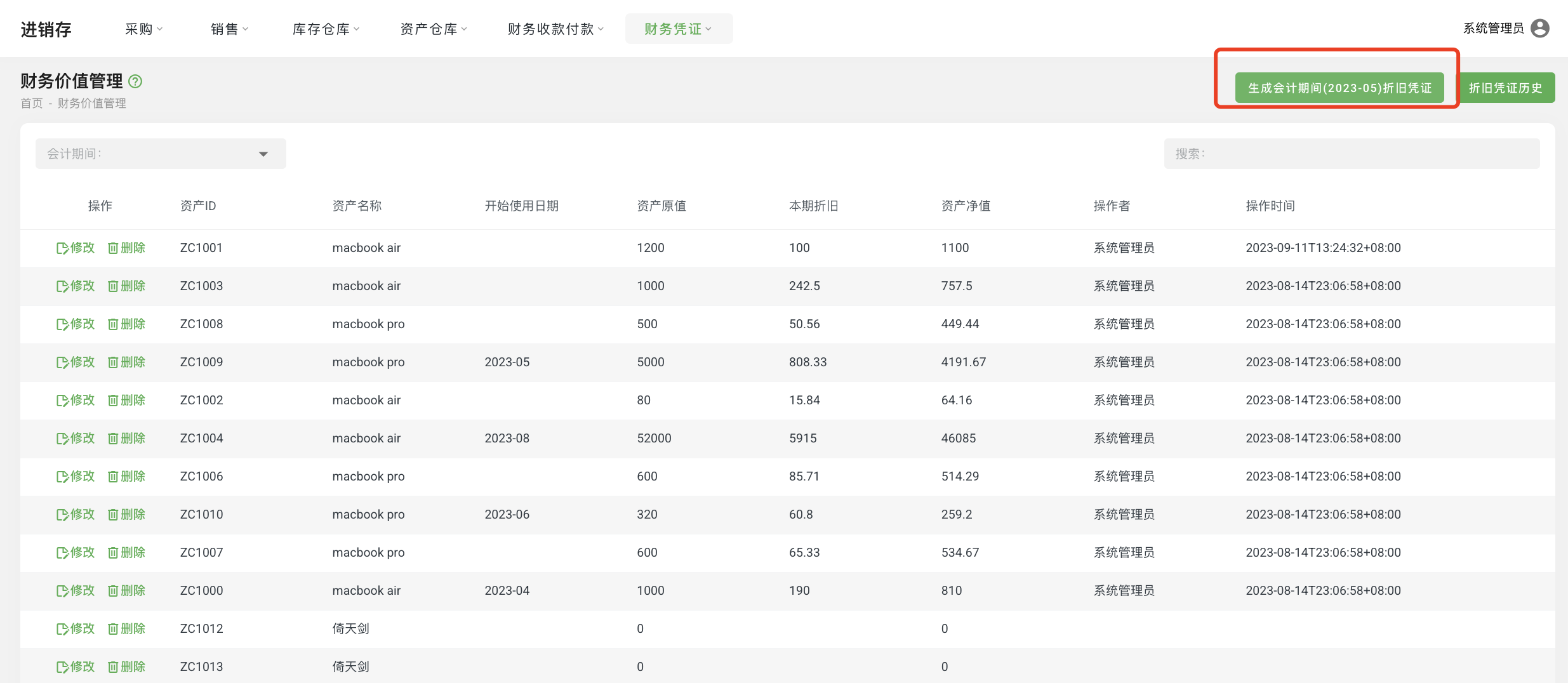
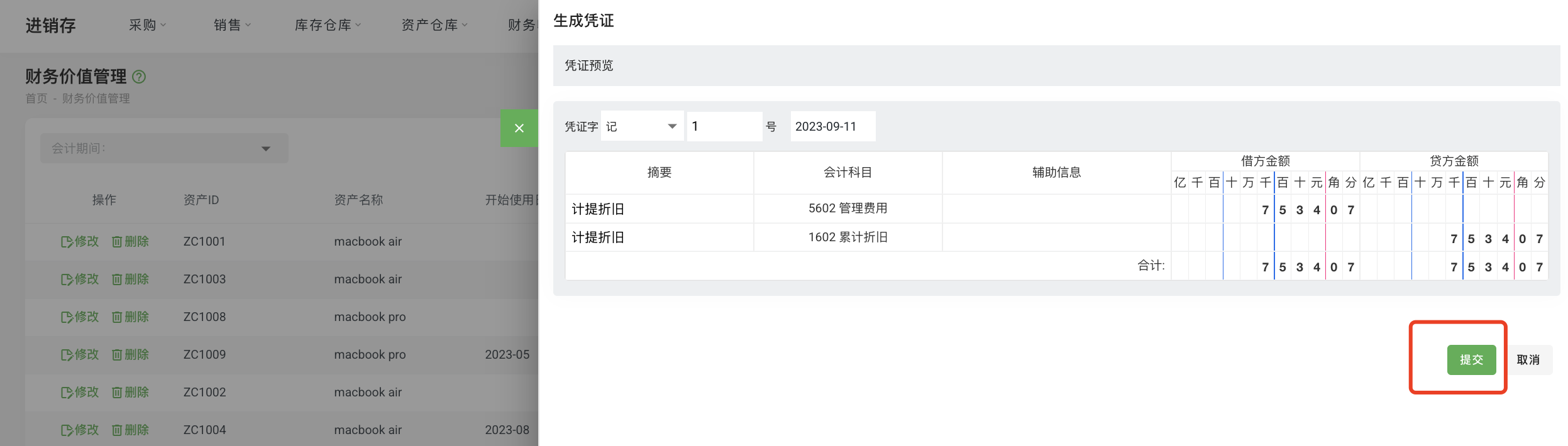
Operation Steps:
- Select "Financial Vouchers - Financial Value Management" from the menu to enter the customer list.
- Click "Generate Depreciation Voucher" to open the depreciation voucher generation window.