Jianghu Digital Platform
Search
⌘
K
English
中文
Home
Development
Applications
Operations
Philosophy
Methodology
R&D
Cases
About
English
中文
Login
Home
Development
Applications
Operations
Philosophy
Methodology
R&D
Cases
About
Change Password
Old Password
New Password
Confirm New Password
Search
Cancel
Search
Cancel
Search
Cancel
Jianghu ERP Introduction
Jianghu ERP Training
Jianghu ERP Documentation
Menu
文章大纲
目录搜索
Catalog
Purchase
01
-User Login & Add New User⓵
03
-Purchase Order⓵
04
-Purchase Return Order⓵
Purchasing
02
-Supplier Management⓵
Sales
01
-Customer Management⓵
02
-Sales Order⓵
03
-Sales Return Order⓵
Inventory
01
-Warehouse Management⓵
02
-Inventory Work Order
03
-Inventory Management⓵
04
-In/Out Warehouse Receipt Printing⓵
Assets
01
-Asset Work Order⓵
02
-Asset Management⓵
03
-Asset Records⓵
Financial Certificates
05
-Certificate Generation⓵
Financial Vouchers
01
-Asset Value Management⓵
02
-Asset Depreciation Details⓵
03
-Asset Summary⓵
04
-Asset Reconciliation General Ledger⓵
Financial Receipts and Payments
01
-Financial Work Order⓵
02
-Payment Order View⓵
03
-Receipt View⓵
Permissions
01
-Permission Allocation⓵
Development Courses
01
-Local Startup Project
Asset Reconciliation General Ledger⓵
12075
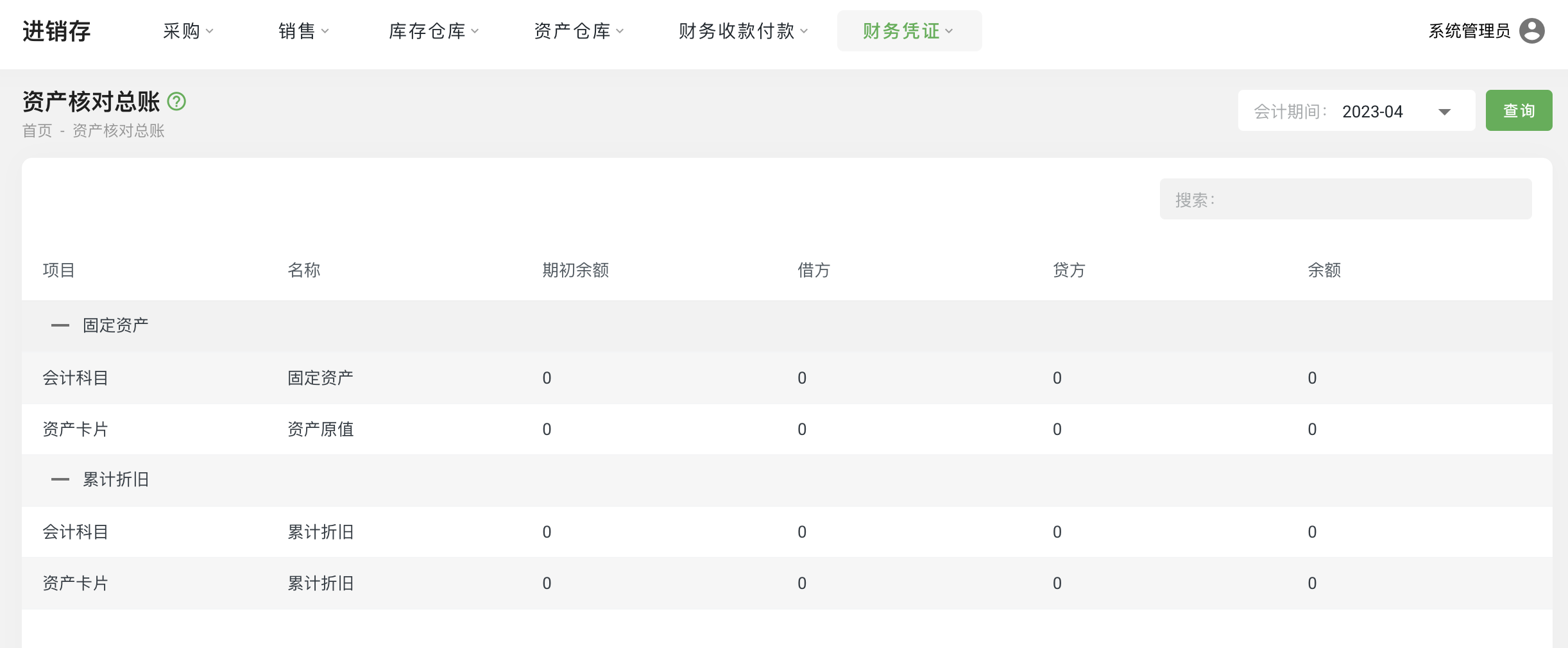
Asset Reconciliation General Ledger View
Function Entry
:
Operation Steps
:
Select "Financial Vouchers - Asset Reconciliation General Ledger" from the menu to enter the page.
## Asset Reconciliation General Ledger View **Function Entry**:  **Operation Steps**: - Select "Financial Vouchers - Asset Reconciliation General Ledger" from the menu to enter the page.