
Social Security Management
12110I. Function Overview
The social security management function is an important component of the Jianghu HR management system, primarily focused on the comprehensive management of employees' social insurance. Users can customize social security plans, set contribution ratios for the five insurances and one fund, and create and view monthly social security contribution reports.
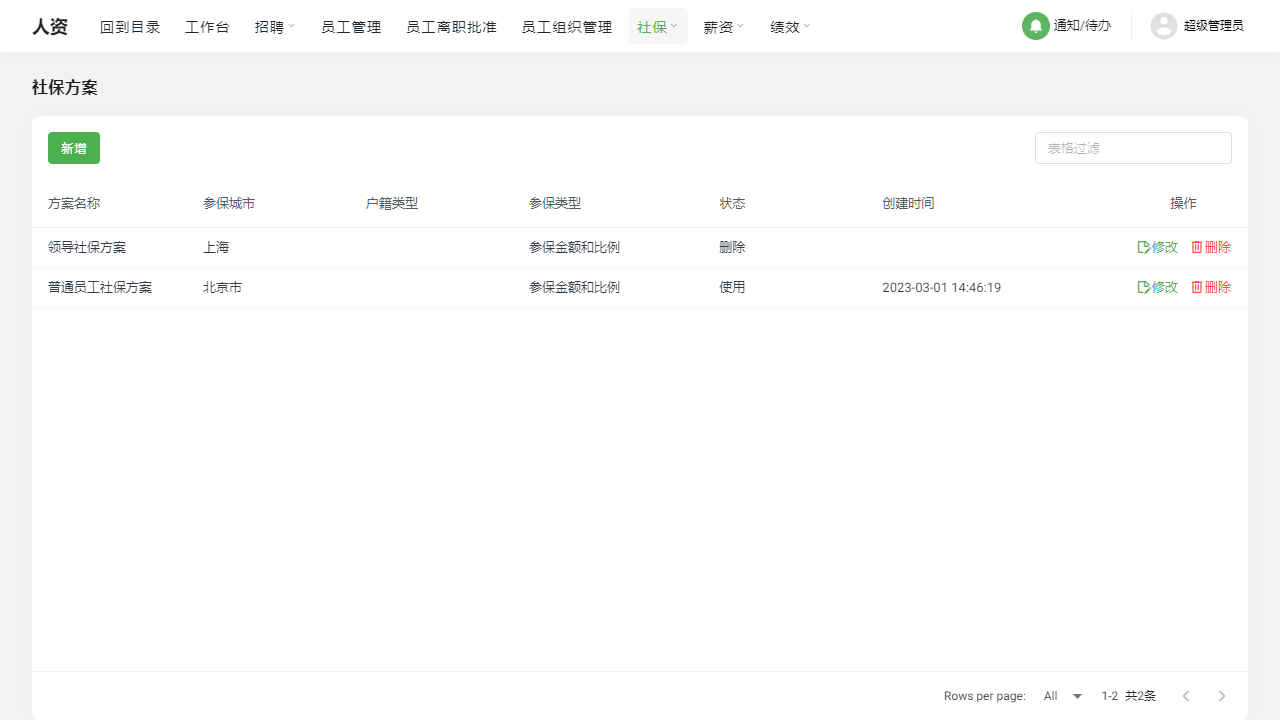
II. Function Entry
Users can access the relevant pages for social security management by clicking the [Social Security] tab at the top of the page to begin setting up and managing social security plans.
III. Function Details
- Add New Social Security Plan: Users can add new social security plans based on the actual situation of the company and employee welfare policies. When adding a new social security plan, users can choose to set the contribution data for the five insurances and one fund based on the insured amount and ratio, or they can directly set a fixed contribution amount. This flexibility makes the social security plan more aligned with the company's actual needs.
- Modify Social Security Plan: As company policies or regulations change, users may need to modify existing social security plans. In the social security management function, users can easily modify existing social security plans, including contribution ratios or fixed amounts for the five insurances and one fund.
- Delete Social Security Plan: For social security plans that are no longer applicable or have expired, users can choose to delete them to maintain clarity and simplicity in social security management.
- Create Next Month's Report: The monthly social security contribution status is an important part of the company's financial management. In the social security management function, users can create next month's social security contribution report to timely record and track the company's social security contributions. Additionally, the report supports annual viewing, making it convenient for users to conduct annual summaries and analyses.
IV. Notes
- When adding or modifying social security plans, please ensure that the set ratios and amounts comply with relevant laws and regulations.
- Before deleting a social security plan, please confirm whether any employees are still using that plan to avoid affecting their social security contributions due to accidental deletion.
- When creating next month's report, please verify that the data in the report is accurate to ensure the accuracy and compliance of the company's finances.
V. Frequently Asked Questions
Q: How to determine the contribution ratio for the five insurances and one fund?
- A: The contribution ratio for the five insurances and one fund is usually determined based on local laws and policies. Users can consult local social security agencies or human resources departments to understand the specific contribution ratio requirements.
Q: Can the data in the report be exported?
- A: Yes, the data in the report can usually be exported to Excel or other common formats, facilitating further data analysis and processing by users. Please refer to the system's help documentation or user guide for specific export methods.
Q: How are the social security records of employees who leave the company handled?
- A: For employees who have left the company, users can mark their departure status in the system and handle their social security records based on the company's actual situation. Generally, the social security contribution records of departed employees will be retained in the system for historical data inquiries and analyses. However, the specific handling methods may vary depending on company policy, so please consult the company's human resources department or relevant personnel.