
Salary Management
12110I. Function Overview
The salary management function is a core module in the Jianghu HR management system, responsible for comprehensively managing employee salary affairs. By setting payroll rules, the system can automate salary calculations and provide features such as salary import, distribution record viewing, and salary file inquiries. This greatly simplifies the salary management process and improves work efficiency.
II. Function Entry
Users can click the 【Salary】 tab at the top of the page to directly access the relevant pages for salary management.
III. Function Details
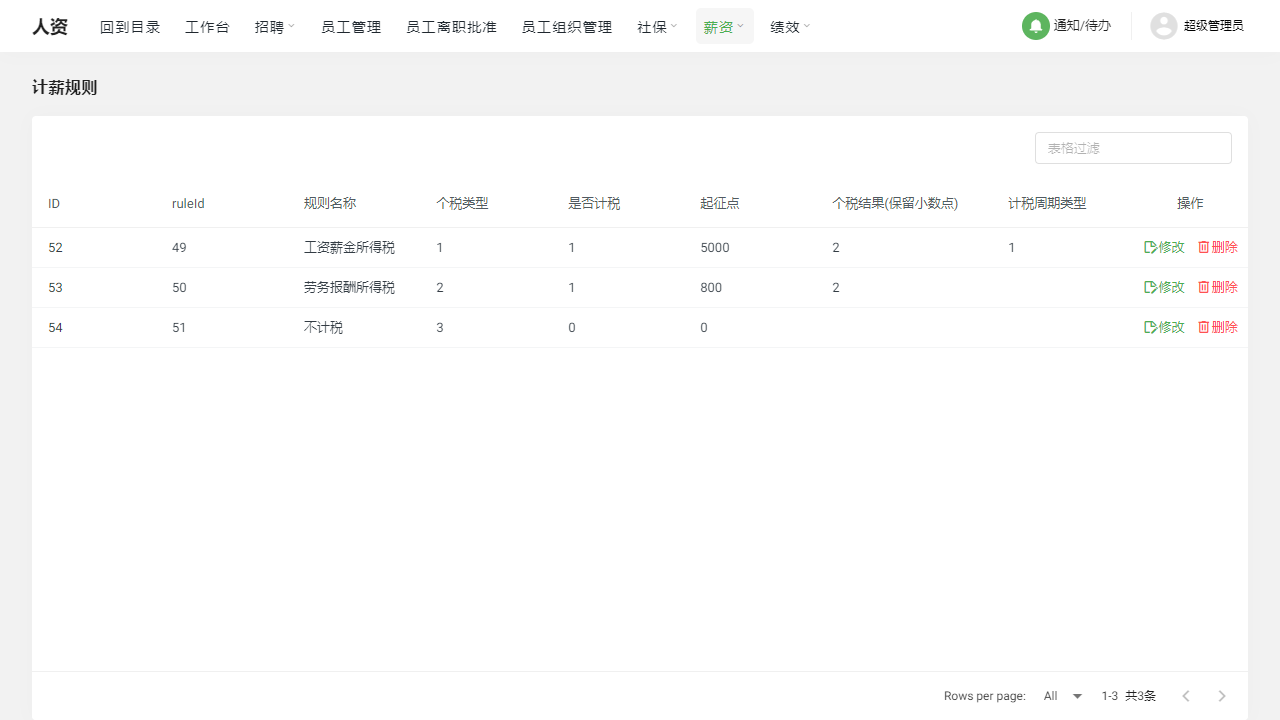
- Payroll Rules: Users can add, modify, or delete payroll rules to accommodate different salary policies and calculation methods of the company. These rules form the basis of salary calculations, ensuring accuracy and fairness in salary computation.
- Payroll Cycle: The system supports editing payroll information by employee, which means different payroll cycles can be set for different employees, such as monthly salary, weekly salary, etc., to meet the diverse needs of the enterprise.
- Salary Import: To facilitate data migration or bulk updates, the system supports the import function for salary data. Users can quickly and accurately input large amounts of salary data into the system through the import function.
- Distribution Records: The system keeps detailed records of salary distribution history, including distribution time, amount, receiving account, and other information. This helps the enterprise conduct financial audits and salary verifications.
- Salary Files: Employees can view their salary details at any time, including basic salary, bonuses, deductions, and other detailed information. Additionally, the fixed salary function allows enterprises to set fixed salary levels for employees.
- Salary Groups: The salary group function allows users to group employees based on position, department, or other criteria, and set specific salary rules and calculation methods for each group. Users can add, modify, or delete salary groups to adapt to changes in organizational structure.
IV. Precautions
- When modifying or deleting payroll rules, please ensure you understand the potential impact of these changes on salary calculations.
- When importing salary data, please ensure the accuracy and completeness of the data to avoid calculation errors or distribution issues.
- Regularly review and verify distribution records to ensure the accuracy and timeliness of salary disbursements.
- Employee salary details and fixed salary information are sensitive data; please ensure that only authorized personnel can access and modify this information.
V. Frequently Asked Questions
Q: How can I ensure the accuracy of salary calculations?
- A: First, ensure that the payroll rules and cycle settings are correct. Second, perform data verification and validation before each salary calculation. Finally, regularly verify salary distribution records with the finance department.
Q: Can salary data be exported?
- A: Yes, salary data can usually be exported to Excel or other common formats for data analysis and archiving. Please refer to the system's help documentation for specific export methods.
Q: What should I do if an employee disputes their salary?
- A: Employees can check their salary details through the salary file. If there is a dispute, they can contact the human resources department for verification and adjustment. Ensuring transparency and fairness in salary calculations is also key to reducing disputes.