
Content Correction
12122I. Function Overview
The content correction feature is an online system for grading assignments, exams, and notes, designed to help teachers efficiently manage students' assignments, exams, and notes, and provide correction functionalities to assess students' learning outcomes.
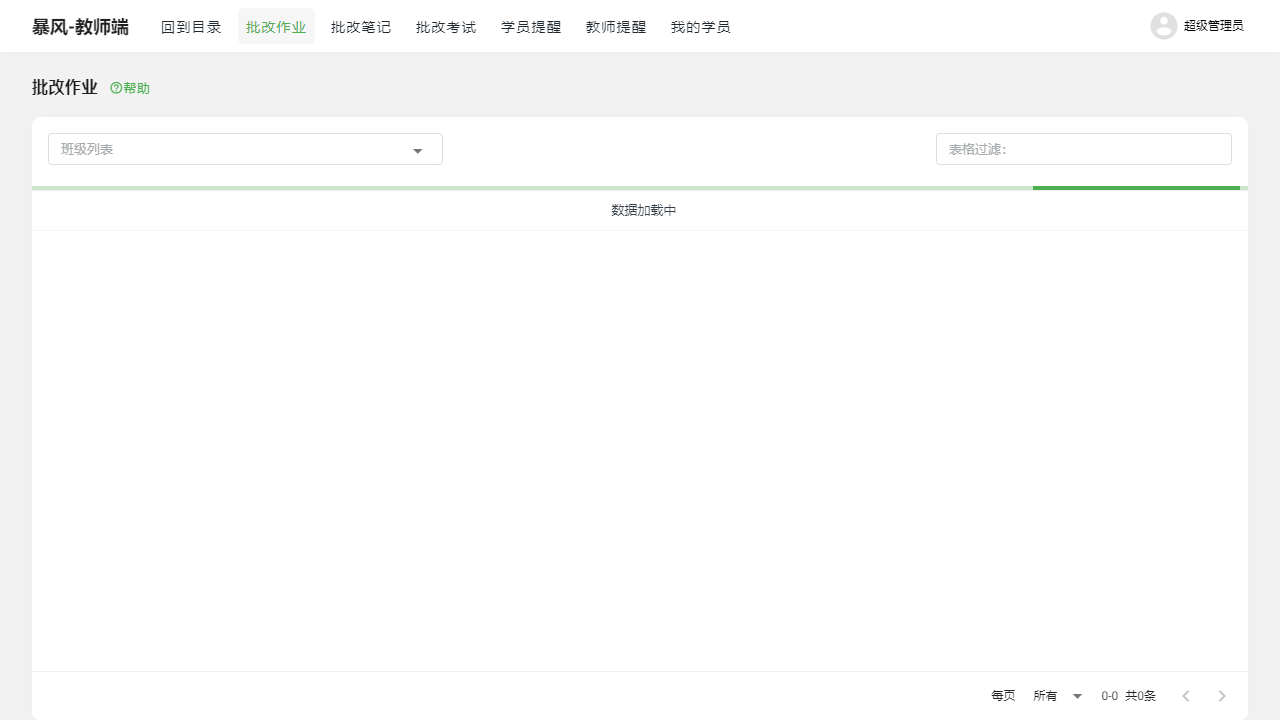
II. Function Entry
Teachers can quickly access the corresponding function pages by clicking on the 【Correct Assignments】【Correct Exams】【Correct Notes】 tabs at the top of the page.
III. Function Details
1. Correct Assignments
On the "Correct Assignments" page, teachers can view a list of assignments submitted by students. After selecting an assignment, teachers can review the content and perform corrections. Corrections include adding comments, scoring, and providing feedback. Once the corrections are completed, teachers can submit the correction results, and students will receive feedback.
2. Correct Exams
The "Correct Exams" page displays a list of exams completed by students. Teachers can select an exam for correction, which includes scoring both objective and subjective questions. Objective questions can be scored automatically, while subjective questions require manual correction by the teacher. After completing the corrections, teachers can submit the correction results and provide detailed feedback on the exam.
3. Correct Notes
On the "Correct Notes" page, teachers can view students' class notes. This feature aims to encourage students to actively record class content and promote interaction between teachers and students. Teachers can provide comments and suggestions on students' notes, helping them improve their note-taking skills and enhance learning efficiency.
IV. Notes
- When correcting, please ensure a fair, objective, and accurate evaluation of students' assignments, exams, and notes.
- During the correction process, be mindful of protecting students' privacy and personal information.
- Please submit correction results promptly so that students can understand their learning status and make improvements in a timely manner.
- If you encounter technical issues or difficulties in correction, please contact technical support or colleagues for assistance.
V. Frequently Asked Questions
Q1: How can I view students' assignments, exams, and notes?
A1: Teachers can enter the "Correct Assignments," "Correct Exams," and "Correct Notes" pages by clicking on the corresponding tabs at the top of the page. In these pages, teachers will see a list of assignments, exams, and notes submitted by students. After selecting an assignment, exam, or note, they can view the detailed content.
Q2: How do I perform corrections?
A2: On the pages for viewing students' assignments, exams, or notes, teachers can perform correction operations. Corrections include adding comments, scoring, and providing feedback. After completing the corrections, please remember to submit the correction results.
Q3: What should I do if I encounter problems during the correction process?
A3: If you encounter issues during the correction process, such as technical malfunctions or difficulties in grading, please promptly contact technical support or colleagues for assistance. Additionally, you can refer to relevant teaching resources and reference materials for more accurate corrections.
Q4: How can students view the correction results?
A4: Students can view the correction results on their own assignment, exam, or note pages. After teachers submit the correction results, students will receive a notification and can check the details and feedback on the corresponding pages.