
User Login & Add User
12078User Login
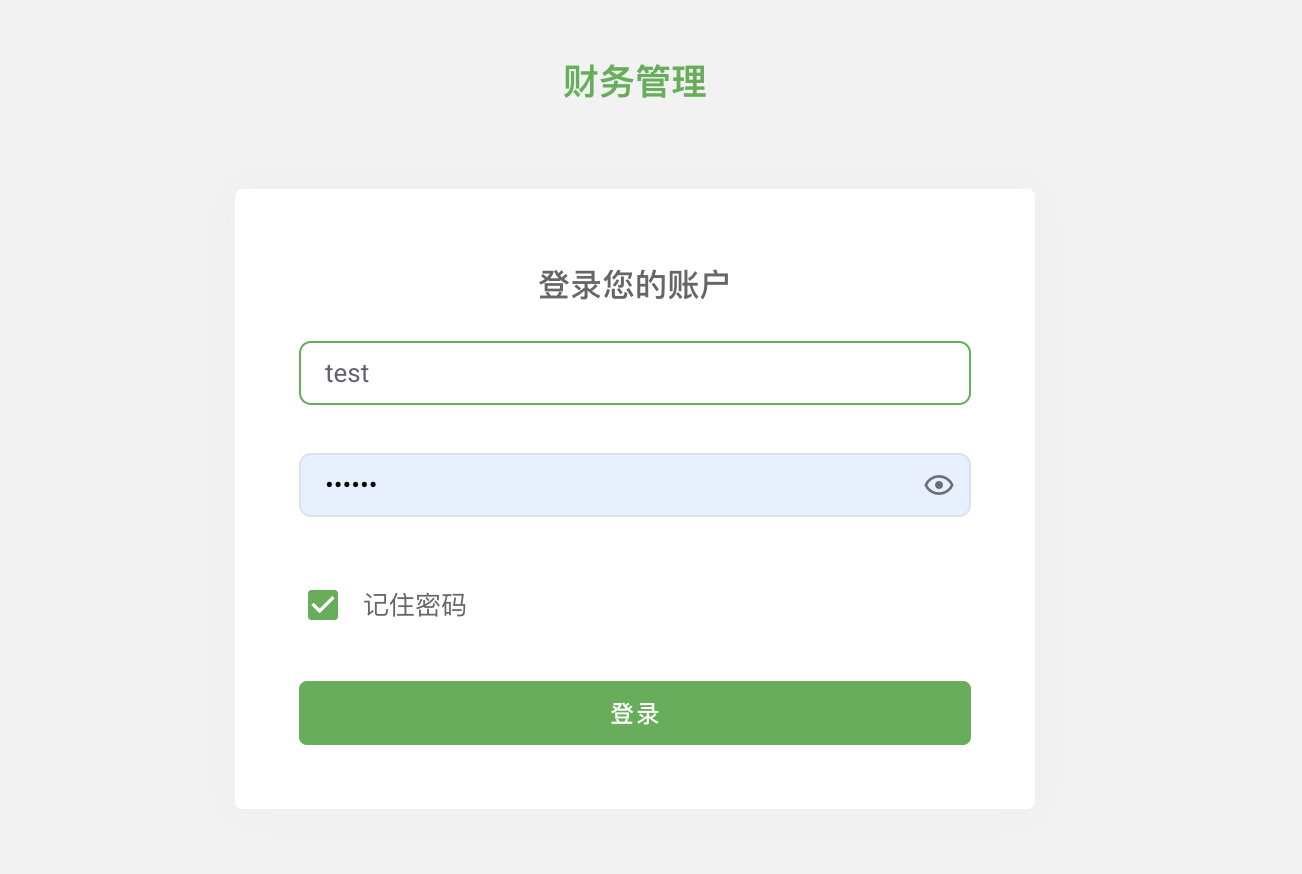
User login is the first step to access the system. Below are the steps to log into the system:
- Access the system login page via the provided browser demo link.
- Enter "admin" in the username input field.
- Enter "123456" in the password input field.
- Click the "Login" button to enter the system.
Please note that for account security, it is recommended to change the default password promptly during actual use and to update the password regularly.
Add User
The add user feature allows administrators to add new users to the system. Below are the steps to add a new user:
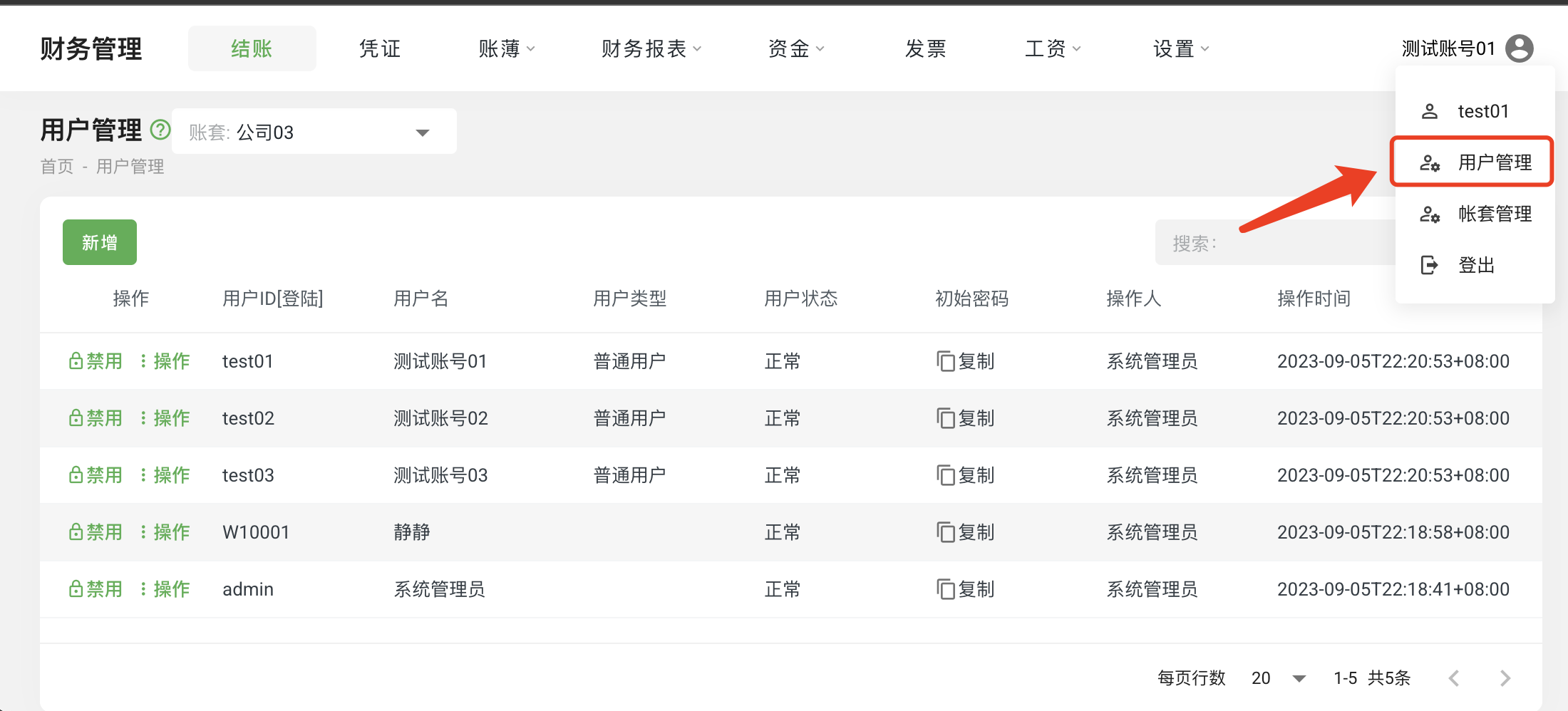
- Click on the "User Avatar" in the menu, then select "User Management" to enter the user management page.
- On the user management page, find and click the "Add" button at the top of the table. This will open a new user information entry interface.
- In the new user information entry interface, enter the new user's ID, username, and initial password. Please ensure that the information entered is accurate.
- Click the "Save" button, and the system will save the new user's information and display the new user in the user list.
Please note that when adding a new user, ensure the uniqueness of the user ID to avoid conflicts with other user IDs. Additionally, for account security, it is recommended to set a complex initial password for the user and require the user to change the password upon first login.
The above outlines the steps and precautions for user login and adding a user. We hope this information helps you use the system more effectively.