
Product Management
12119I. Function Overview
Product Management is one of the core functions of an e-commerce platform, involving the categorization of products, management of the products themselves, and management of user comments on products. Through product management, merchants can easily add, edit, and delete products, as well as manage product categories and comments, ensuring that the product information on the platform remains up-to-date and accurate.
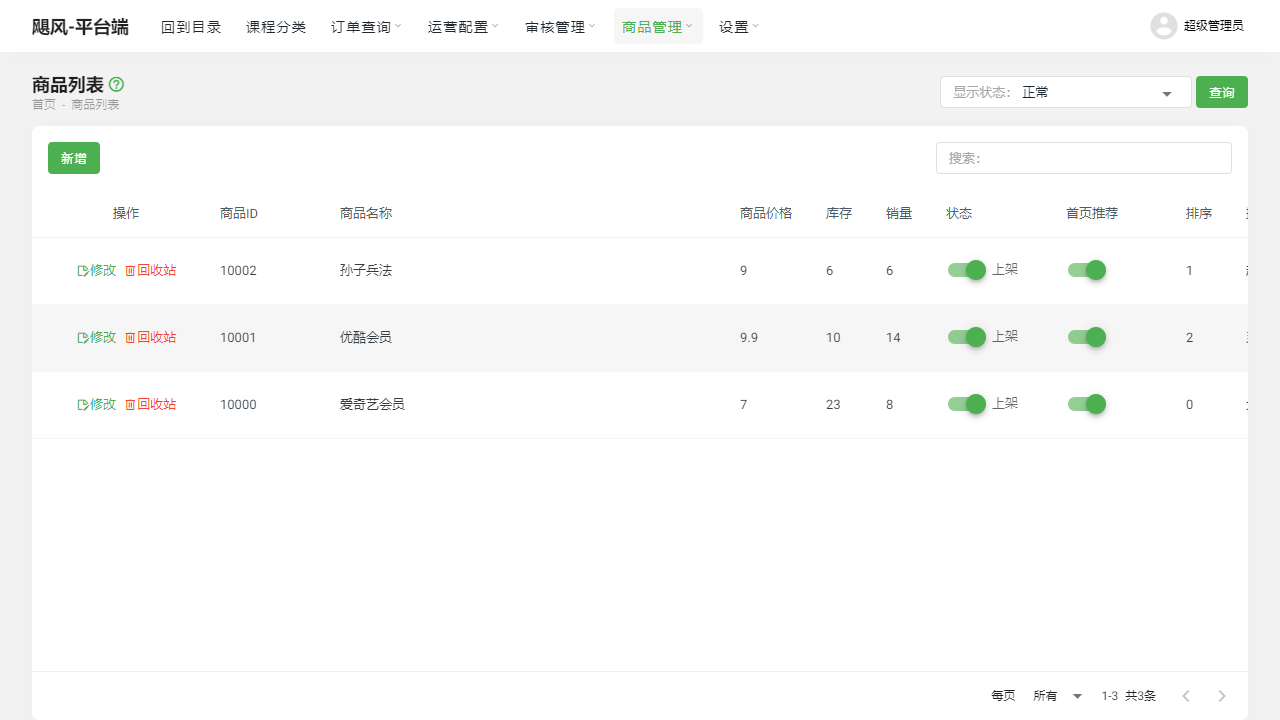
II. Function Entry
To facilitate quick access for users, we have set up the Product Management tab at the top of the page. Users can simply click this tab to enter the relevant product management page.
III. Function Details
Category List:
- Add Category: Allows merchants to add new product categories based on their needs.
- Edit Category: For existing product categories, merchants can edit them, such as changing the category name, description, etc.
- Delete Category: Categories that are no longer needed can be deleted to maintain simplicity and order.
- Sorting: Merchants can adjust the display order of categories to meet specific presentation needs.
- Icon Modification: Set or change icons for categories to make them more recognizable and attractive.
Product List:
- Add Product: Merchants can easily add new products, including detailed information, prices, stock, etc.
- Edit Product: For listed products, merchants can edit and update them at any time.
- Delete Product: Products that are no longer for sale can be removed from the list.
- Shelf Management: Depending on sales strategies, merchants can put products on or take them off the shelf at any time.
- Homepage Recommendation: Merchants can choose to recommend specific products on the platform's homepage to increase product exposure.
Comment List:
- View Product Comments: Merchants can view user comments on products to understand user feedback and needs.
- Add Virtual Comments: To enhance product credibility and purchase rates, merchants can choose to add virtual comments.
- Filter Real/Virtually Comments: Merchants can filter to view real user comments or added virtual comments as needed.
IV. Notes
- When performing product management operations, please ensure you have sufficient permissions.
- When adding or modifying products, please ensure that the information provided is accurate and complete to avoid misleading users.
- Be cautious when deleting products or categories to avoid accidentally deleting important data.
- When adding virtual comments, ensure that the content is credible and avoid exaggeration or false advertising.
V. Frequently Asked Questions and Answers
- Q: How can I optimize the display effect of product categories?
- A: You can optimize the display effect by adjusting the sorting of categories, changing category icons, and adding attractive descriptions for categories. Additionally, ensure that the hierarchical structure of categories is clear and easy to navigate for users to quickly find the products they need.
- Q: Can I modify the information of listed products at any time?
- A: Yes, you can modify the information of listed products at any time. However, please be sure to notify users promptly when modifying key information such as prices and stock to avoid unnecessary misunderstandings and disputes. Also, modified product information needs to be re-reviewed before it can be listed for sale.
- Q: How do I handle malicious or false comments?
- A: For malicious or false comments, you can delete or block them in the backend. Additionally, it is recommended to regularly review user comments to promptly identify and address inappropriate remarks, maintaining a positive atmosphere and reputation for the platform. During this process, please ensure compliance with relevant laws and ethical standards.