
Order
12119I. Function Overview
The order page is an important interface for users to manage their purchase records and after-sales services. Through this page, users can conveniently view their order history, including purchased courses, materials, or exams, and also handle after-sales issues, such as applying for refunds or contacting customer service.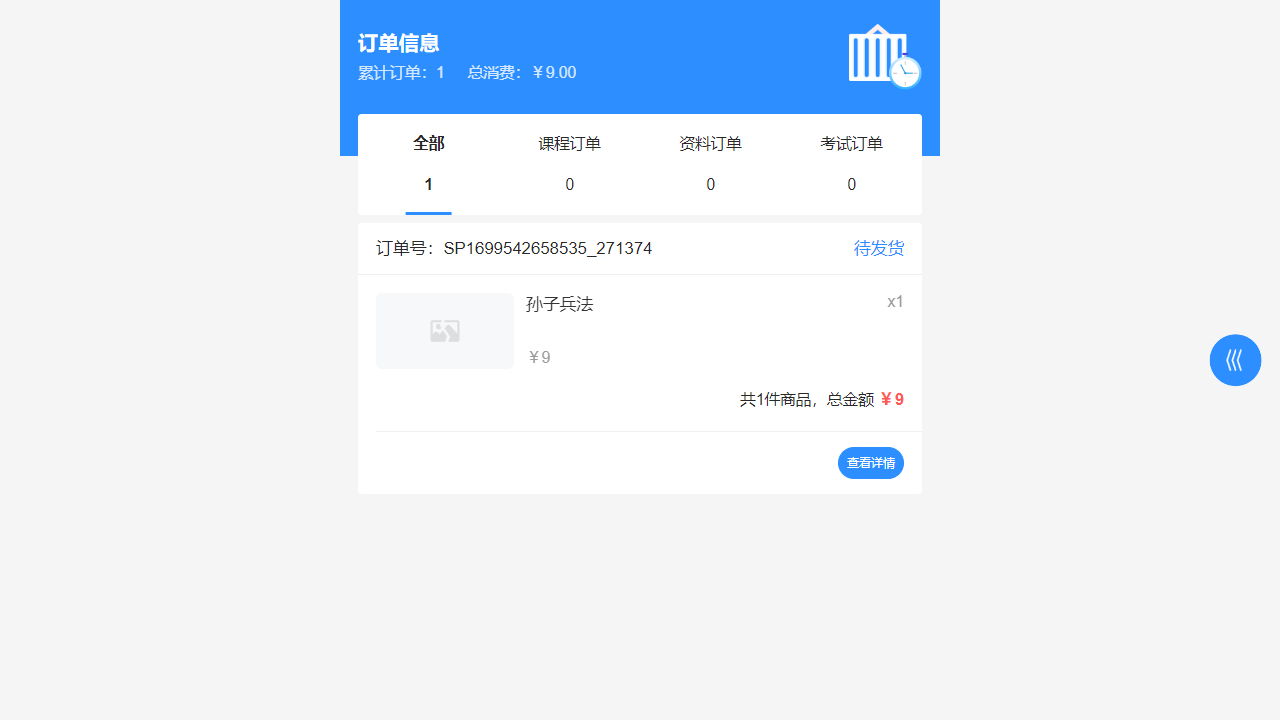
II. Function Entry
Users can click on the 【My】 tab at the top of the page, then select 【My Orders】 from the dropdown menu to enter the order list page.
III. Function Details
Order List:
- Users can view all order records for purchased courses, materials, or exams here.
- Orders are arranged in chronological order, with the most recent orders displayed first.
Order Details:
- After clicking on an order, users can view detailed information about that order, including order number, order time, payment method, product information, etc.
- The order status will also be displayed here, such as pending payment, paid, shipped, completed, etc.
Apply for Refund:
- If users are not satisfied with the purchased product or encounter other issues, they can apply for a refund on the order details page.
- Before applying for a refund, please ensure you understand the refund policy and process to avoid unnecessary misunderstandings.
Contact Customer Service:
- On the order details page, users can find the entry to contact customer service.
- If users encounter any issues during the purchase or after-sales process, they can seek help and solutions by contacting customer service.
IV. Notes
- Please ensure to read and understand the platform's refund policy carefully before applying for a refund.
- When contacting customer service, please remain polite and provide necessary information so that customer service personnel can assist you more quickly.
- If the order status has not been updated for a long time or there are any anomalies, please contact customer service in a timely manner for inquiries and processing.
V. Frequently Asked Questions and Answers
Q: How can I view my order history?
- A: Click on the 【My】 tab, then select 【My Orders】 to view all order history records.
Q: What should I do if there is a problem with the course/material/exam I purchased?
- A: You can apply for a refund on the order details page or contact customer service for assistance. Please ensure to provide a detailed description of the issue and order information for a quick resolution.
Q: How long does it take for a refund to be credited?
- A: The time for a refund to be credited depends on the payment method and the processing speed of the bank. Generally, refunds will reach your account within a few business days after the application is submitted. If you do not receive the refund for a long time, please contact customer service for inquiries.