
Content Management
12119I. Function Overview
The content management feature is a comprehensive tool for content creation and publication, allowing instructors to add, edit, and manage various types of content, including articles, exams, assignments, materials, and news. Through this feature, instructors can easily create and publish a diverse range of teaching content to meet students' learning needs and enhance teaching effectiveness.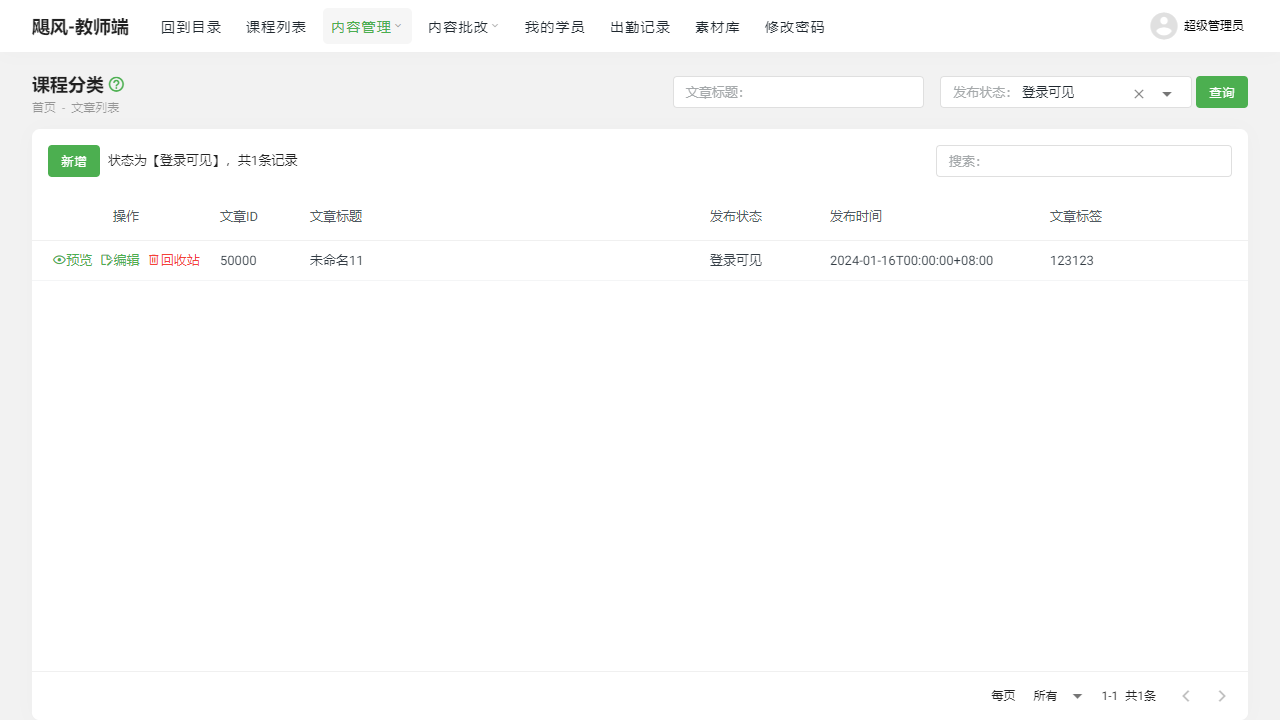
II. Function Entry
Instructors can access the main page of content management by clicking the 【Content Management】 menu at the top of the page, from where they can select the type of content to create or manage.
III. Function Details
Article List:
- Instructors can create and publish teaching articles to provide valuable learning resources and guidance for students.
- The article list displays all published articles, allowing instructors to edit, delete, or reorder articles.
Exam List:
- Instructors can create online exams to assess students' learning outcomes.
- The exam list displays all created exams, enabling instructors to edit exam content, set exam times, and view students' answering status.
Assignment List:
- Instructors can assign online homework to reinforce students' learning outcomes.
- The assignment list displays all assigned homework, allowing instructors to check students' completion status, grade, and provide feedback.
Material List:
- Instructors can upload and share teaching materials, such as presentations, lesson plans, and exercises.
- The material list displays all uploaded materials, which students can download for study.
News List:
- Instructors can publish the latest updates and notifications regarding courses or the platform.
- The news list displays all published news, allowing students to receive timely information about courses or the platform.
IV. Notes
- When creating content, please ensure the accuracy and legality of the content to avoid misleading students or infringing on others' rights.
- Regularly check and update content to ensure its timeliness and applicability.
- When publishing exams or assignments, clearly specify requirements and deadlines to help students manage their study time effectively.
V. Frequently Asked Questions
Q: How can I ensure that students have completed their online assignments?
- A: Instructors can enable the assignment submission feature in the assignment settings and set a deadline. Students must submit their assignments before the deadline, and instructors can check students' completion status in the assignment list.
Q: Can students take the online exam multiple times?
- A: Instructors can specify the number of attempts and exam duration in the exam settings. If multiple attempts are allowed, students can take the exam multiple times within the designated exam period, but the final score will be based on the highest score. If multiple attempts are not allowed, students can only take the exam once.
Q: How can I manage the assignment files uploaded by students?
- A: In the assignment list, instructors can view the assignment files uploaded by students and provide grading and feedback. If downloading or deleting students' assignment files is necessary, it can be done on the assignment details page. Please ensure compliance with relevant privacy and data protection regulations when handling students' assignments.