
Content Correction
12119I. Function Overview
The content correction feature is an important service in the educational platform that allows instructors to correct and evaluate students' assignments, notes, and exam content. Through this feature, instructors can provide targeted feedback to students, helping them better understand key concepts and improve their learning outcomes.
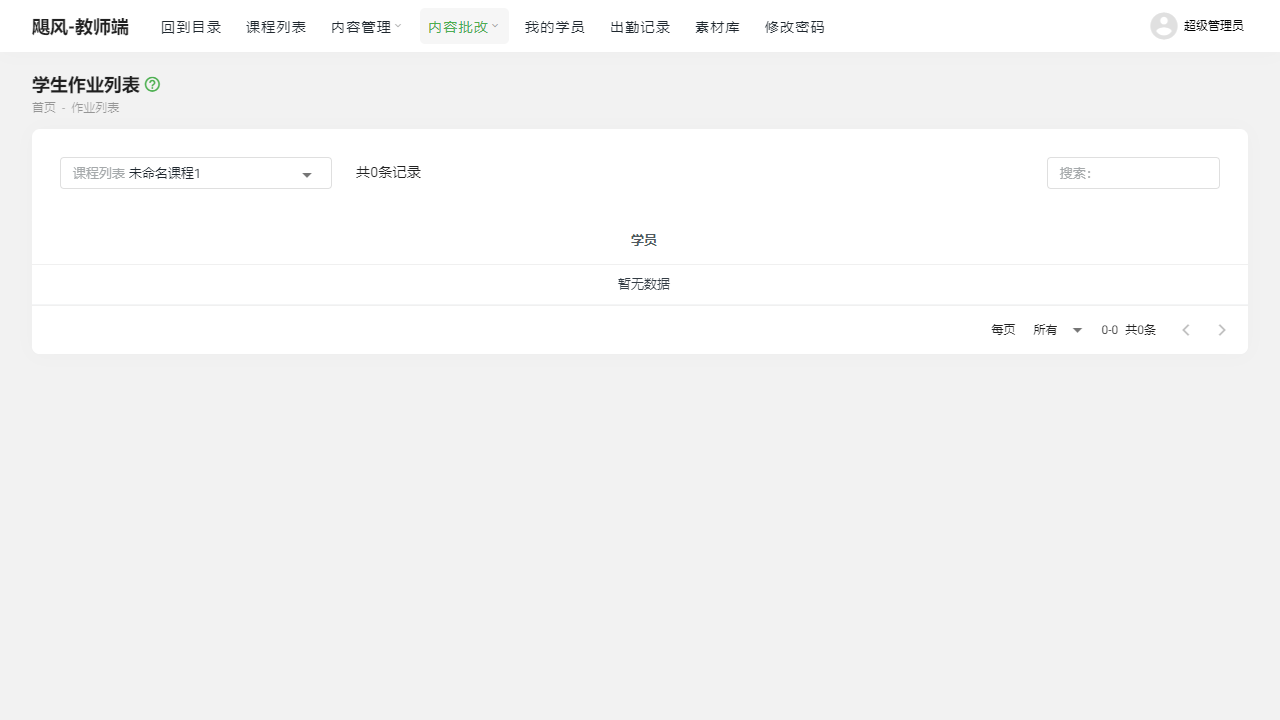
II. Function Entry
Instructors can access the main interface for content correction by clicking on the "Content Correction" menu at the top of the page, allowing them to select the type of content that needs correction.
III. Function Details
Correcting Assignments:
- Instructors can view the list of assignments submitted by students.
- After selecting a student's assignment, they can view the content and make corrections.
- Corrections can include scoring, writing comments, pointing out errors, and providing suggestions.
- Once corrections are completed, students can receive the results and feedback.
Correcting Notes:
- Students may sometimes submit study notes for instructor evaluation.
- Instructors can review the students' notes and evaluate key points, depth of understanding, etc.
- By correcting notes, instructors can help students better summarize and refine their learning points.
Correcting Exams:
- For exams conducted online, instructors can correct students' answer sheets.
- Corrections include scoring, pointing out incorrect answers, providing correct answers, and explaining problem-solving approaches.
- After completing the exam, students can view their scores and the instructor's correction feedback.
IV. Notes
- When correcting, it is important to provide specific and clear feedback to help students better understand their mistakes and shortcomings.
- Corrections should be made promptly so that students can receive feedback and make adjustments as soon as possible.
- Maintain a fair and objective attitude during corrections to avoid personal biases affecting evaluation results.
V. Frequently Asked Questions
Q: How can students view the correction results?
- A: Students can view the instructor's correction results and feedback in their assignment, notes, or exam submission records.
Q: How do instructors perform online corrections?
- A: After selecting the content that needs correction in the content correction interface, instructors can use correction tools for online annotations, scoring, and writing comments. Once corrections are completed, they can save and publish the results for students to view.
Q: What should students do if they have questions about the correction results?
- A: If students have questions about the correction results, they can communicate with the instructor through the messaging system or forum provided by the platform, and the instructor will respond to their inquiries in a timely manner.