
The Two Most Important Types of Variables in Programming - Objects and Arrays
120021. Introduction to This Lesson
In this lesson, you will learn about two of the most critical variable types in programming: objects and arrays. We will delve into their concepts, properties, and methods, and explore a commonly used object within objects: strings.
This lesson will help you understand the properties and methods of objects and arrays through reading relevant documentation on the Runoob tutorial and hands-on practice, enhancing your learning ability.
2. Understanding JavaScript Objects
In JavaScript, almost everything can be considered an object. An object acts like a container that can hold various pieces of information. For example, we can use an object to represent a student, which includes the student's name, gender, age, and other details.
For instance, we can represent a student object like this:
  var student = {
      name: "小红",
      gender: "女生",
      age: "8岁"
  };
Properties of Objects
In the example above, we defined an object named student, which contains the student's name, gender, and age. If you want to add a "grade" information for the student, you can write it like this:
  var student = {
      name: "小红",
      gender: "女生",
      age: "8岁",
      grade: "二年级"
  };
In this code, the properties of the object represent various information about the student. In the student object, name, gender, age, and grade are all properties, and each property corresponds to a value:
- The value corresponding to the
nameproperty is "小红"; - The value corresponding to the
genderproperty is "女生"; - The value corresponding to the
ageproperty is "8岁"; - The value corresponding to the
gradeproperty is "二年级";
Through the properties of the object and their corresponding values, we can access and manipulate the data stored within the object, just like checking a student's name, age, or grade information.
Accessing Object Properties
When we create an object, it contains many properties, each corresponding to different values, but sometimes we only want to see one of them. Accessing an object's properties is like checking various information about a student; we can retrieve the value of a specific property using the object name and property name.
Continuing with the previous student object, if we want to get the student's name, we can express it like this:
student.name;Here, student.name refers to accessing the name property of the student object, and the result will be the value corresponding to that property, which is the student's name.
Now, let's try it out:
- First, create an HTML file named
student属性.html, and then copy and paste the following code into this file:
<p>Accessing Object Properties</p>
<p id="demo"></p>

<script>

    var student = {
        name: "小红",
        gender: "女生",
        age: "8岁",
        grade: "二年级"
    };
    document.getElementById("demo").innerHTML = "学生姓名:" + student.name;

</script>- After saving the file, open it in a browser, and you will see the following content displayed on the page:
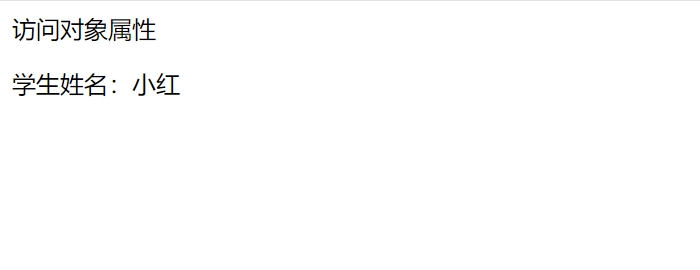
- Continue by deleting the code in
student属性.html, and copy and paste the following code into this file:
<p>Accessing Object Properties</p>
<p id="demo"></p>

<script>

    var student = {
        name: "小花",
        gender: "女生",
        age: "12岁",
        grade: "六年级"
    };
    document.getElementById("demo").innerHTML = "学生姓名:" + student.name;

</script>- After saving the file, open it in a browser, and you will see the following content displayed on the page:
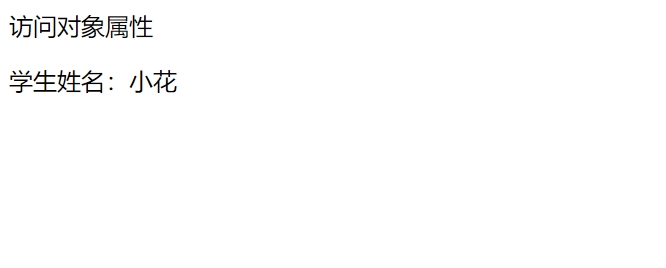
Accessing object properties is an important operation; it is as simple as looking up student information. By using the object name and property name, we can easily access various properties of the object to retrieve the information stored within it.
More Practice:
- Access the
studentobject properties to get the result "学生年龄:8岁".- Read the Runoob tutorial documentation and use another method to access object properties to obtain the student's name and age.
Methods of Objects
In addition to properties, objects can also contain methods. A method is an operation that an object can perform, essentially a function.
An object's methods can access the object's properties and allow the object to perform various operations to achieve the desired functionality.
For example, earlier we accessed the properties of the student object to retrieve the student's name and age; now, we want to add a method to the student object that allows us to call it to get the student's name, which can be expressed as follows:
name = student.studentName();In this line of code, we added a studentName() method to the student object to retrieve the student's name.
Calling Object Methods
Before calling an object's methods, we first need to learn how to create object methods. We need to create the function studentName(), with the following syntax:
studentName: function() {
    // Code, i.e., the operation you want to perform
}
We want the studentName() method to return the student's name when called. Now let's try it out:
- First, create an HTML file named
student方法.html, and then copy and paste the following code into this file. Note that "return "学生姓名:" + this.name;" is the operation we want to perform.
<p>Creating and Using Object Methods</p>
<p id="demo"></p>

<script>

var student = {
    name: "小红",
    gender: "女生",
    age: "8岁",
    studentName: function() {
        return "学生姓名:" + this.name;
    }
};
document.getElementById("demo").innerHTML = student.studentName();

</script>- After saving the file, open it in a browser, and you will see the following content displayed on the page:
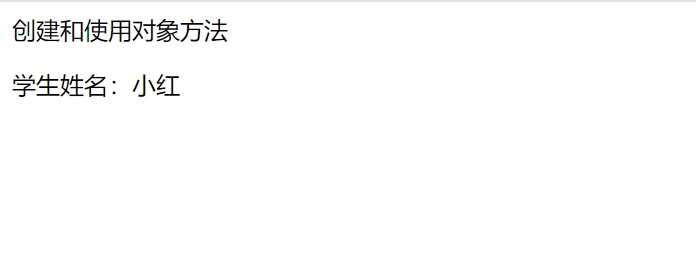
- Continue by changing the student's name in the code to "小明":
<p>Creating and Using Object Methods</p>
<p id="demo"></p>

<script>

var student = {
    name: "小明",
    gender: "女生",
    age: "8岁",
    studentName: function() {
        return "学生姓名:" + this.name;
    }
};
document.getElementById("demo").innerHTML = student.studentName();

</script>- After saving the file, open it in a browser, and you will see the following content displayed on the page:
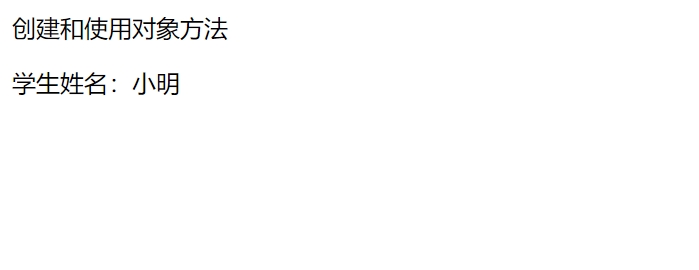
Calling an object's method means executing a function that has been added to the object. In this example, we retrieve the student's name by calling the studentName() method, and similarly, we can add other methods to manipulate the data within the object and achieve various functionalities.
More Practice:
- Add a
studentAge()method to thestudentobject to retrieve the student's age, resulting in "学生年龄:8岁".- Read the Runoob tutorial documentation and try removing the parentheses from
studentName(), writing it asstudentName, and see what the output is.
3. Read Documentation to Learn JavaScript Strings
Next, we will learn about JavaScript strings by reading the Runoob tutorial documentation, which will help you gain a deeper understanding of the concept and usage of objects.
First, let's understand the concept of strings: in JavaScript, a string is a commonly used object that consists of a sequence of characters used to store and manipulate text data. You can think of a string as a word, sentence, or paragraph made up of characters.
Creating a String
In JavaScript, you can define a string using single quotes (') or double quotes ("), which are generally equivalent. We can create a string string as follows:
var string = 'Hello World';Here, string is a string that contains the text data "Hello World". Strings can include letters, numbers, and special characters to represent various text information.
Index Access in Strings
In strings, index access is an important concept. Through indexing, you can access each character in the string, where the index starts from 0, meaning the index of the first character is [0], the second character's index is [1], and so on. For example, to access the first character in the string object string:
var string = "Hello World";
let letter = string[0];

document.getElementById("demo").innerHTML = letter;
Copy the above code and open the Runoob tutorial's code editing page - JavaScript String Index. Try it out and see what character is output; then modify the index value to see how the output character changes.
Common Property length of Strings
In strings, the commonly used property length calculates the length of the string. It quickly retrieves the number of characters in the string, which is very useful for processing strings, looping through characters in a string, and other operations.
Copy the above code and use the Runoob tutorial's code editing page - JavaScript String length. Modify the example code inside to add or remove some characters and see how the output changes.
Properties and Methods of Strings
In addition to the length property, strings have many other properties and methods. Learning about string properties and methods is an important part of mastering JavaScript programming. Next, you can explore other properties and commonly used methods of strings by reading the Runoob tutorial documentation or other learning materials.
References:
Reading the Runoob tutorial documentation and practicing code is a great way to learn about JavaScript objects. By reading the documentation, you can gain a preliminary understanding of concepts, master basic operations, and then deepen your understanding of object properties and methods through practical operations. This systematic learning approach not only helps establish an understanding of JavaScript objects but can also be applied to learning upcoming courses.
4. Understanding Arrays: A Type of JavaScript Object
We have understood the concept of objects, and now we will continue to explore a special type of object: arrays.
If we compare objects to containers that can hold various information, then arrays are a special type of container that stores data of the same type and is ordered.
For example, we can create an array named students like this:
var students = ["小红", "小花", "小明"];Do you notice any differences between the array students and the object student? In the students array, we store only the names of the students, while in the student object, we store more information about the student, including name, gender, age, etc.
5. Read Documentation to Understand Array Elements, Properties, and Methods
Next, we will continue to learn more about array elements, properties, and methods by reading the Runoob course documentation.
Elements of Arrays
In the previous example, the students array stores the names of the students: "小红", "小花", "小明", which are referred to as the elements of the array. Similar to strings, each element occupies a position in the array. When using arrays, some basic operations are common, such as accessing, modifying, adding, and deleting elements.
- Accessing Array Elements
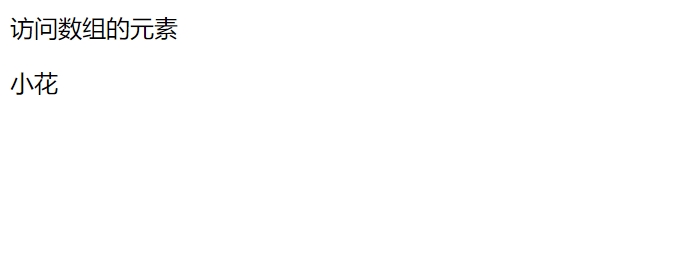
To access a specific element in an array, you can use an index. The index of an array starts from 0, so the index of the first element is [0], the second element's index is [1], and so on. Now let's try it out:
- First, create an HTML file named
访问students元素.html, and then copy and paste the following code into this file:
<p>Accessing Array Elements</p>

<script>

var students = ["小红", "小花", "小明"];

document.write(students[1]);

</script>- After saving the file, open it in a browser, and you will see the following content displayed on the page:
- Modifying Array Elements
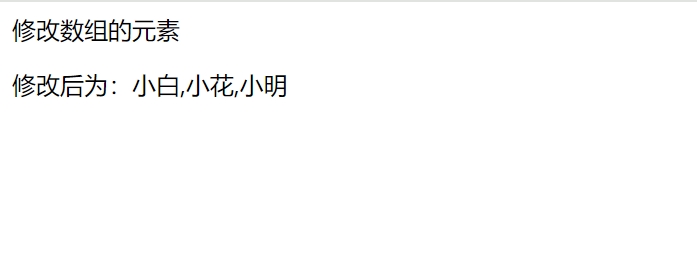
To modify a specific element in an array, you can directly assign a new value using the index. For example, if we want to change the first element "小红" in the students array to "小白", we can do it like this:
- First, create an HTML file named
修改students元素.html, and then copy and paste the following code into this file:
<p>Modifying Array Elements</p>

<script>

var students = ["小红", "小花", "小明"];

students[0] = "小白";

document.write("修改后为:" + students);

</script>- After saving the file, open it in a browser, and you will see the following content displayed on the page:
- Adding and Deleting Array Elements
In an array, you can add and delete elements at any position. We will start with the simplest methods, which are adding elements to the end of the array using push() and deleting elements using pop(), to help you better understand element operations.
Try running the two examples from the Runoob tutorial:
Modify the Runoob tutorial examples:
- Change the array
fruitsin the example code tostudents.
var students = ["小红", "小花", "小明"];- Use the
students.push()method to add the element "小刚" to the end of thestudentsarray. - Use the
students.pop()method to delete the last element of thestudentsarray, leaving only "小红".
Properties and Methods of Arrays
When we learn about JavaScript objects, we already know that objects have properties and methods. Similarly, arrays are a special type of object that also have their own properties and methods.
For example, similar to string objects, the commonly used property length can also be used to query how many elements are in the array.
Additionally, the methods push() and pop() that we use to add and delete elements in the students array are methods of arrays.
To gain a deeper understanding of array properties and methods, the best approach is to read the Runoob tutorial documentation or other learning materials. You can explore more operation examples to gain a deeper understanding of various operations on arrays.
References: