
Building Step by Step (5): Adding Data Interfaces
120021. Introduction to This Lesson
In this lesson, you will learn how to configure data interfaces for the _resource table to enable the backend to perform CRUD operations on the database. You will understand the structure of this table and the description of each field's usage.
You will practice configuring the data interfaces for CRUD operations on the class management page in the _resource table and generate the class management page to implement the CRUD functionality.
2. Setting Up Data CRUD Functionality Through the _resource Table
In the duUiAction.html page of the jianghu-basic project, you can retrieve information from the database upon opening. By clicking the add button, you can fill in data in the form of the new drawer. After completing the form, clicking the "Save" button will save this data to the database. How is this data saved?
On the duUiAction.html page, the "Add" button calls the doCreateItem() function inside doUiAction('createItem'), which uses jianghuAxios to send the new information to the backend.
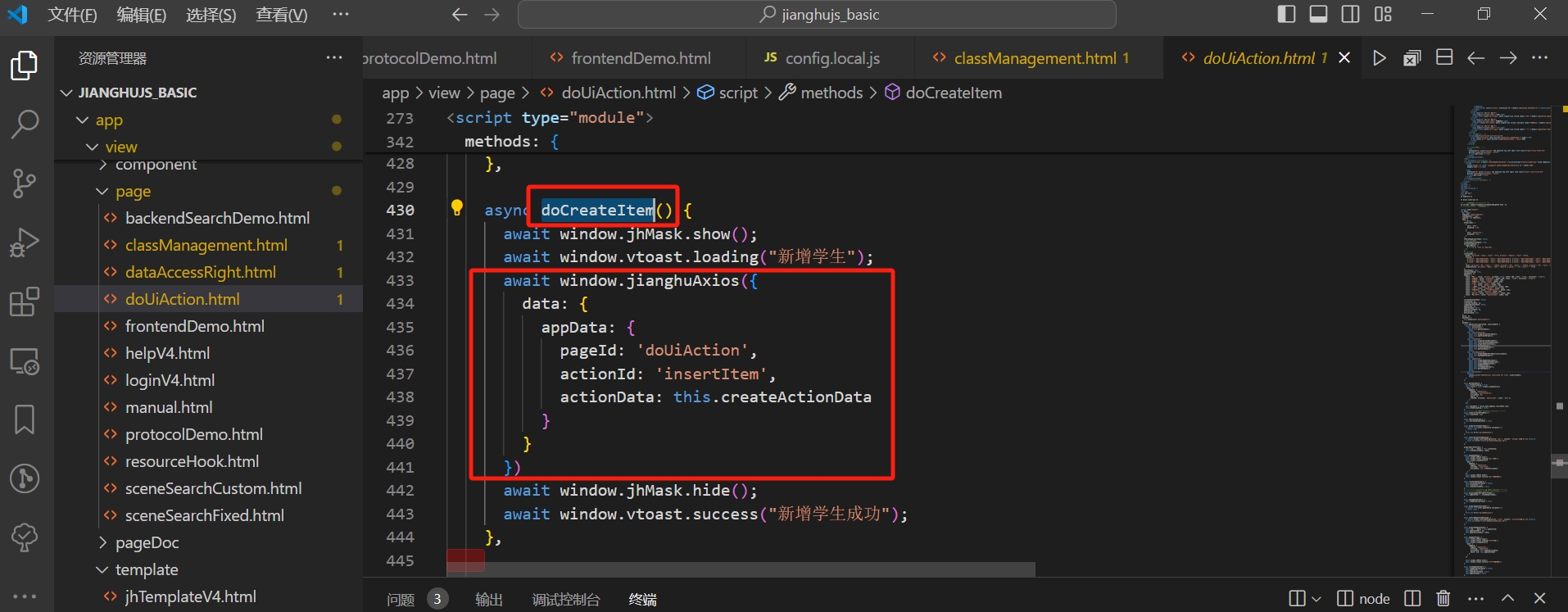
This request information will be received by the backend data interface, but before establishing this connection, the _resource table needs to be configured.
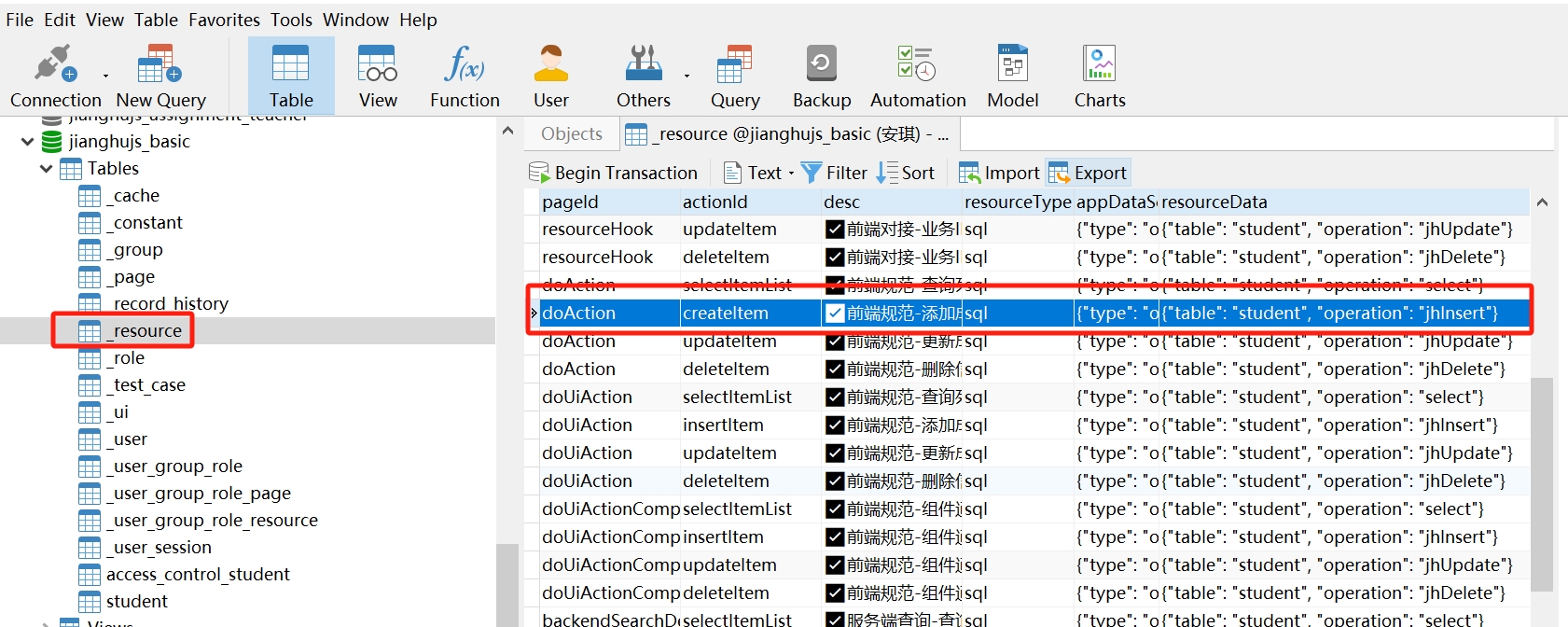
With this data, the data interface for adding new data can be defined.
3. Types of Data Interfaces
In the Jianghu framework, interfaces can be manually configured directly through the project's database _resource table. Based on the resourceType field of _resource, data interfaces are divided into two categories:
sql resource: Operates the database using SQL statements, allowing for relatively simple CRUD operations. This type is the most commonly used.
service resource: The backend finds the corresponding service under /app/service based on the request, executes the corresponding method, and returns the result to the frontend.
5. Structure and Function of the _resource Table
Description of the functions of each field in _resource:
| Field | Description |
|