
Project: Hands-on Creation of a Customer Information Record Page
120021. Introduction to This Lesson
In previous lessons, we learned how to create a page for CRUD (Create, Read, Update, Delete) operations using VuetifyJS, simplifying the templates and functions of VuetifyJS's built-in data table component.
This data table component can be used in the vast majority of CRUD operations. In this lesson, we will mimic the data table component of VuetifyJS we learned earlier to create a customer information management system.
2. Project Task Description
Every store needs to manage its VIP customers. In this project task, we need to write an HTML page that uses VuetifyJS's data table component to manage customer information, allowing for the entry, modification, and deletion of customer data.
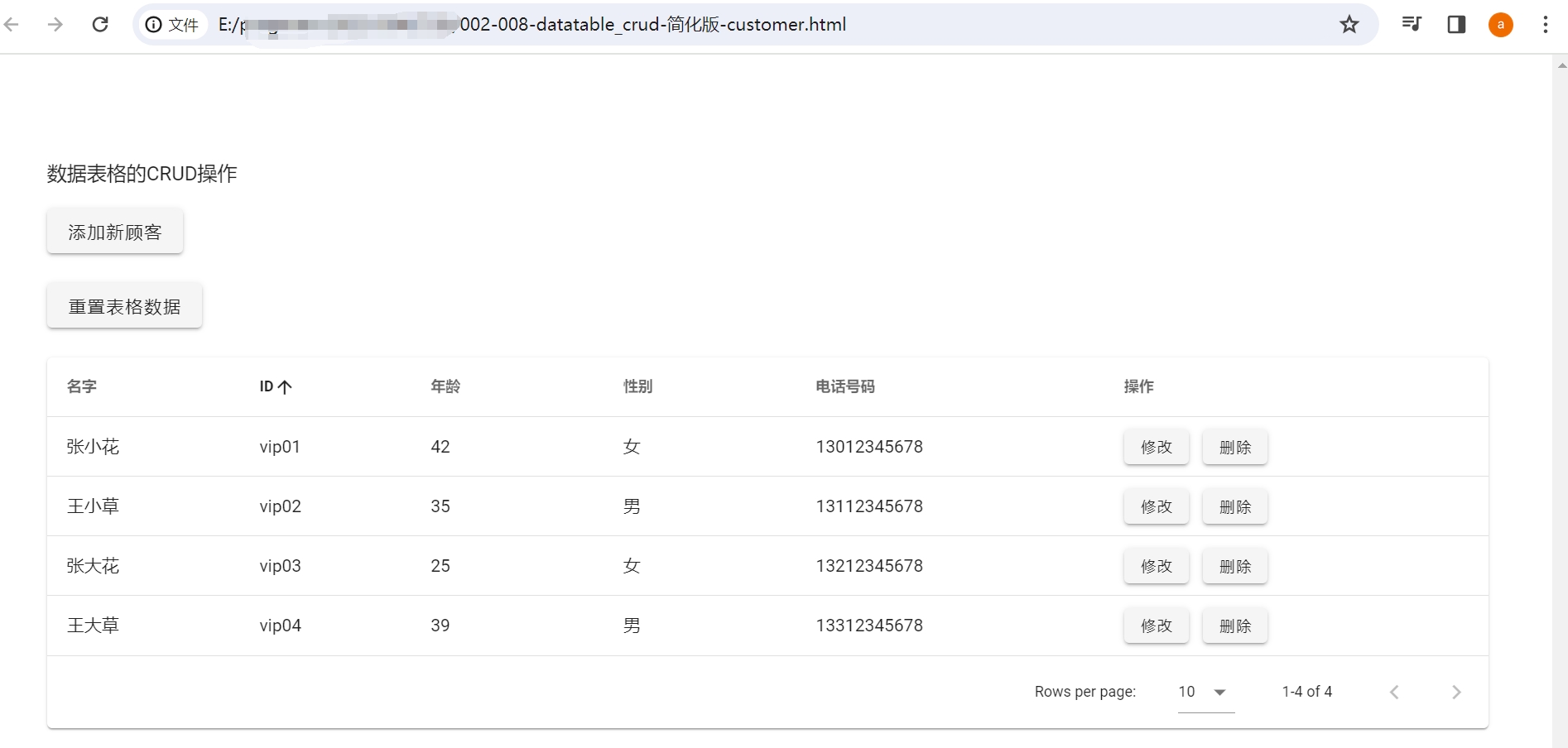
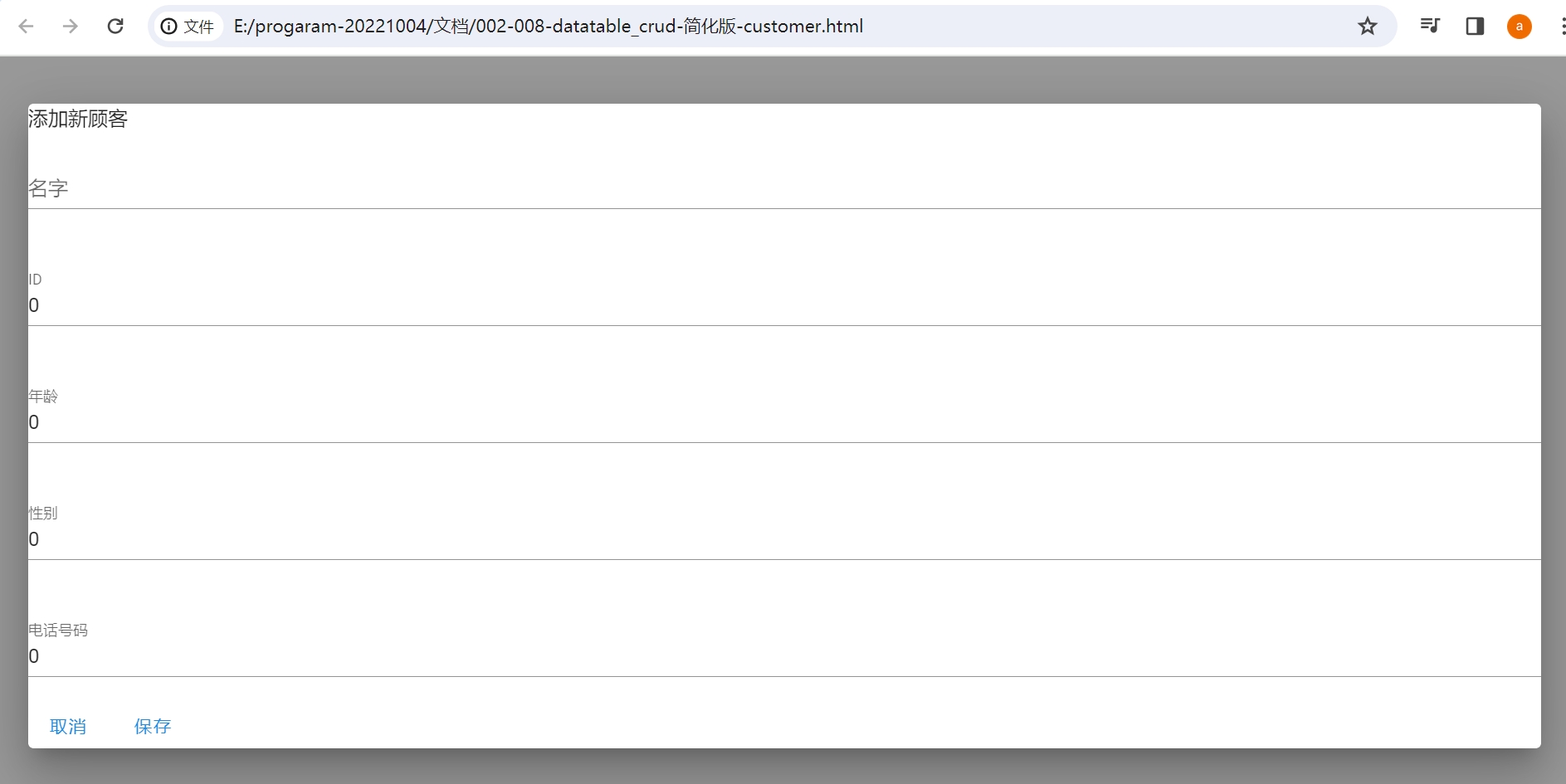
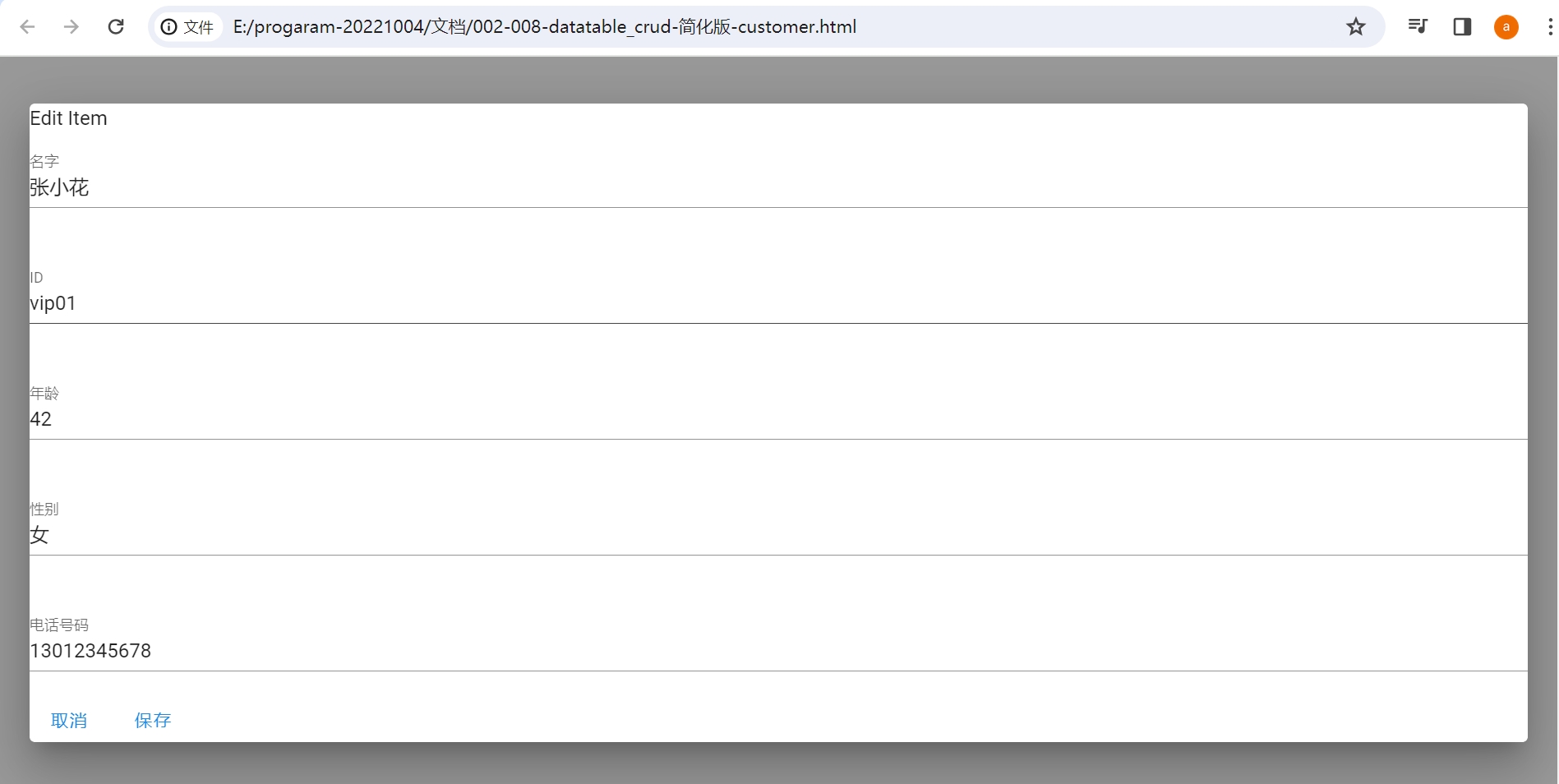
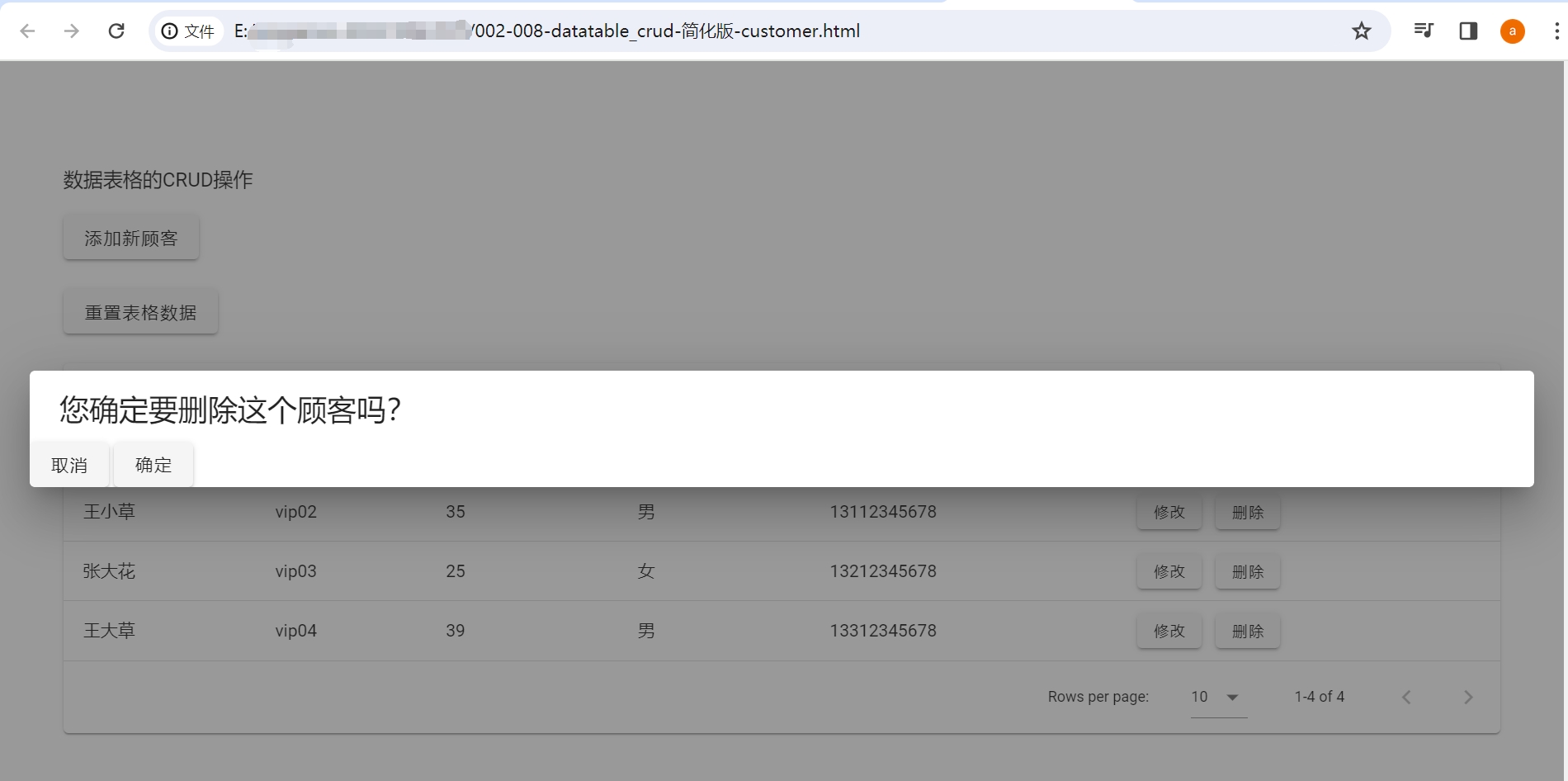
The completed page will look something like this:
Customer List:
Enter Customer Information:
Modify Customer Information:
Confirmation Dialog for Deleting Customer Information:
3. Customer Information Data
The following variable customerList defines a list of customer information data:
  customerList: [
    {name: 'Zhang Xiaohua', id: 'vip01', age: '42', gender: 'Female', phone: '13012345678'},
    {name: 'Wang Xiaocao', id: 'vip02', age: '35', gender: 'Male', phone: '13112345678'},
    {name: 'Zhang Dahua', id: 'vip03', age: '25', gender: 'Female', phone: '13212345678'},
    {name: 'Wang Dacao', id: 'vip04', age: '39', gender: 'Male', phone: '13312345678'},
  ]
Each customer's information includes:
name: Nameid: IDage: Agegender: Genderphone: Phone Number