Project 1: Upgrade the Functionality of the Student Management System
120021. Project Task Introduction
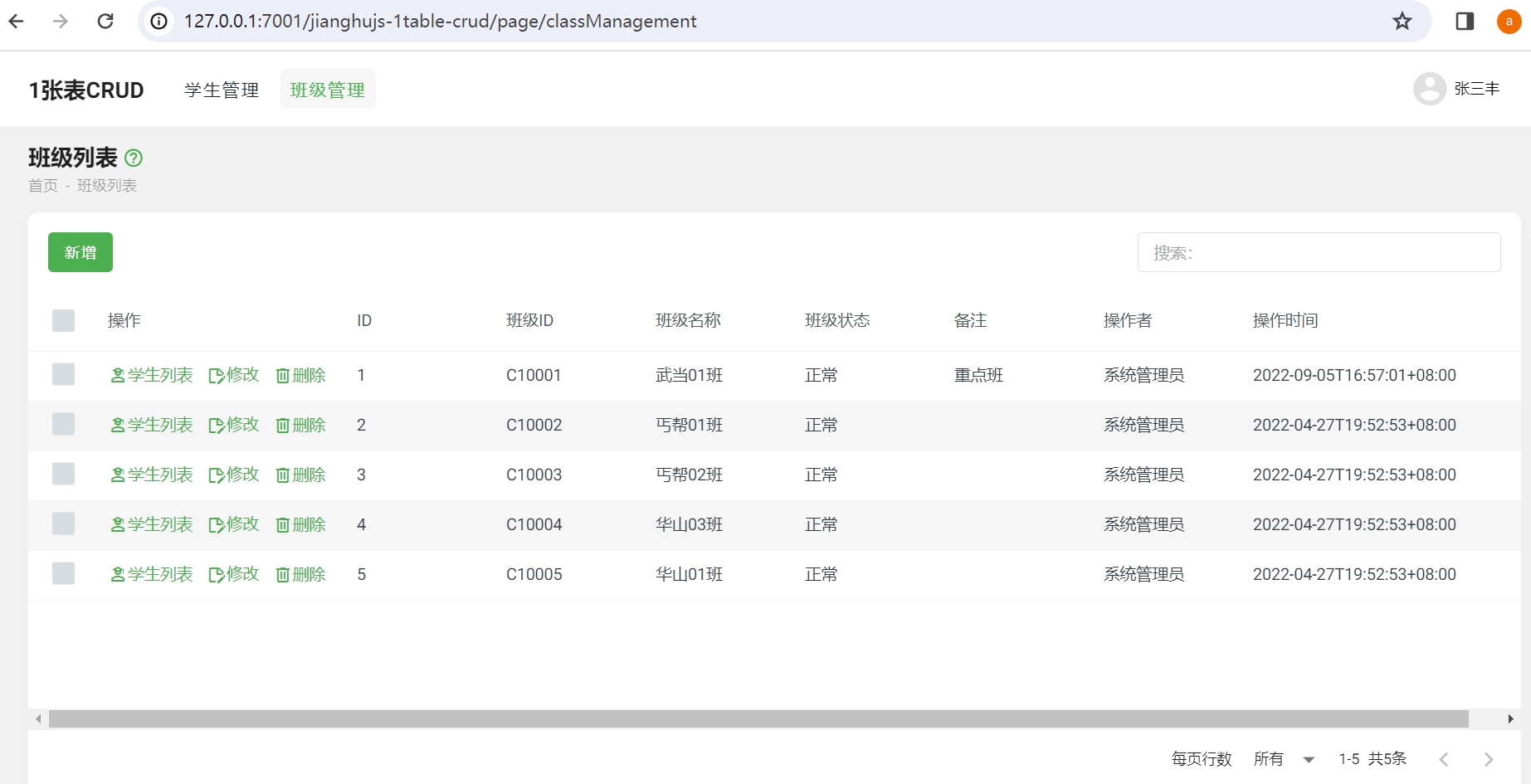
In the last class, the 1table-crud template was used to generate the student management page. In this project, a new class table class will be created, and a class management page will be generated similar to the student management page, allowing for the addition, deletion, modification, and querying of classes.
2. Create Class Data Table
Open the database my_project with Navicat, and copy the following code into a new query:
DROP TABLE IF EXISTS `class`;
CREATE TABLE `class` (
  `id` int(11) NOT NULL AUTO_INCREMENT,
  `classId` varchar(255) DEFAULT NULL COMMENT 'Class ID',
  `className` varchar(255) DEFAULT NULL COMMENT 'Class Name',
  `classStatus` varchar(255) DEFAULT 'Normal' COMMENT 'Class Status',
  `remark` varchar(255) DEFAULT NULL COMMENT 'Remarks',
  `operation` varchar(255) DEFAULT 'insert' COMMENT 'Operation; insert, update, jhInsert, jhUpdate, jhDelete, jhRestore',
  `operationByUserId` varchar(255) DEFAULT NULL COMMENT 'Operator userId',
  `operationByUser` varchar(255) DEFAULT NULL COMMENT 'Operator username',
  `operationAt` varchar(255) DEFAULT NULL COMMENT 'Operation time; E.g: 2021-05-28T10:24:54+08:00 ',
  PRIMARY KEY (`id`) USING BTREE
) ENGINE=InnoDB AUTO_INCREMENT=132 DEFAULT CHARSET=utf8mb4;

BEGIN;
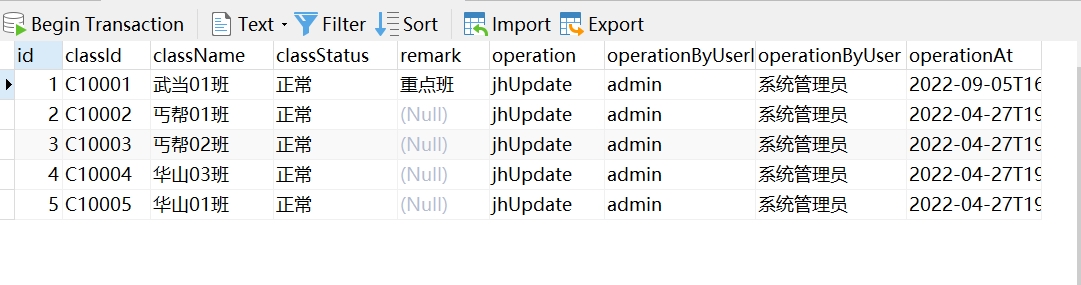
INSERT INTO `class` (`id`, `classId`, `className`, `classStatus`, `remark`, `operation`, `operationByUserId`, `operationByUser`, `operationAt`) VALUES (1, 'C10001', 'Wudang Class 01', 'Normal', 'Key Class', 'jhUpdate', 'admin', 'System Administrator', '2022-09-05T16:57:01+08:00');
INSERT INTO `class` (`id`, `classId`, `className`, `classStatus`, `remark`, `operation`, `operationByUserId`, `operationByUser`, `operationAt`) VALUES (2, 'C10002', 'Beggar Clan Class 01', 'Normal', NULL, 'jhUpdate', 'admin', 'System Administrator', '2022-04-27T19:52:53+08:00');
INSERT INTO `class` (`id`, `classId`, `className`, `classStatus`, `remark`, `operation`, `operationByUserId`, `operationByUser`, `operationAt`) VALUES (3, 'C10003', 'Beggar Clan Class 02', 'Normal', NULL, 'jhUpdate', 'admin', 'System Administrator', '2022-04-27T19:52:53+08:00');
INSERT INTO `class` (`id`, `classId`, `className`, `classStatus`, `remark`, `operation`, `operationByUserId`, `operationByUser`, `operationAt`) VALUES (4, 'C10004', 'Huashan Class 03', 'Normal', NULL, 'jhUpdate', 'admin', 'System Administrator', '2022-04-27T19:52:53+08:00');
INSERT INTO `class` (`id`, `classId`, `className`, `classStatus`, `remark`, `operation`, `operationByUserId`, `operationByUser`, `operationAt`) VALUES (5, 'C10005', 'Huashan Class 01', 'Normal', NULL, 'jhUpdate', 'admin', 'System Administrator', '2022-04-27T19:52:53+08:00');
COMMIT;
Generate the class table:
3. Configure Pages and Data Interfaces
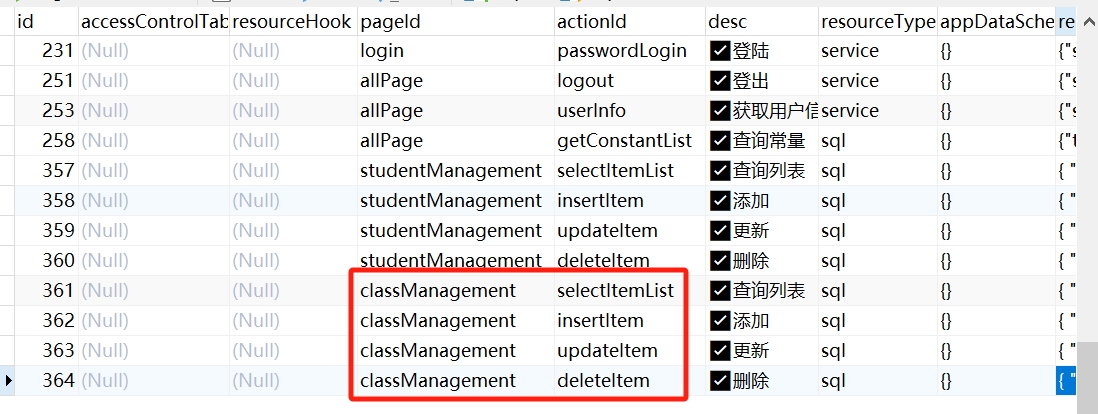
Open the _page and _resource tables of the my_project database with Navicat, and make the following configurations:

4. Write Frontend Pages
The functionalities of the class management page classManagement.html and the student management page studentManagement.html are the same, but the fields and data in the tables are different. The student-related content needs to be replaced with class-related content, with the following parts needing replacement:
- Template part: Modify the title, variables, and names involved in the new and edit drawers one by one, for example, change "Student Name" to "Class Name", and
studentStatustoclassStatus. - Script part: Change the variable
headersto class-related variables and names; in thejianghuAxiosfunction, changepageIdtoclassManagement.
5. Configure User Permissions
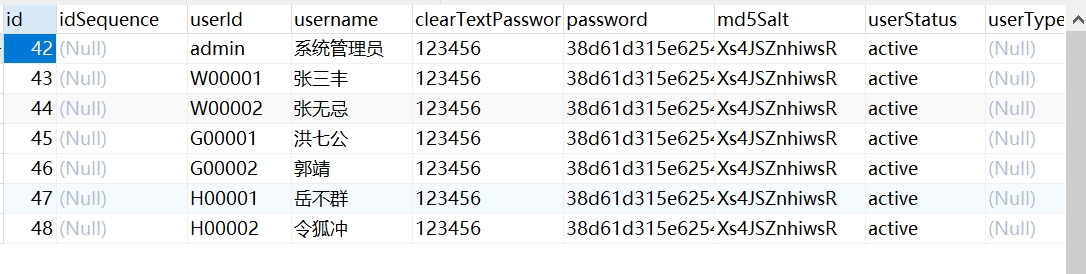
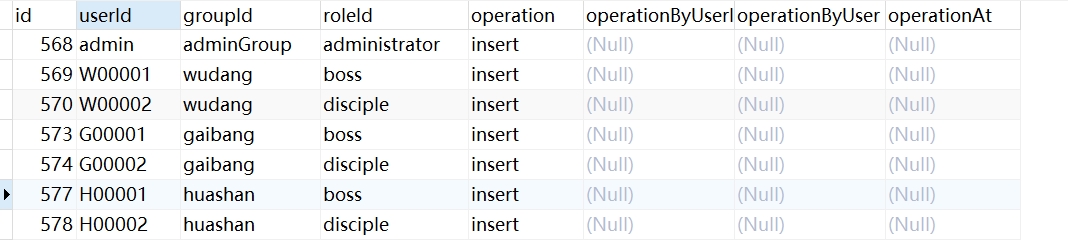
Open the my_project database with Navicat and control permissions through the configuration of the following tables:
_user table:
_group table:

_role table:

_user_group_role table:
_user_group_role_page table:

6. Class Management Page
After completing the configuration according to the above steps, the class management page will appear in the project. However, due to the configured permissions, only members of the wudang group and the boss role of the huashan group can access the class management page.