
Quick Start: Generating Code for Enterprise-Level Web Applications
120021. Course Introduction
In this course, you will use the jianghu-init tool to generate the code for a student management system and the corresponding database, which is a web application capable of connecting to a database.
By learning the functionalities of this web application, you will be able to modify database content through a web interface. This project will help you gain a preliminary understanding of the features of the JianghuJS framework.
2. Using the jianghu-init Tool to Generate Code for the Student Management System
Installing jianghu-init
The jianghu-init tool can quickly install enterprise-level application code, but you first need to install this tool.
Press and hold the Windows key + R key on your keyboard, type cmd in the pop-up dialog, and then press Enter. A black command line window will appear; enter the following command:
npm install -g @jianghujs/jianghu-initPress Enter to start the installation:
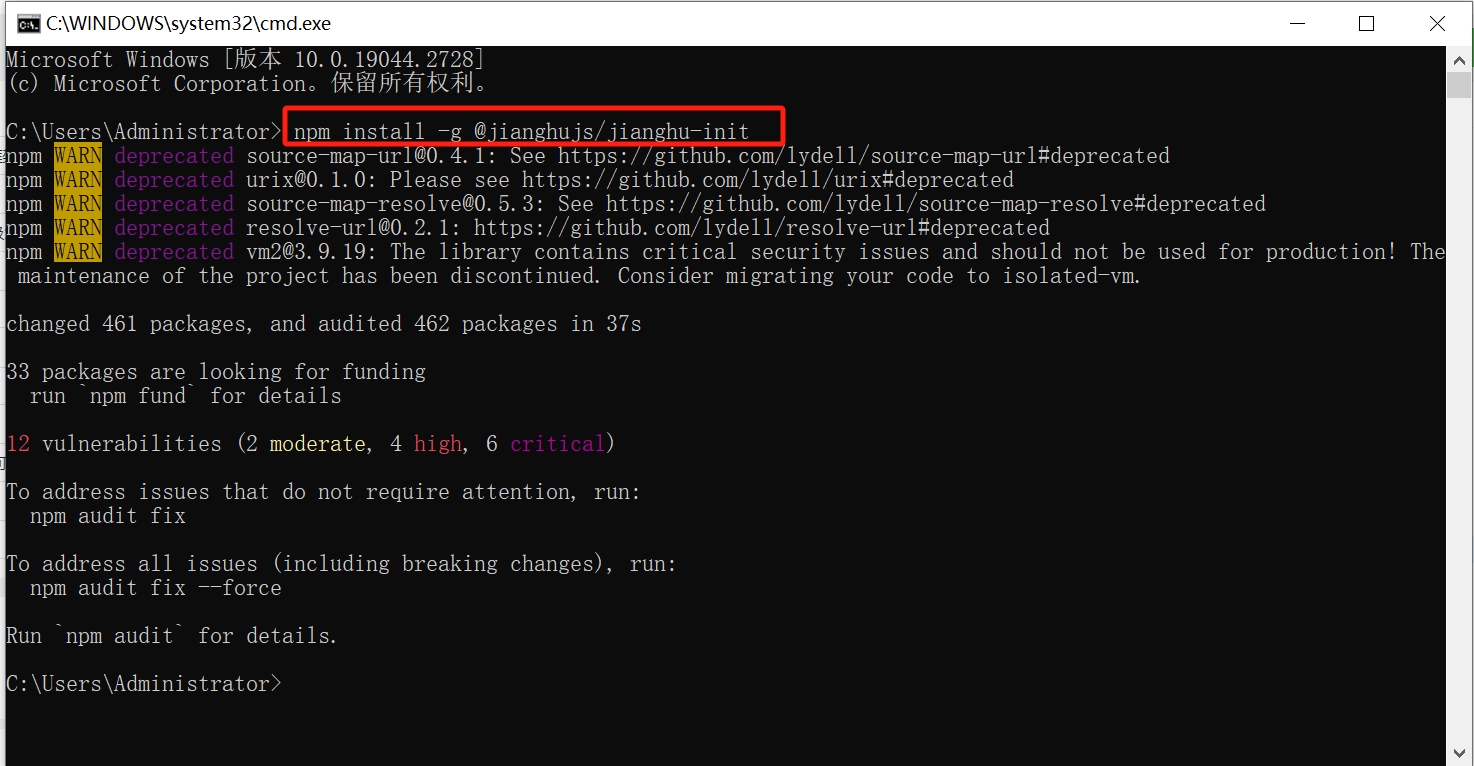
The appearance of the above image indicates that the installation was successful.
Creating a JianghuJS Project (jianghujs-basic Project)
The jianghu-init tool can help you quickly start a jianghu-basic project. This project is an introductory learning project for JianghuJS, including student management and a series of page codes and MySQL database data.
First, create a new folder; the folder name is not restricted. In this example, create a folder named jianghujs-basic. Open the Windows command line tool cmd and navigate to the newly created folder jianghujs-basic,
Enter the following command and press Enter:
jianghu-initSelect the option in the red box as shown in the image below, and then press Enter:
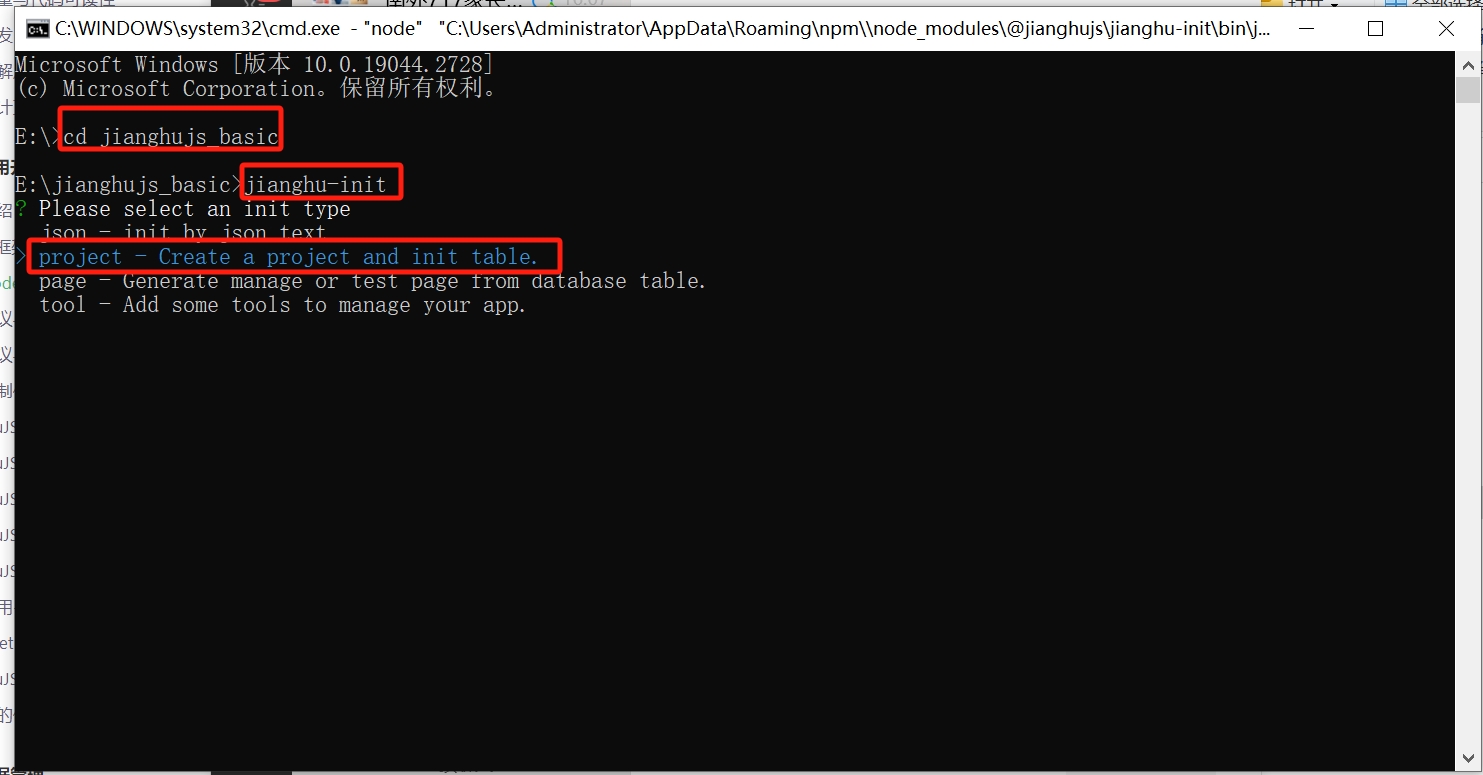
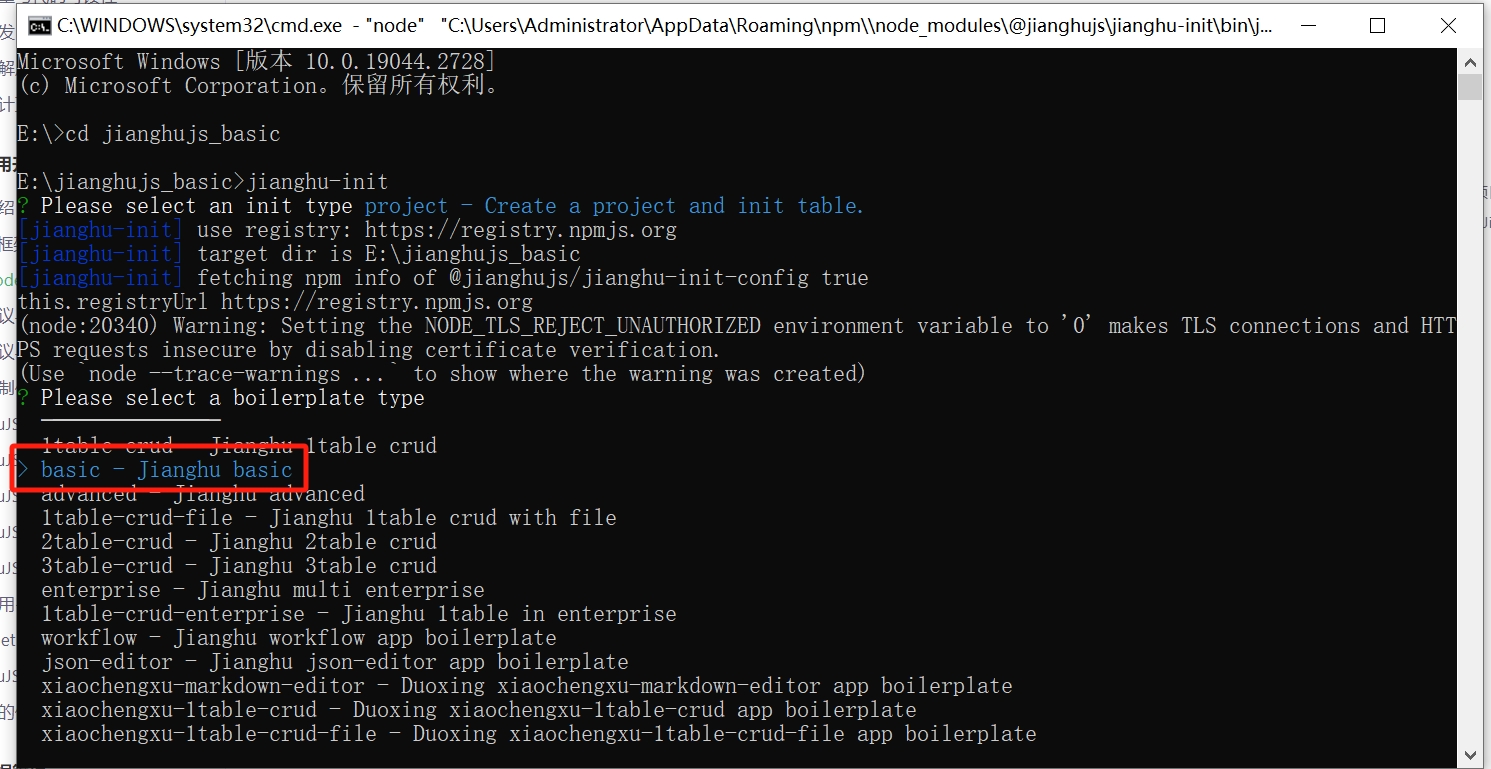
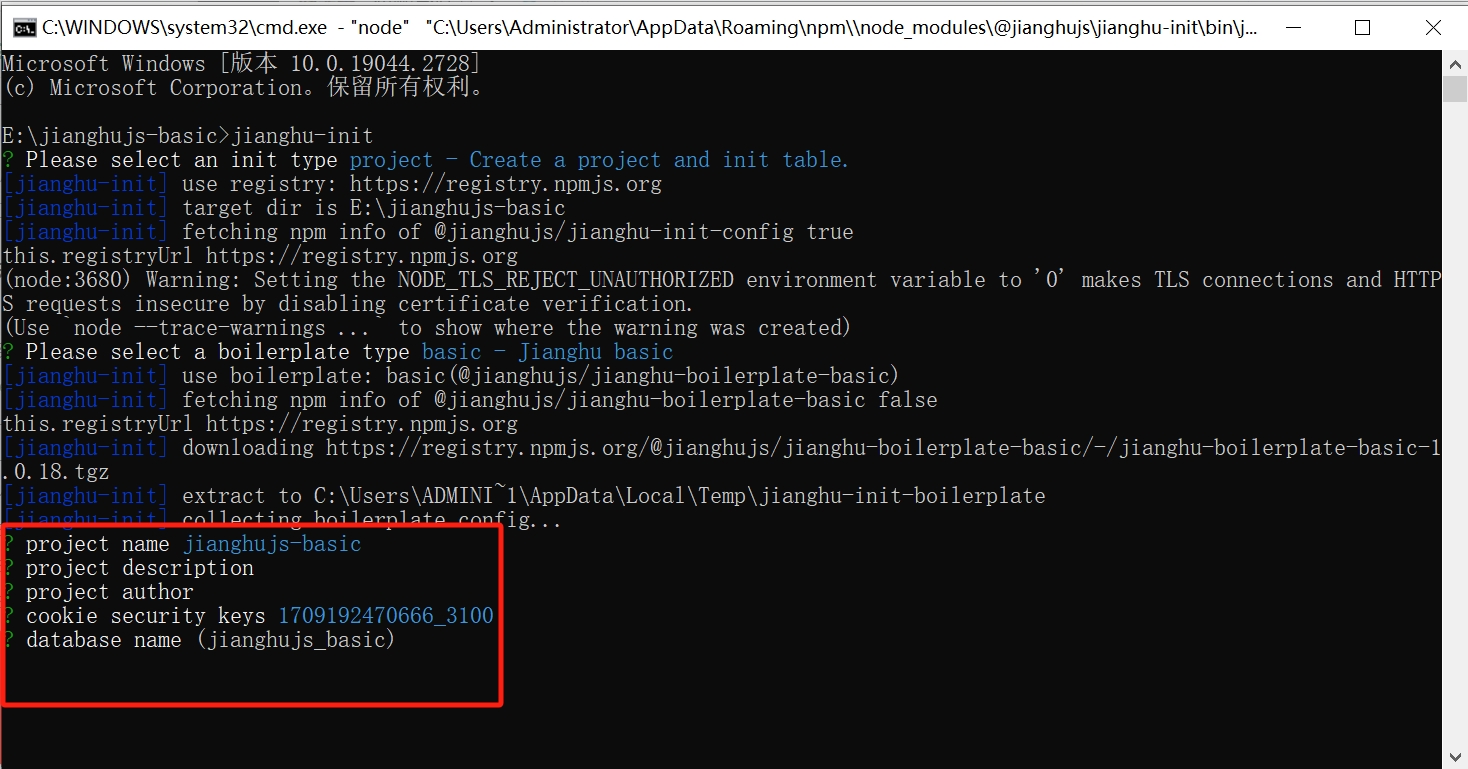
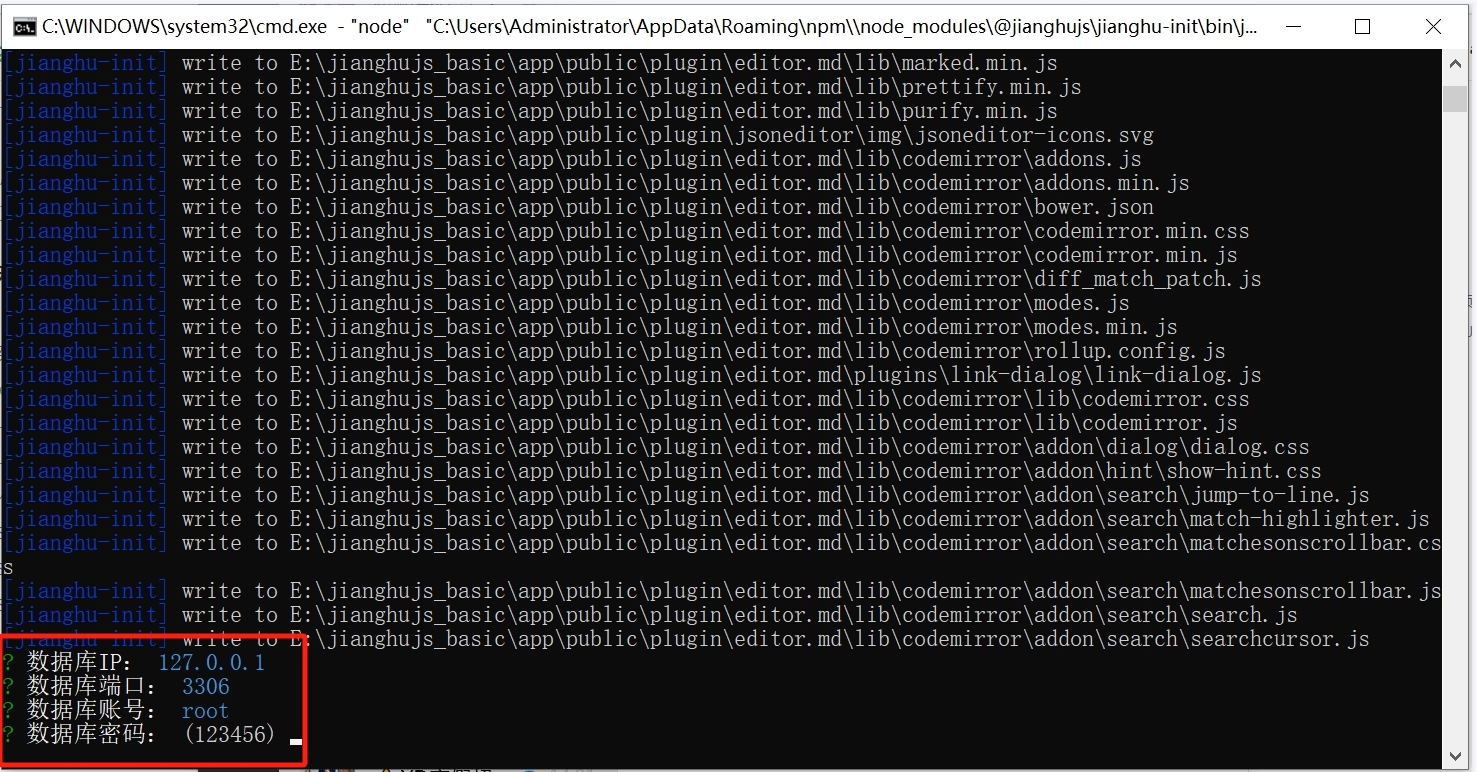
The appearance of the following image indicates that the installation was successful.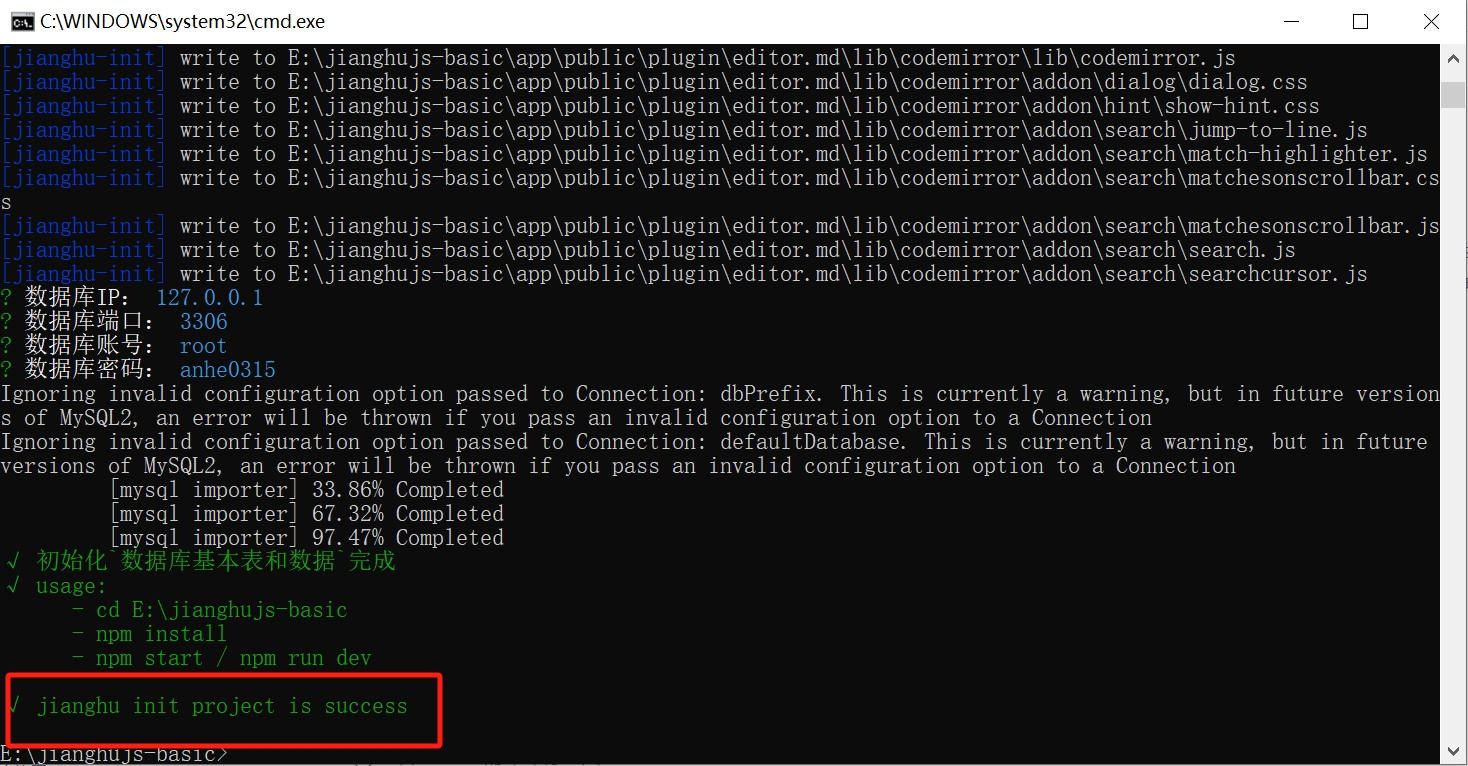
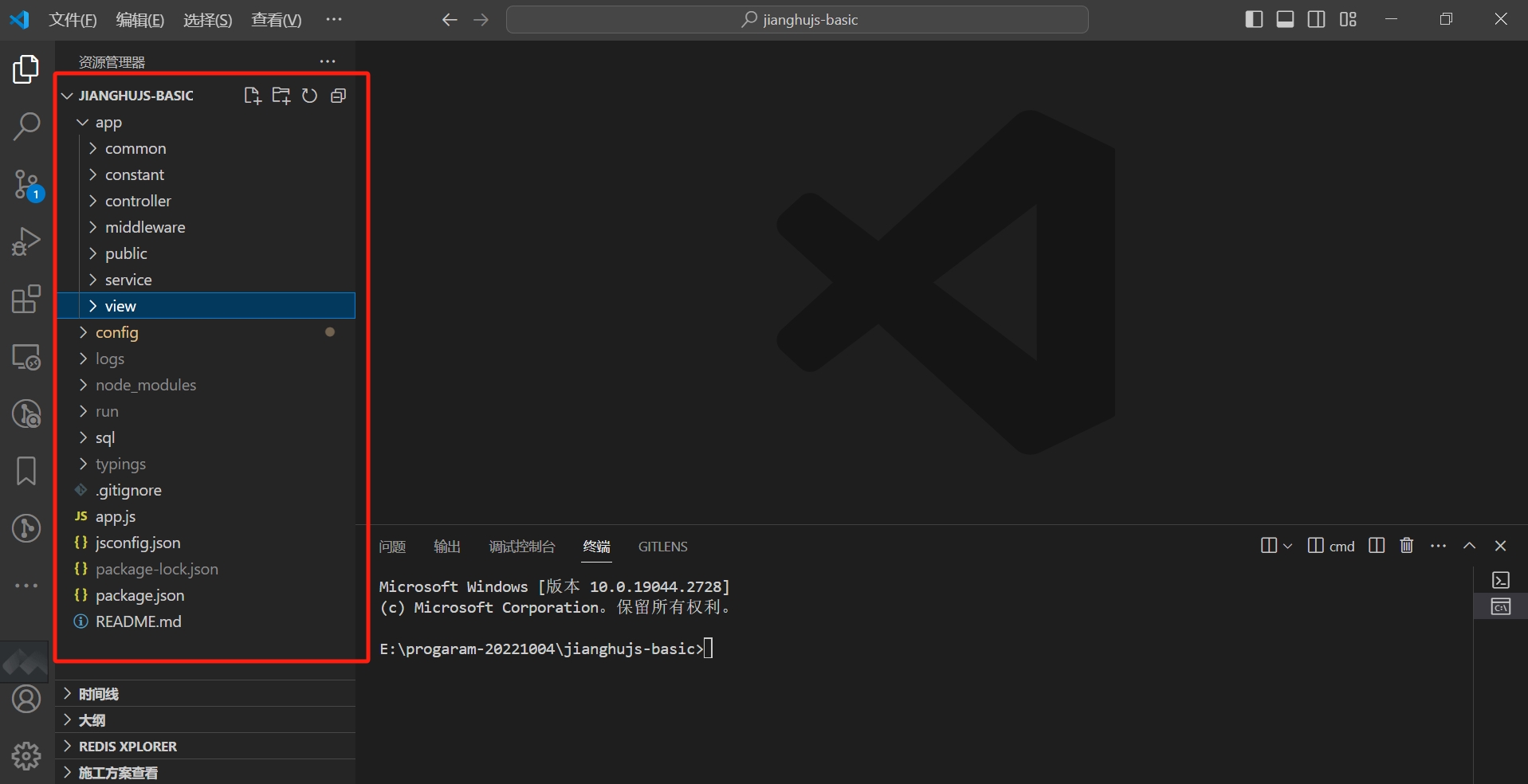
Entering the jianghujs-basic folder, you will see a series of files generated.
Starting and Running the Project
Use VSCode to start and run the newly created project.
(1) Open the project folder jianghujs-basic with VSCode.
(2) Open the command line tool in VSCode - Terminal, which can be opened in two ways:
- Method 1: Use the shortcut Ctrl key + ` (backtick key) to open the terminal
- Method 2: Click on "Terminal" in the menu bar and select "New Terminal"
After opening the terminal, you will see a newly opened command line tool in the lower half of the VSCode window; this is the VSCode terminal.
(3) Enter the following command to install:
npm install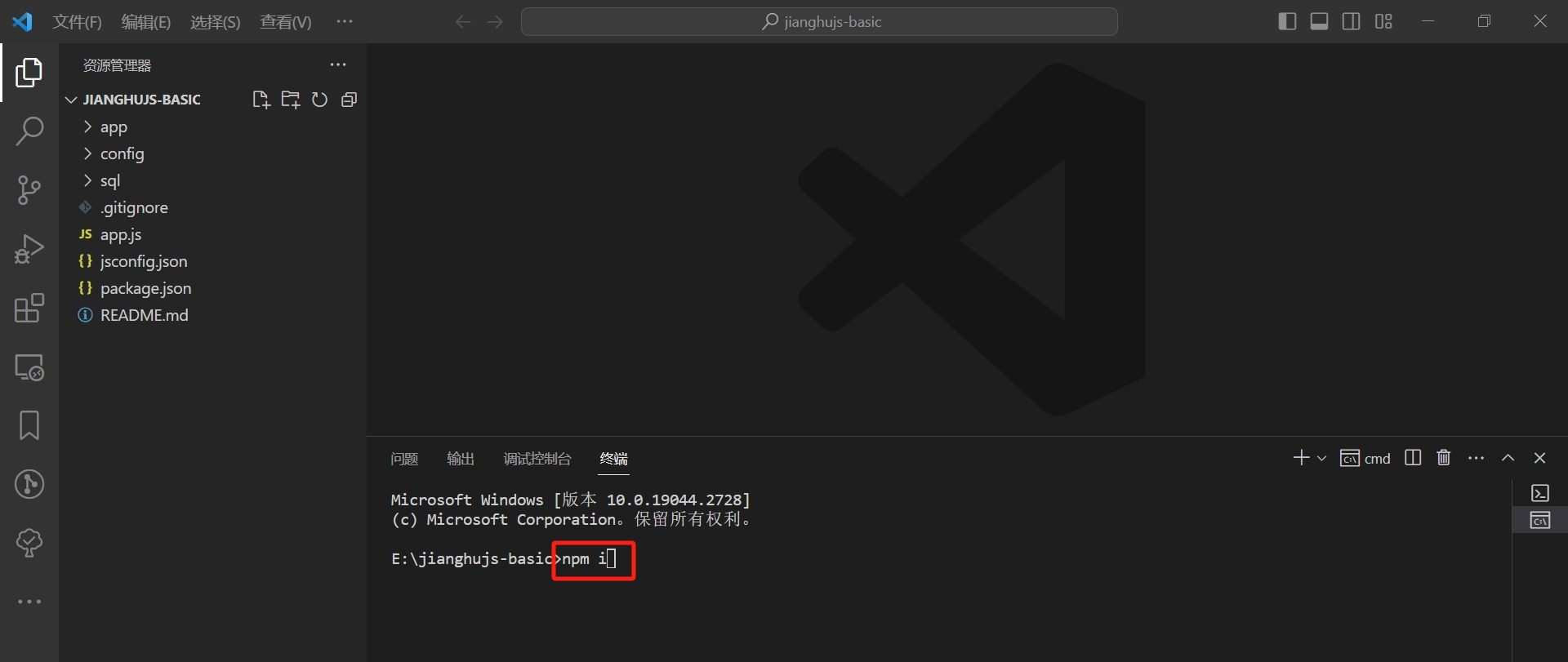
(4) After successful installation, enter the following command to run the project:
npm run devWhen you see a message similar to the one below, it indicates that the project has started successfully.
2024-02-29 02:35:23,693 INFO 20116 [master] egg-jianghu started on http://127.0.0.1:7205 (5012ms)(5) Open the project page in the browser:
Open the browser and enter http://127.0.0.1:7205 in the address bar, and you will see the project's login page. Use the following username and password to log in:
- Username: admin
- Password: 123456
After logging in, you will see the student management page: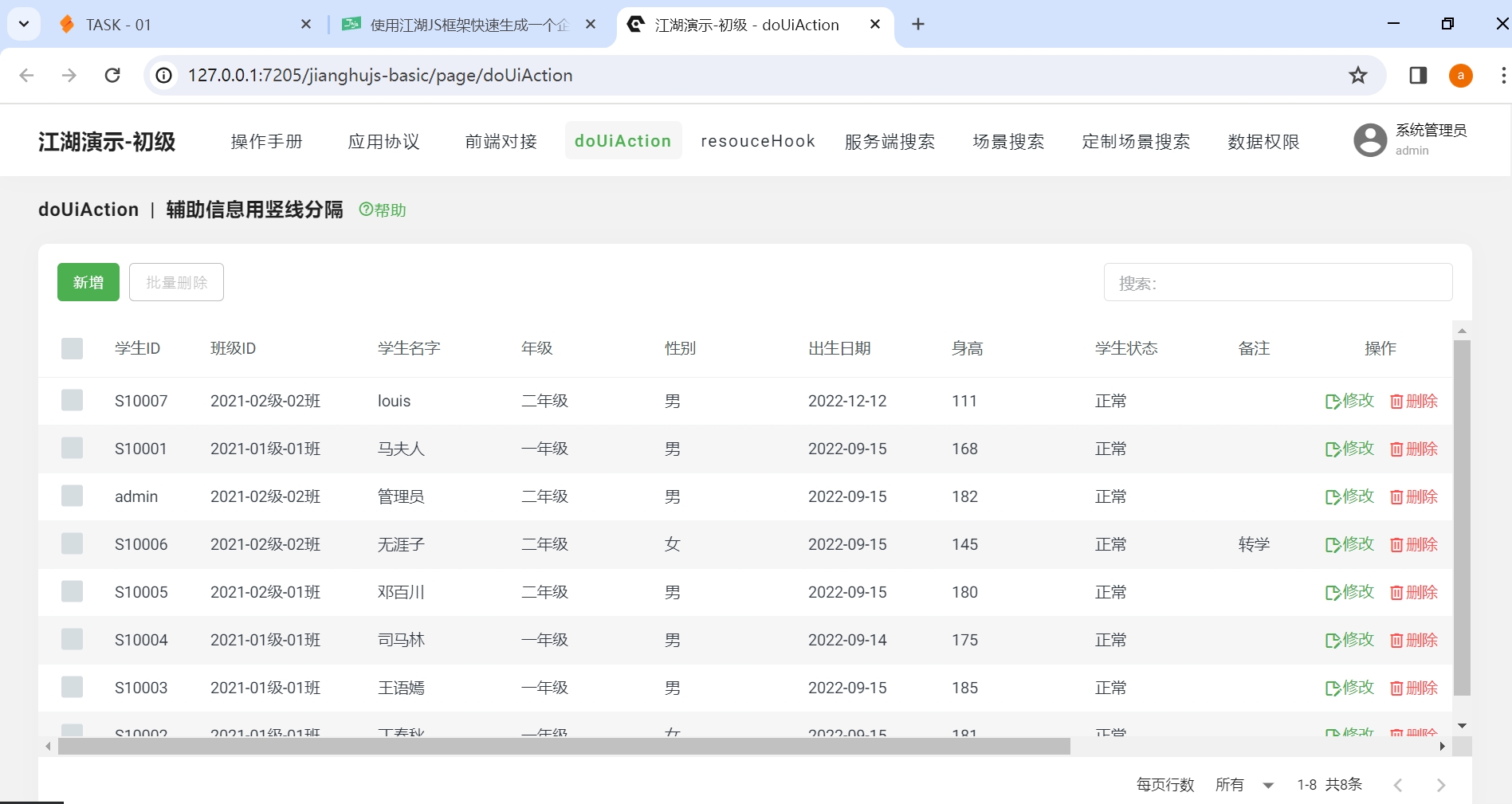
3. Understanding the Code and Data of the Student Management System
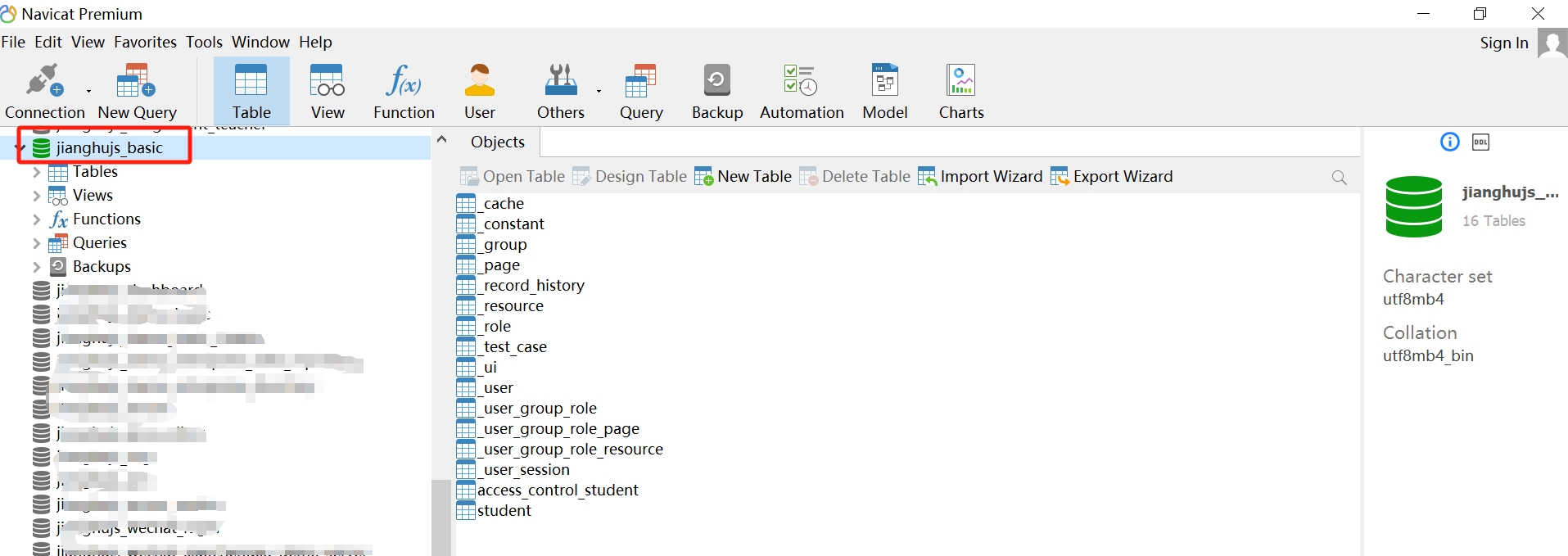
The jianghu-init installation generated a set of code, placed in the jianghu-basic folder, and created the database jianghu-basic.
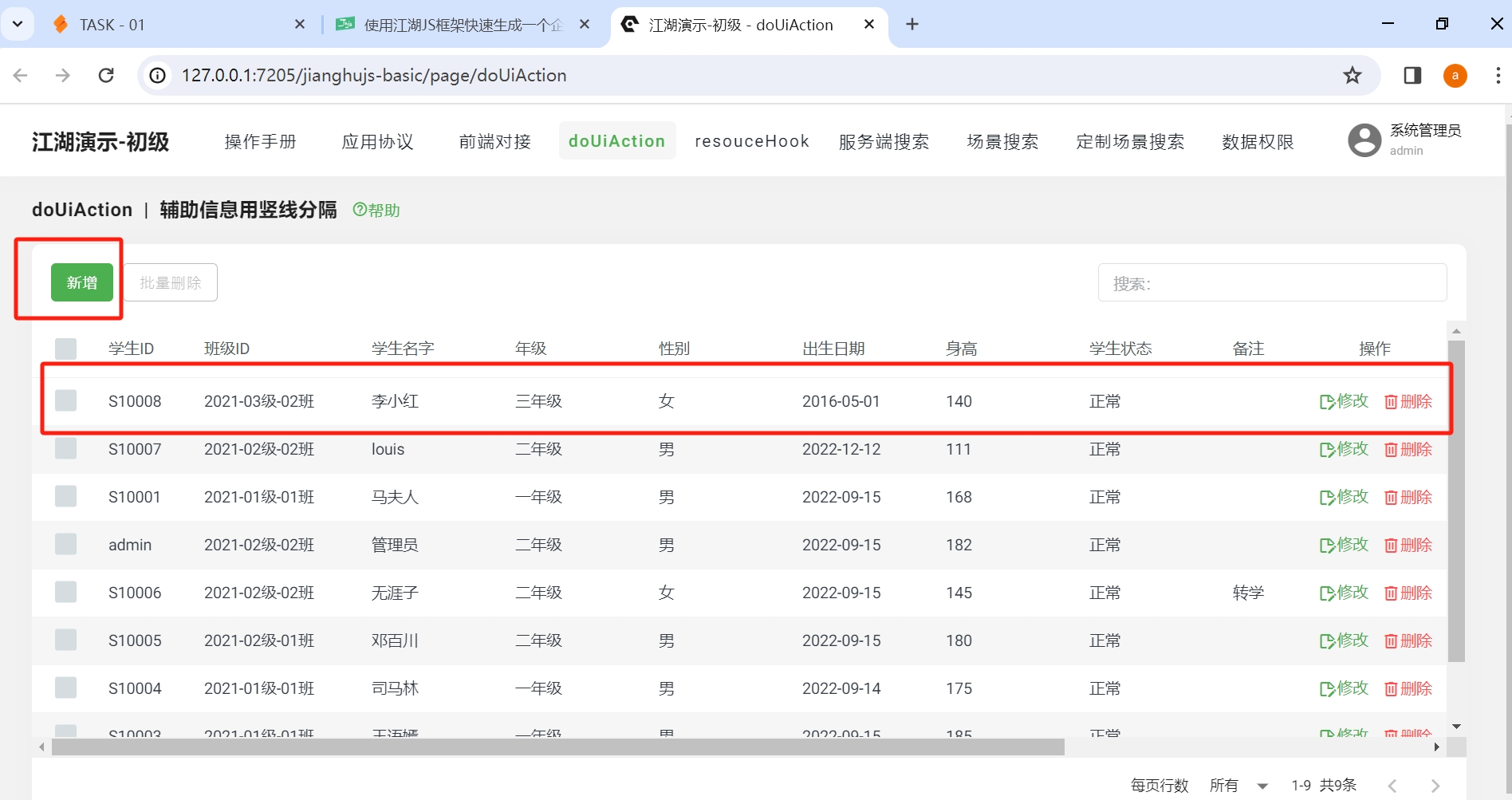
Entering the doUiAction page, you will see buttons for adding, modifying, and deleting. You can try to operate it. For example, add a student named "Li Xiaohong," click the "Add" button, and a drawer will appear with a form to fill in the student's relevant information. Click "Save," and you will find that the student's information appears in the table on the page.
Open the student table in the jianghu-basic database, and you will see the newly added data.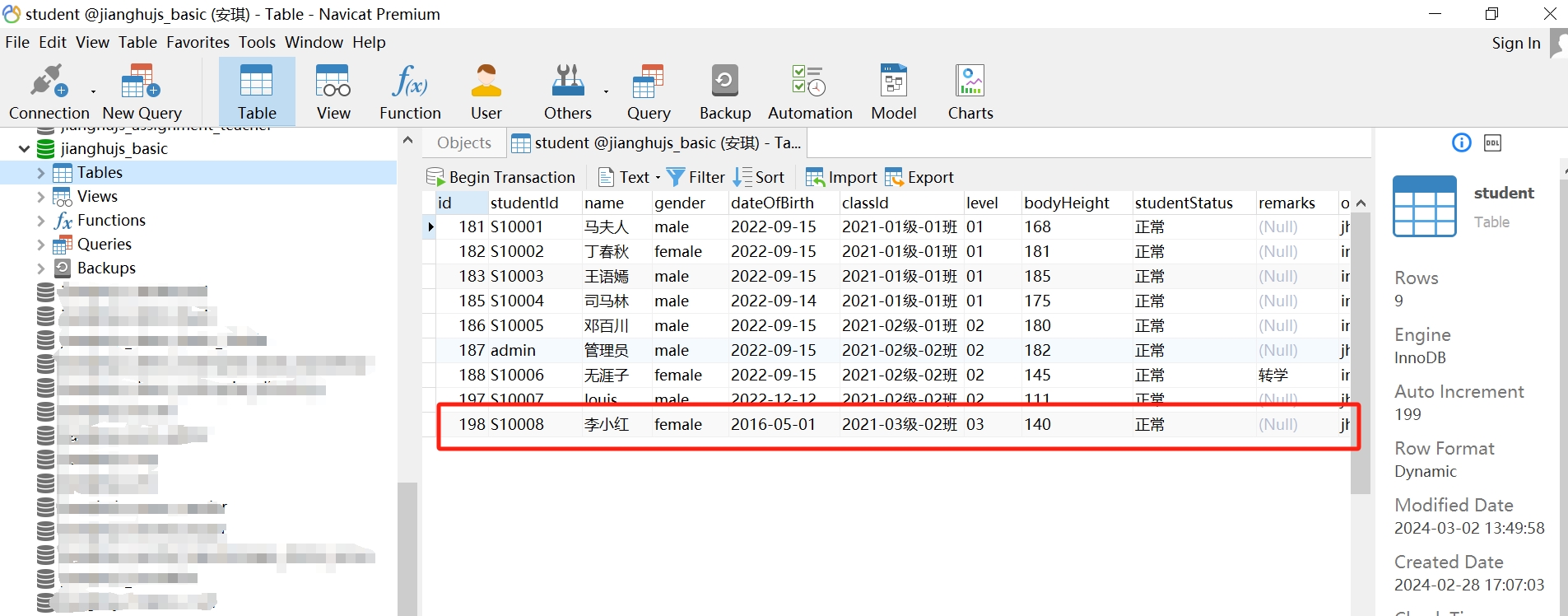
This shows that the page is connected to the database, and operations on the page can perform CRUD (Create, Read, Update, Delete) on the database. The data is stored in the database and will not be lost, making it suitable for real-world applications.
4. A Preliminary Understanding of the JianghuJS Framework
From this, it can be seen that Jianghu-Init is a powerful enterprise-level framework tool. By using the Jianghu-Init tool, developers can easily and quickly create complex web application projects and automatically generate the corresponding databases, significantly improving work efficiency.
This project includes pages for login and permission management, allowing users to manage data through an intuitive interface, making it a truly enterprise-level web application.