
Quickly Generate Enterprise-Level Applications Using the jianghu-init Template
120021. Introduction to This Lesson
In this lesson, you will learn about the concept of jianghu-init and how to use it. jianghu-init is a tool that can generate various types of templates. This course will detail how to generate single-table and three-table application templates, as well as the applicable business scenarios.
2. The Code Generation Tool of JianghuJS: jianghu-init
jianghu-init is the installation tool for the JianghuJS project. With simple commands, developers can quickly initialize a jianghuJS project without manually creating the project structure and configuration files, generating various projects and corresponding databases, greatly improving programming efficiency.
JianghuJS has created templates for commonly used enterprise-level web applications, and using jianghu-init can generate various types of projects that are ready to use, significantly enhancing programming efficiency.
3. Basic Usage of jianghu-init: Generating Projects and Pages
The usage of jianghu-init is simple and convenient. By running jianghu-init, you can generate either a project or a page. You only need to choose whether to install a project project or a page page:
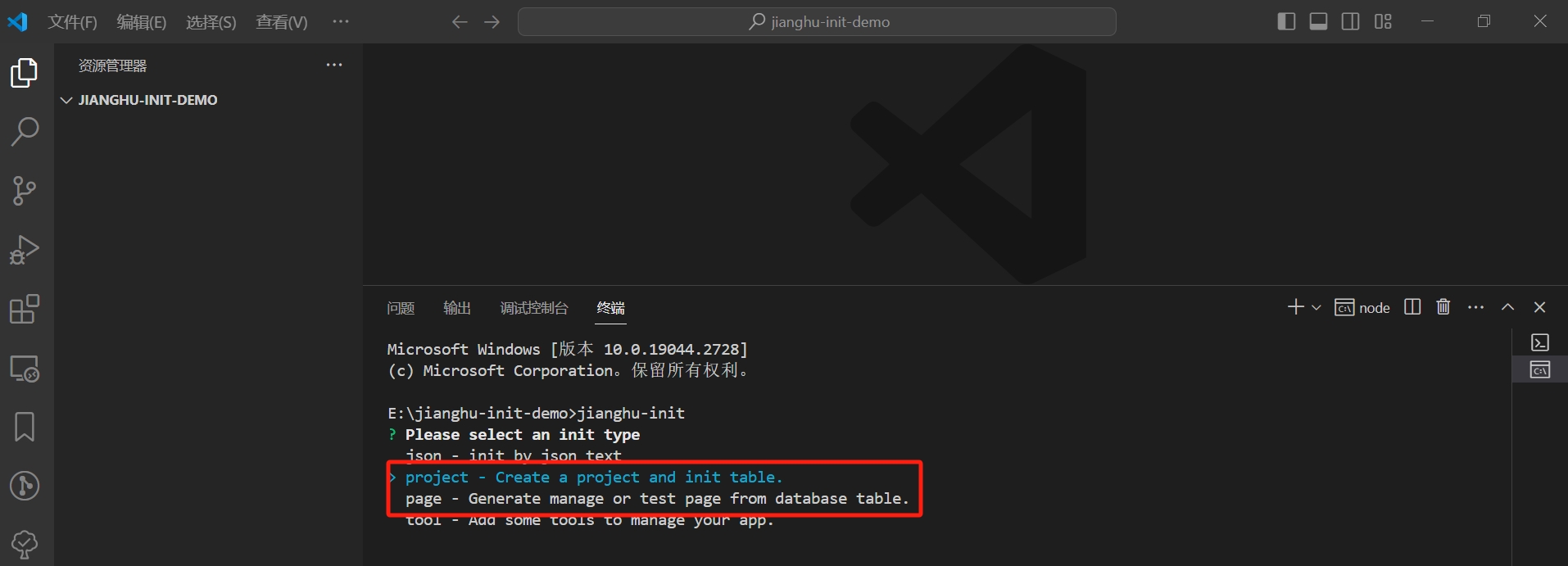
If you choose a project, follow the prompts to select project-related information and database information step by step, and finally, the project and database will be automatically generated. In points 4 and 5 below, the installation steps for single-table and three-table templates will be explained in detail.
If you choose a page, you need to create a new table in the original database first, and then use jianghu-init to create the page, selecting the new table during the page creation process, and then generating the corresponding page. Detailed steps will be provided in Lesson 13.
4. Understanding the Application Templates of jianghu-init
Various application templates of jianghu-init can be found in the Jianghu Scaffold. The templates are categorized into beginner, intermediate, and advanced templates based on the complexity of the business. This lesson mainly introduces the content of the beginner templates.
basic
Used for learning the basics of the JianghuJS framework, this project case involves a single data table. The page application is a single-table CRUD (Create, Read, Update, Delete), through which you will understand communication protocols, doUiAction construction plans, various scenario searches, and more.
1table-crud
Applicable to a single data table, the generated page is for CRUD operations on a single table. For example, a CRUD page for student information.
2table-crud
Applicable to two data tables, where one data entity can relate to multiple other data entities. The generated page can manage information from both tables, treating one data table as the main entity and managing its relationship with the other table.
For example, a student can belong to only one class. Such a project includes student management pages and class management pages, where students can be added or removed for a specific class in the class management page.
3table-crud
Applicable to three data tables, consisting of two single tables and one relationship table. There is a many-to-many relationship between the two data entities, and the generated page can manage information from all three tables, with two data tables serving as main entities and managing their relationships.
For example, a student can belong to multiple classes, and a class can contain multiple students. Such a project includes student management pages and class management pages, where you can add or remove classes for a specific student in the student management page, and add or remove students in the class management page.
- 1table-crud-file
Applicable to one data table, specifically managing files. It adds file upload, download, and preview functionalities to a data entity, generating a page for CRUD operations on a single table along with file upload, download, and preview features.
5. Using jianghu-init to Generate Single-Table Applications
Installing the jianghu-init Tool
If you want to use the jianghu-init tool to install Jianghu applications, you first need to install the jianghu-init tool by following the steps below:
# Uninstall/remove the old version of jianghu-init
$ npm uninstall -g @jianghujs/jianghu-init
# Install the latest version of jianghu-init
$ npm install -g @jianghujs/jianghu-init
# Check the version
$ npm list @jianghujs/jianghu-init -g
Installing a Single-Table Application Project
- Open cmd, enter the jianghu-init command, and select the project you want to create: 1table-crud - Jianghu 1table crud
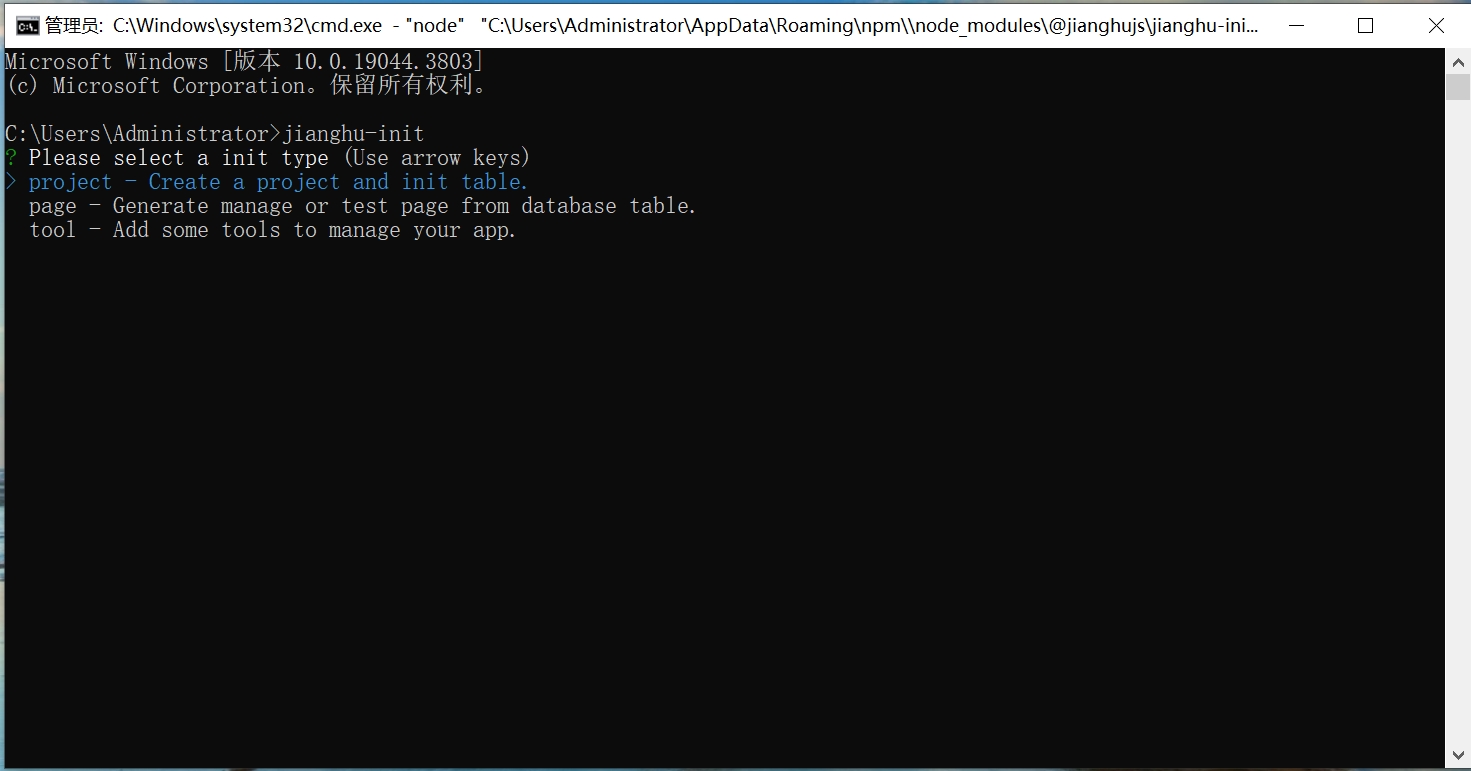
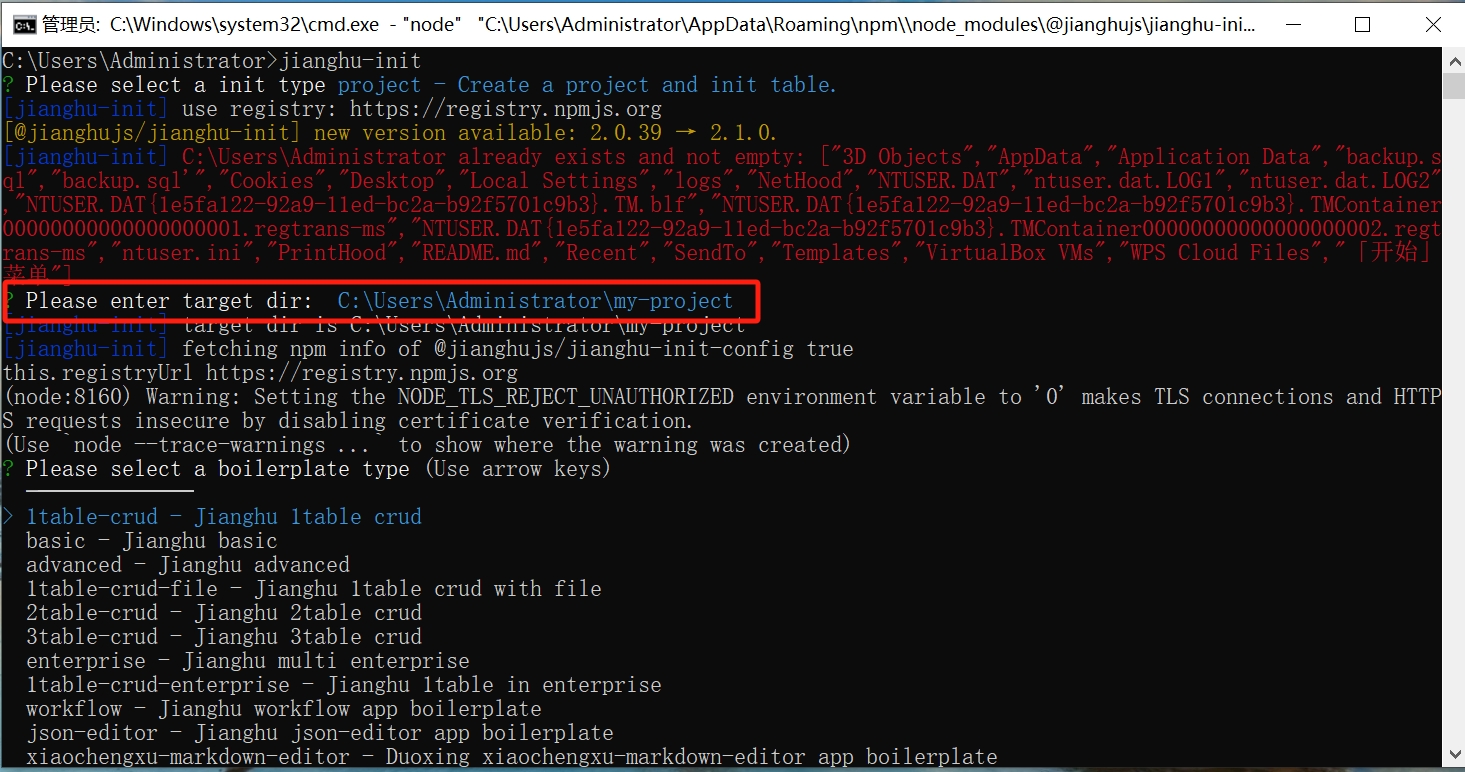
- After selection, enter the project name and specify the path
- Confirm the project name and data name
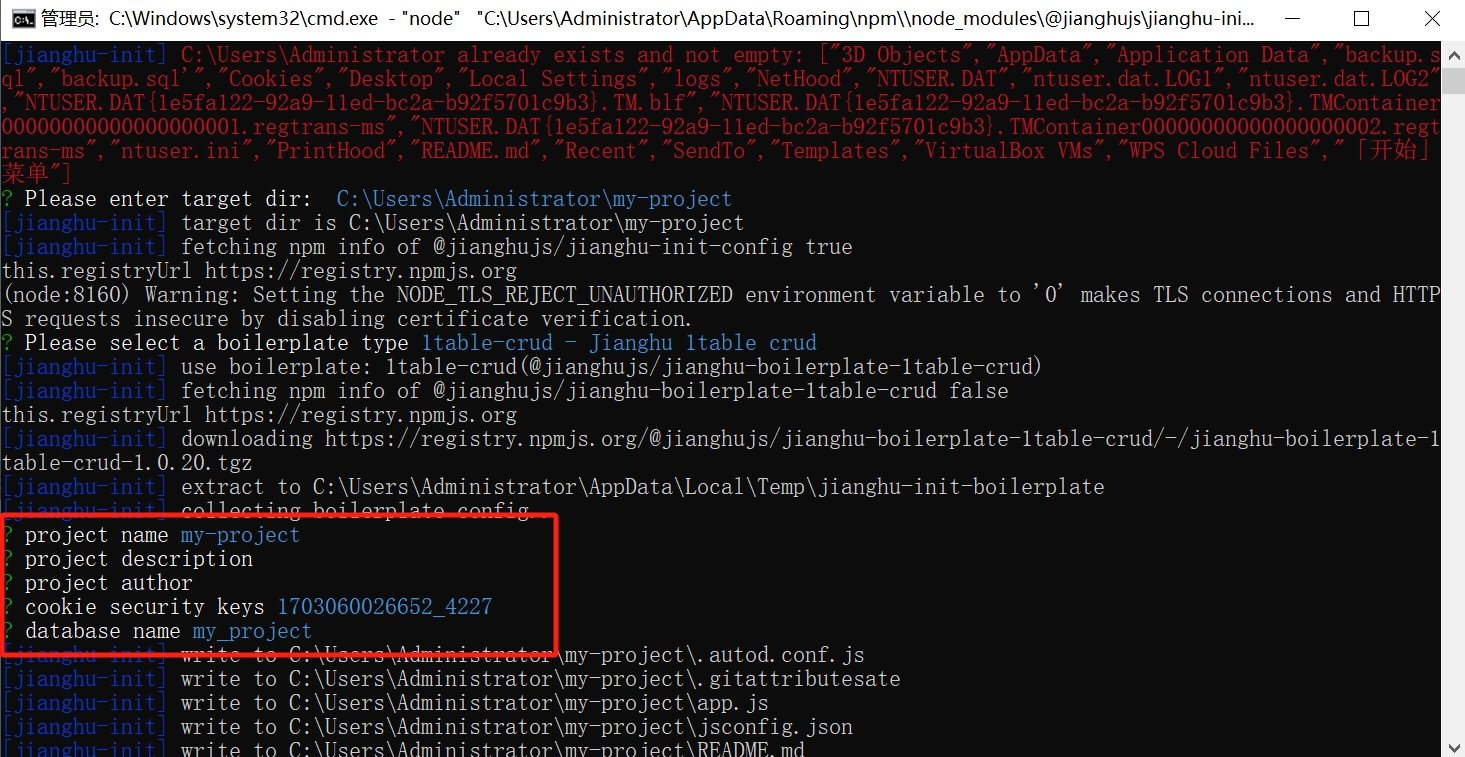
- Confirm the database information, and the project is successfully created
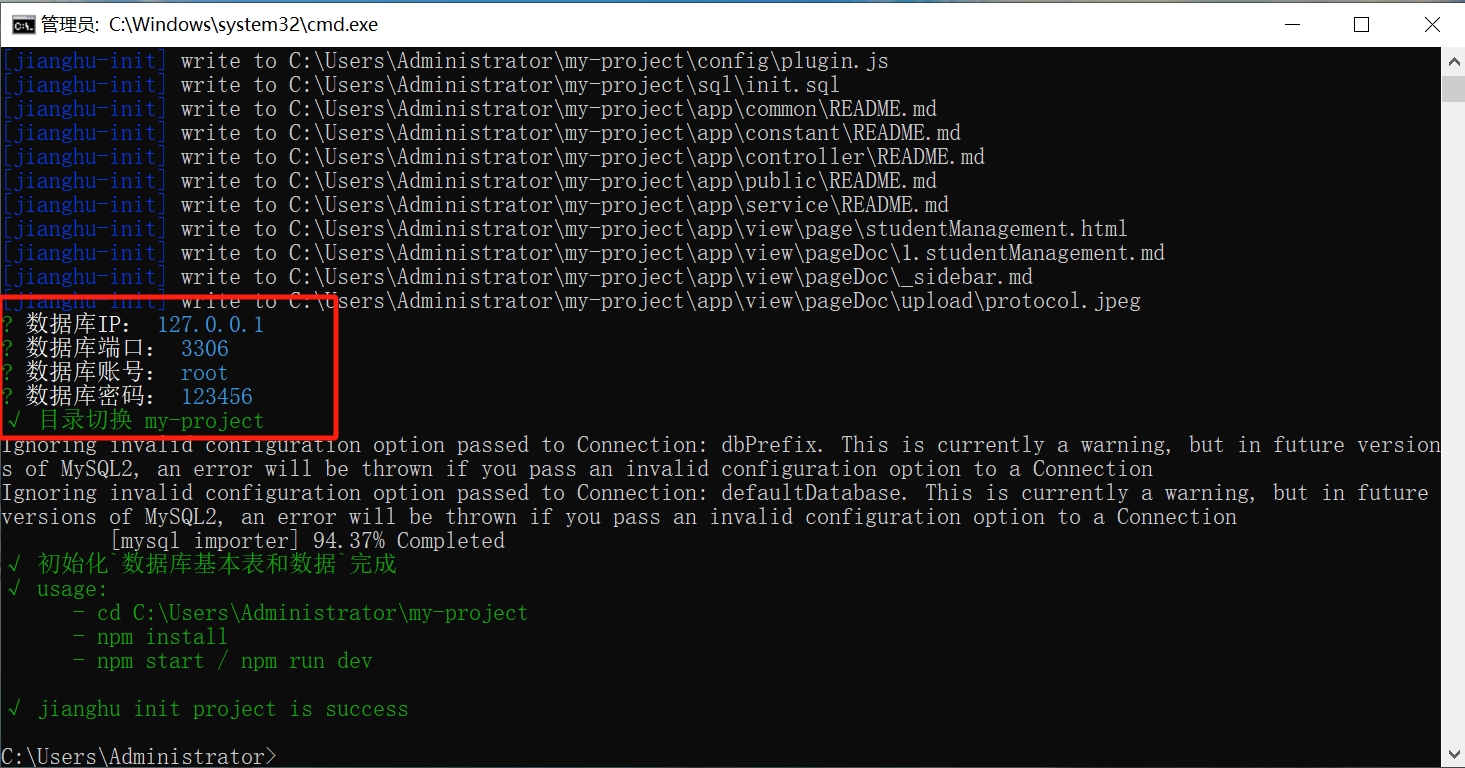
- Locate your newly created project my-project, open it with vscode, open the terminal, and run
npm installto install the project
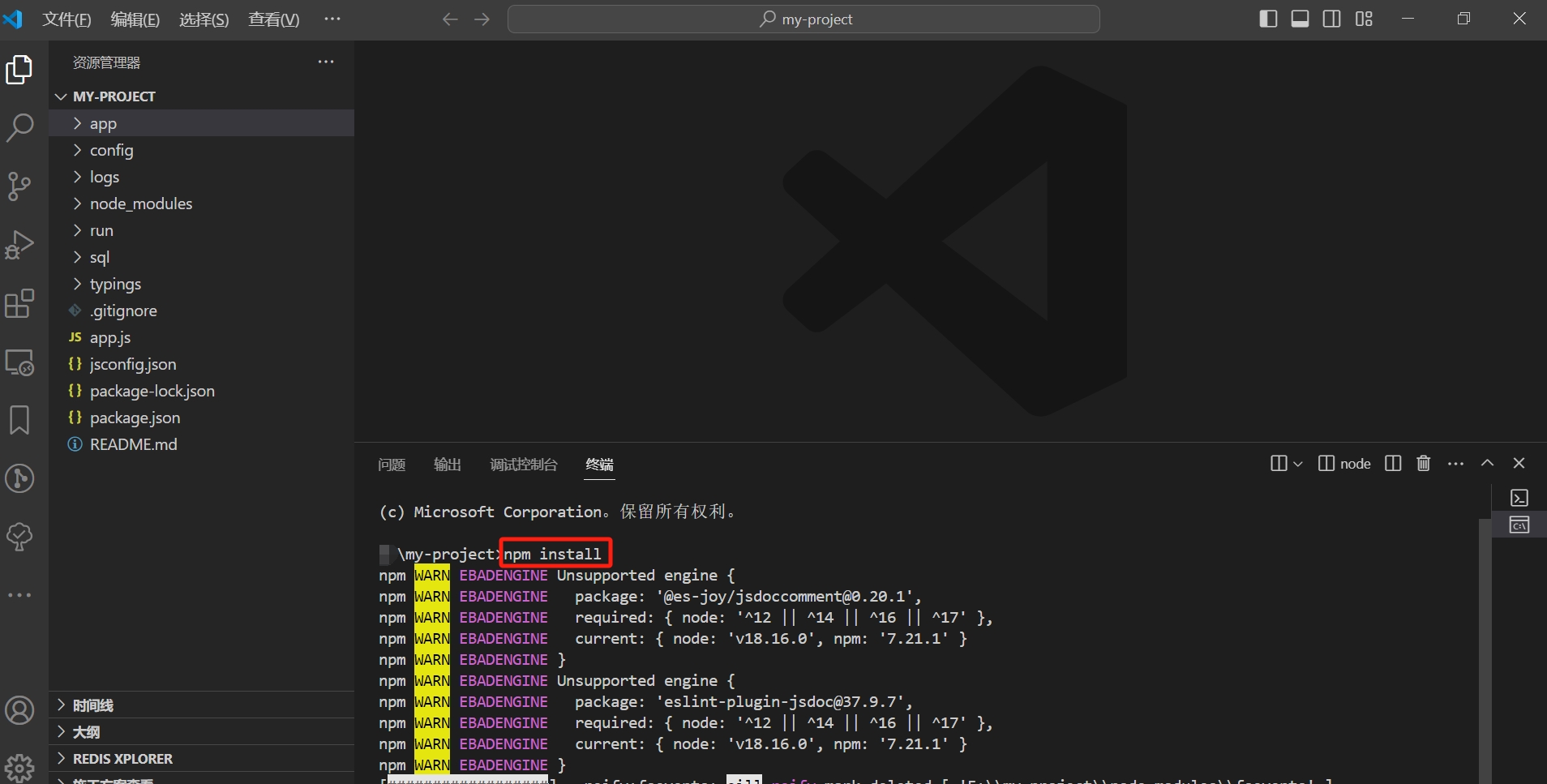
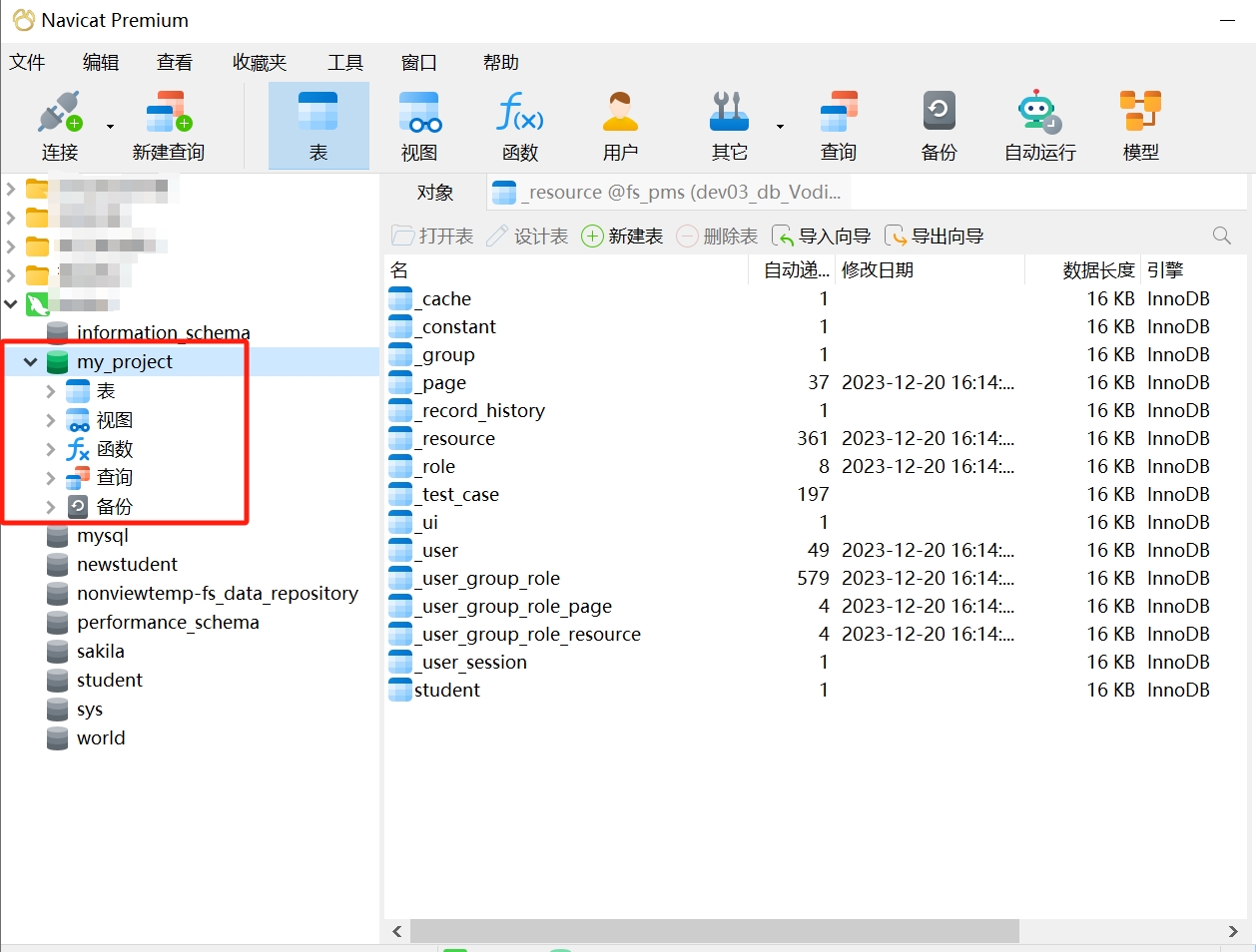
- Confirm in Navicat that the project's database already exists
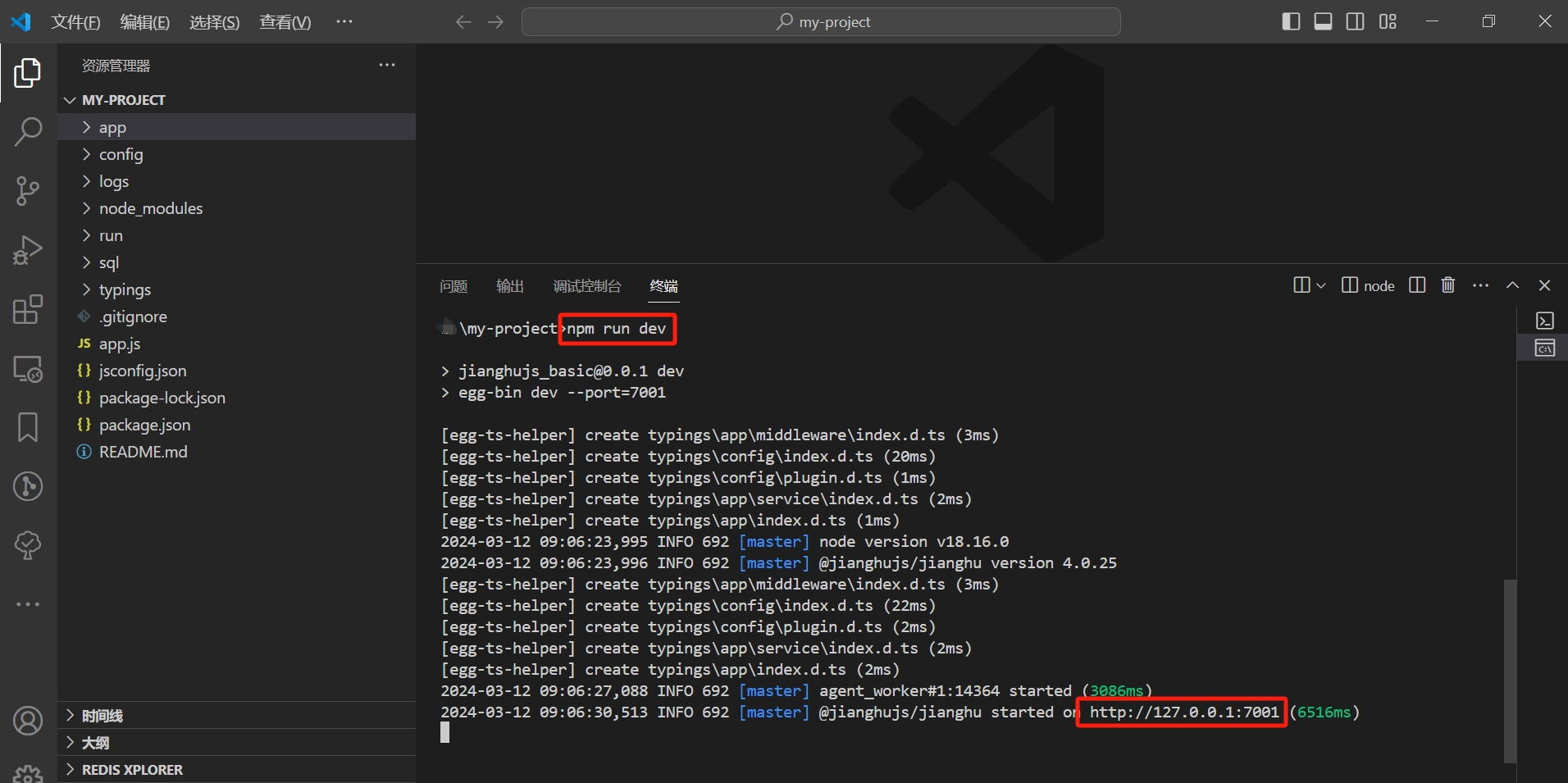
- After the project is installed, open the terminal and run
npm run devto start the project, then access it in the browser at http://127.0.0.1:7001
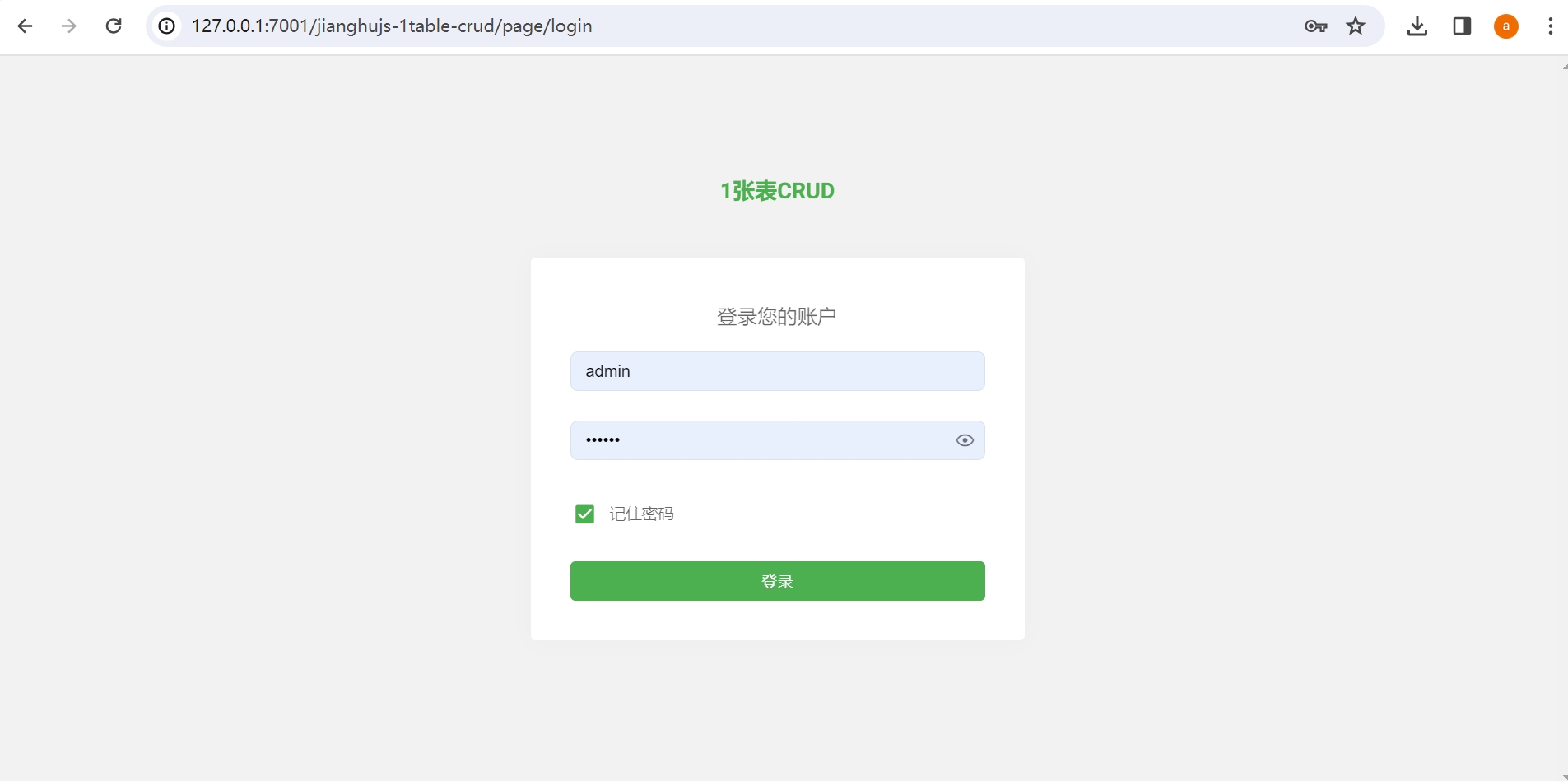
- Enter username admin and password 123456
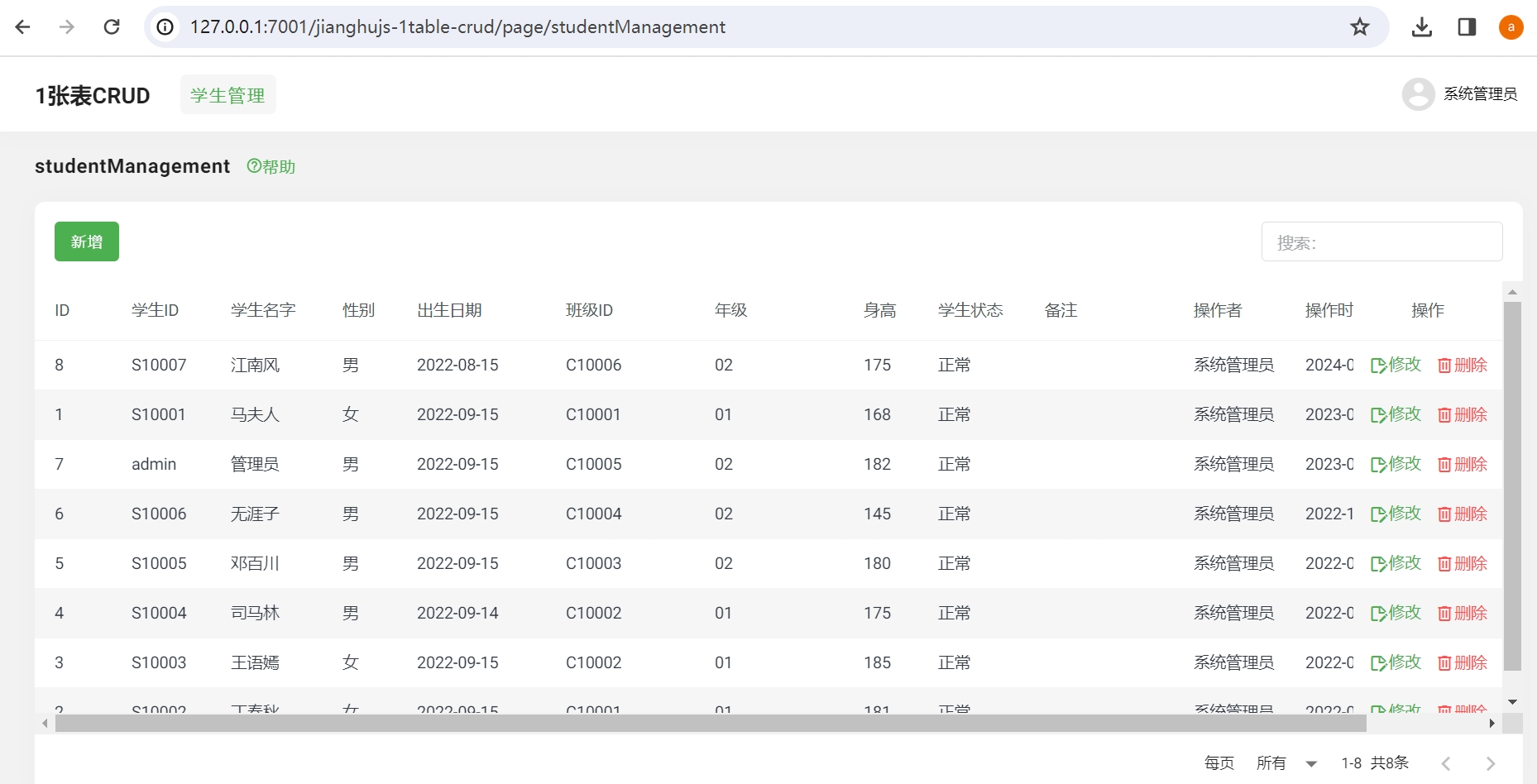
- Successfully logged in, this is the student management page
Project Code and Data Table
Open the project my-project to see \app\view\page\studentManagement.html, and in the my_project database, you will find a data table student. The studentManagement.html performs CRUD operations on the student table.
Applicable Business Scenarios
This template is used for web applications involving single-table business, such as managing students, classes, customers, etc., for CRUD operations.
6. Using jianghu-init to Generate Three-Table Applications
- Open cmd, enter the jianghu-init command, and select the project you want to create: 3table-crud - Jianghu 3table crud
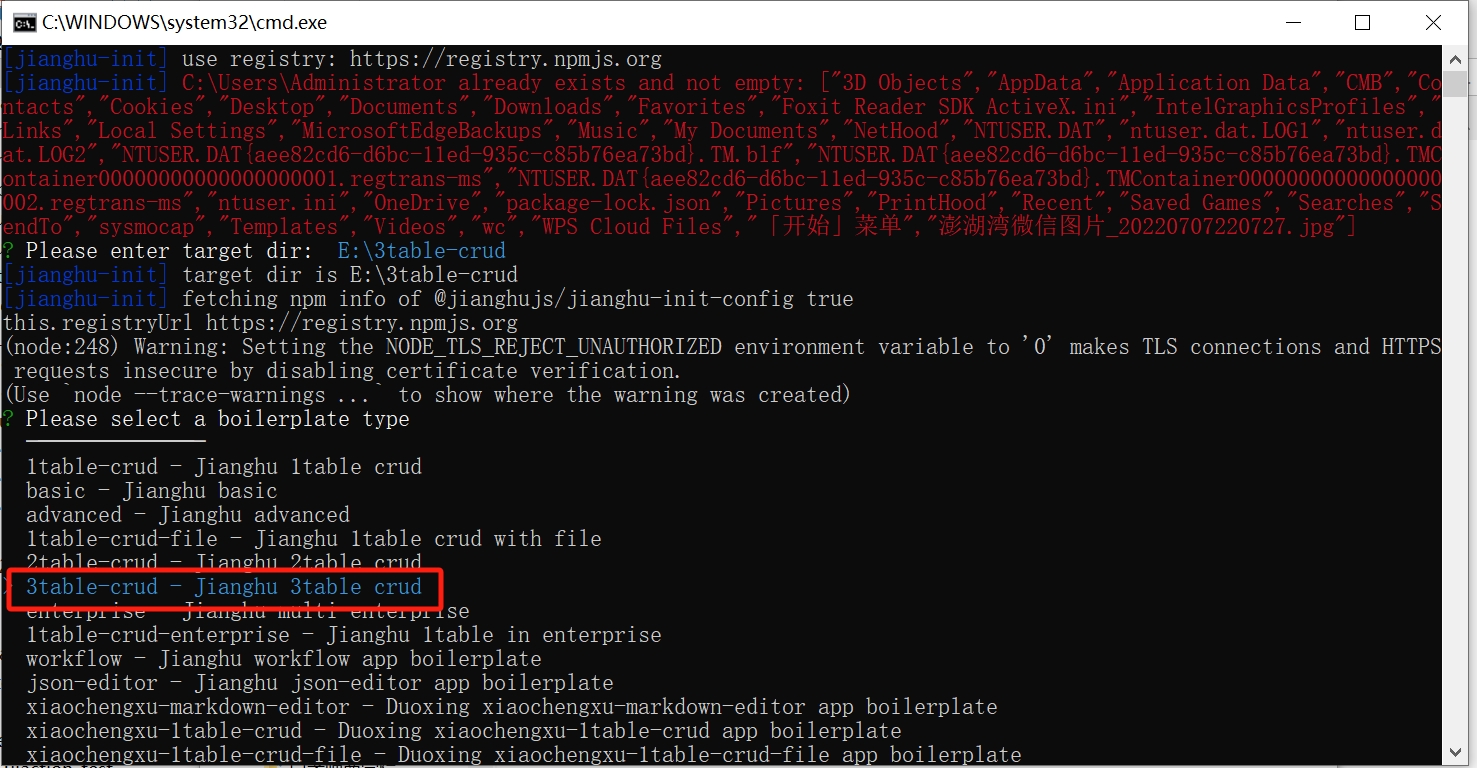
- After selection, enter the project name and specify the path
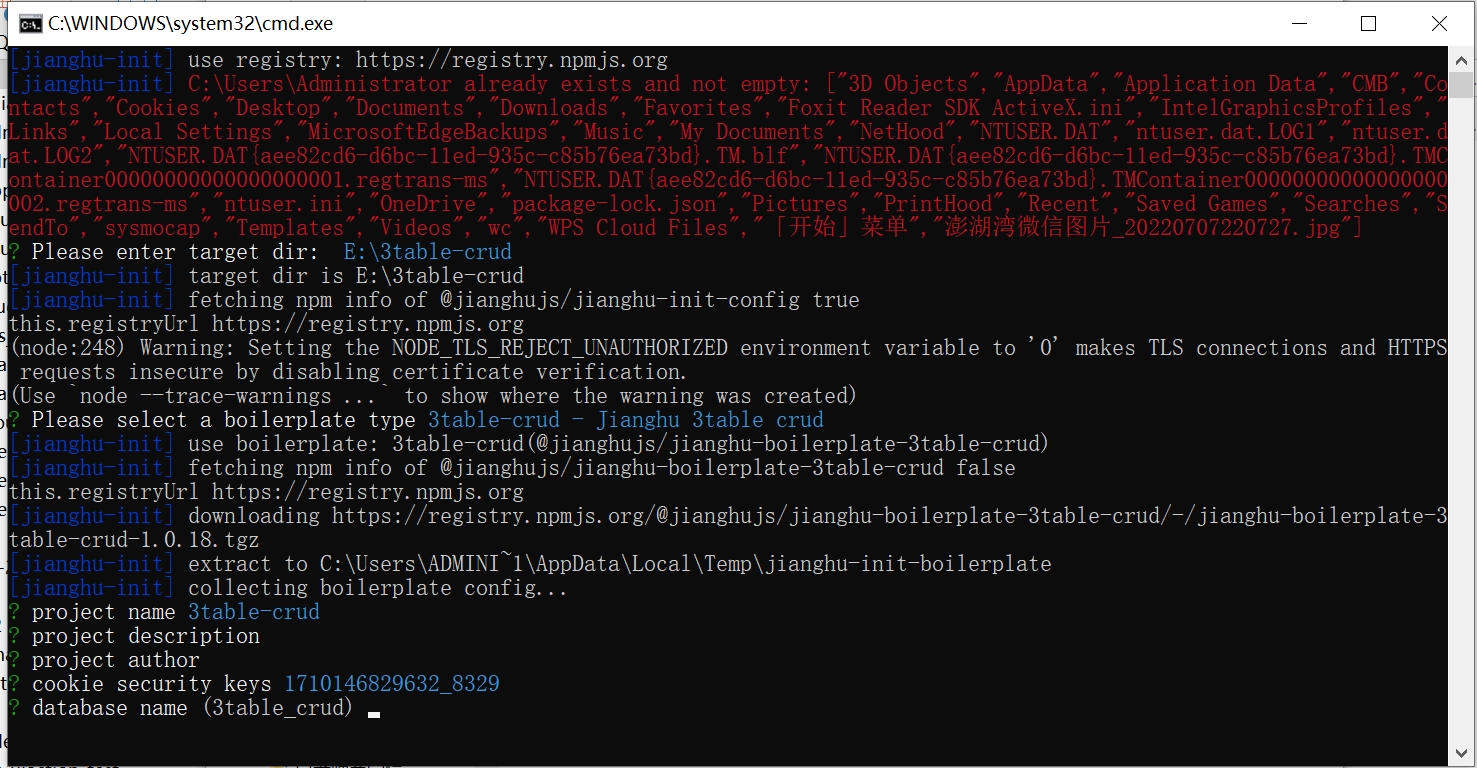
- Confirm the project name and database information
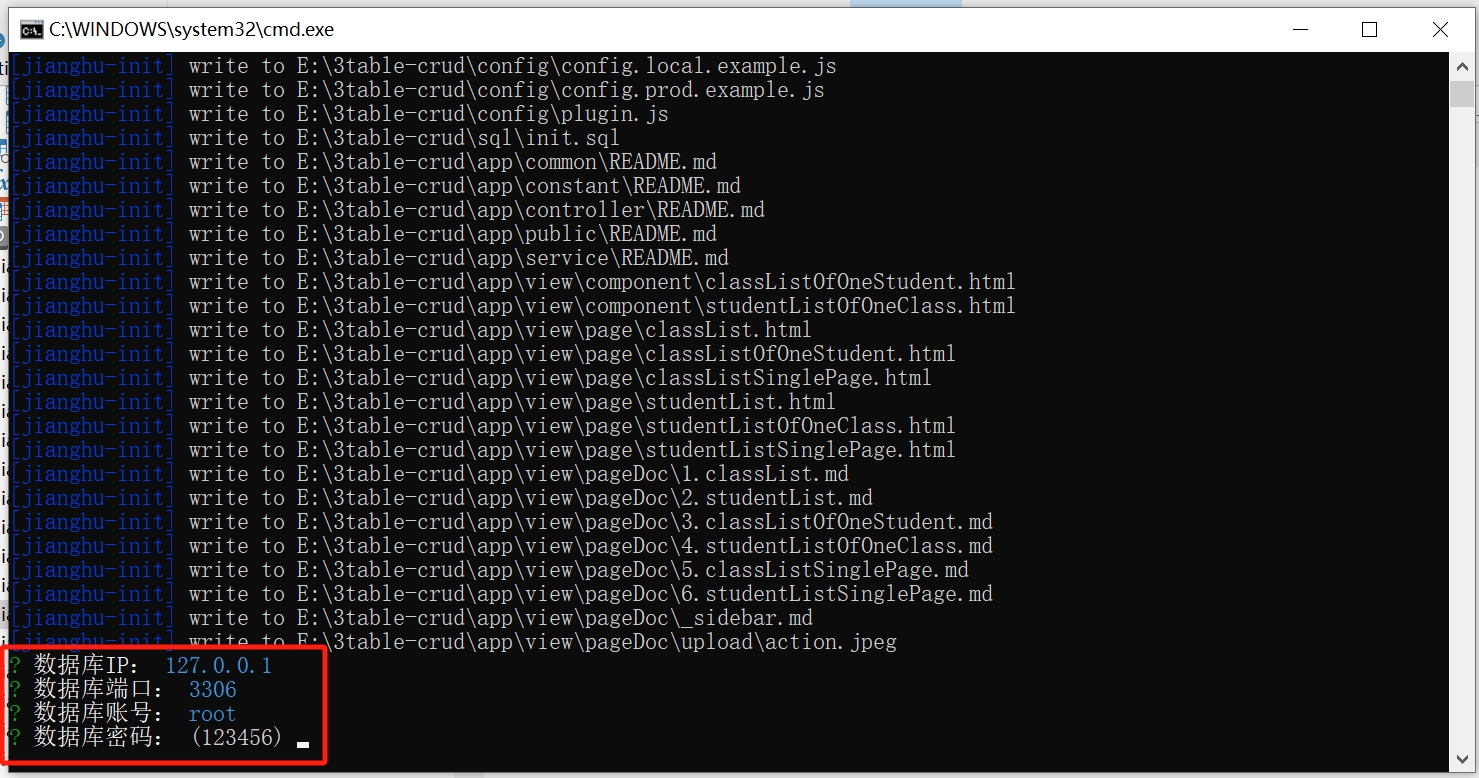
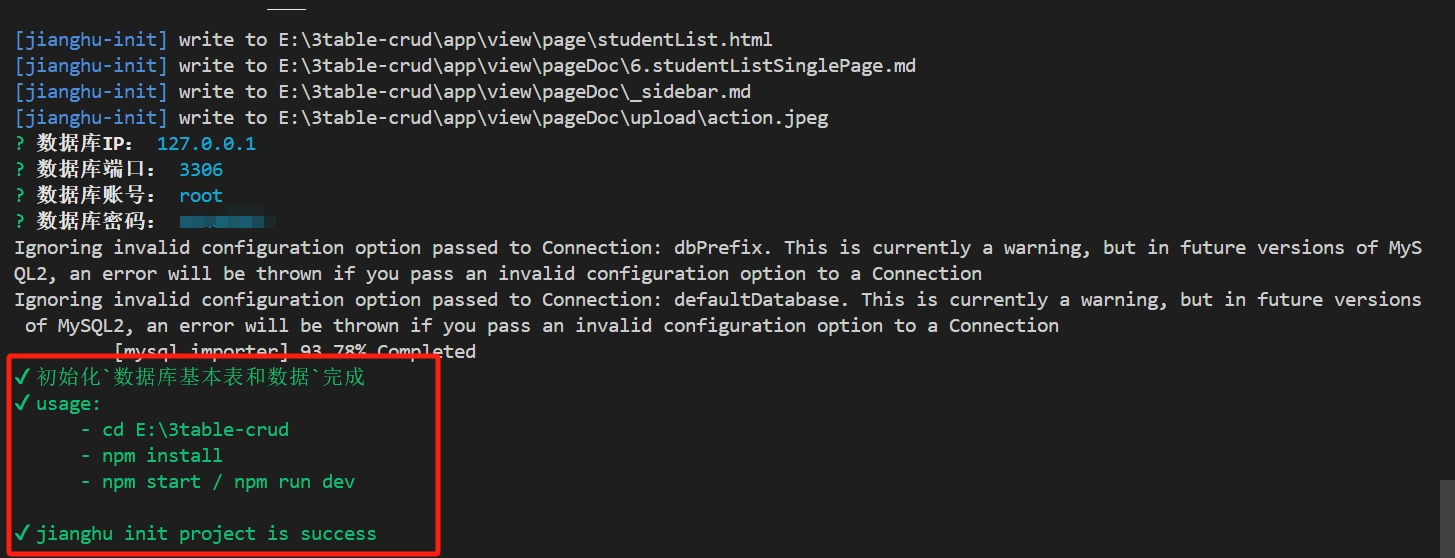
- Project successfully created
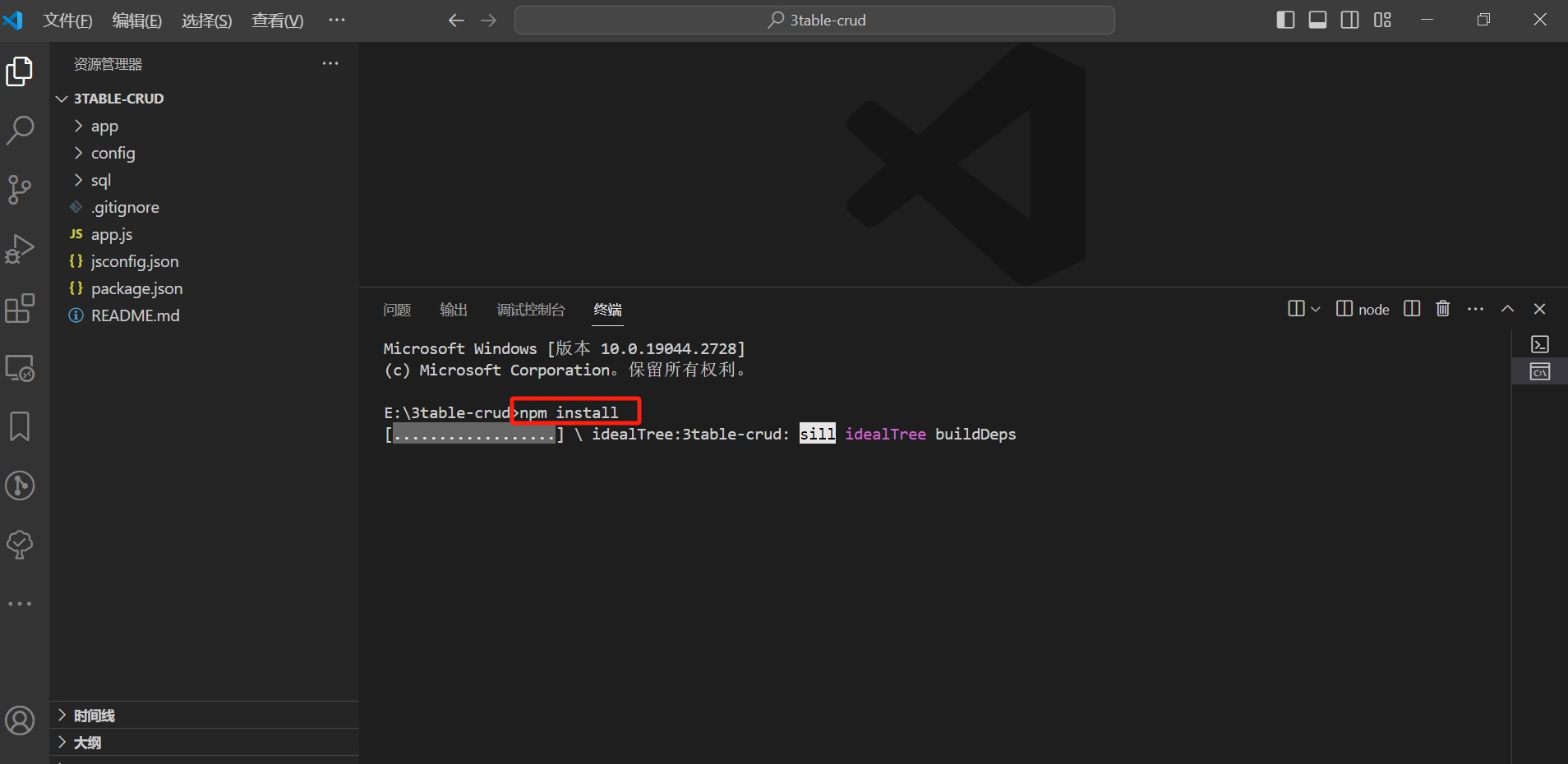
- Locate your newly created project, open it with vscode, open the terminal, and run
npm installto install the project
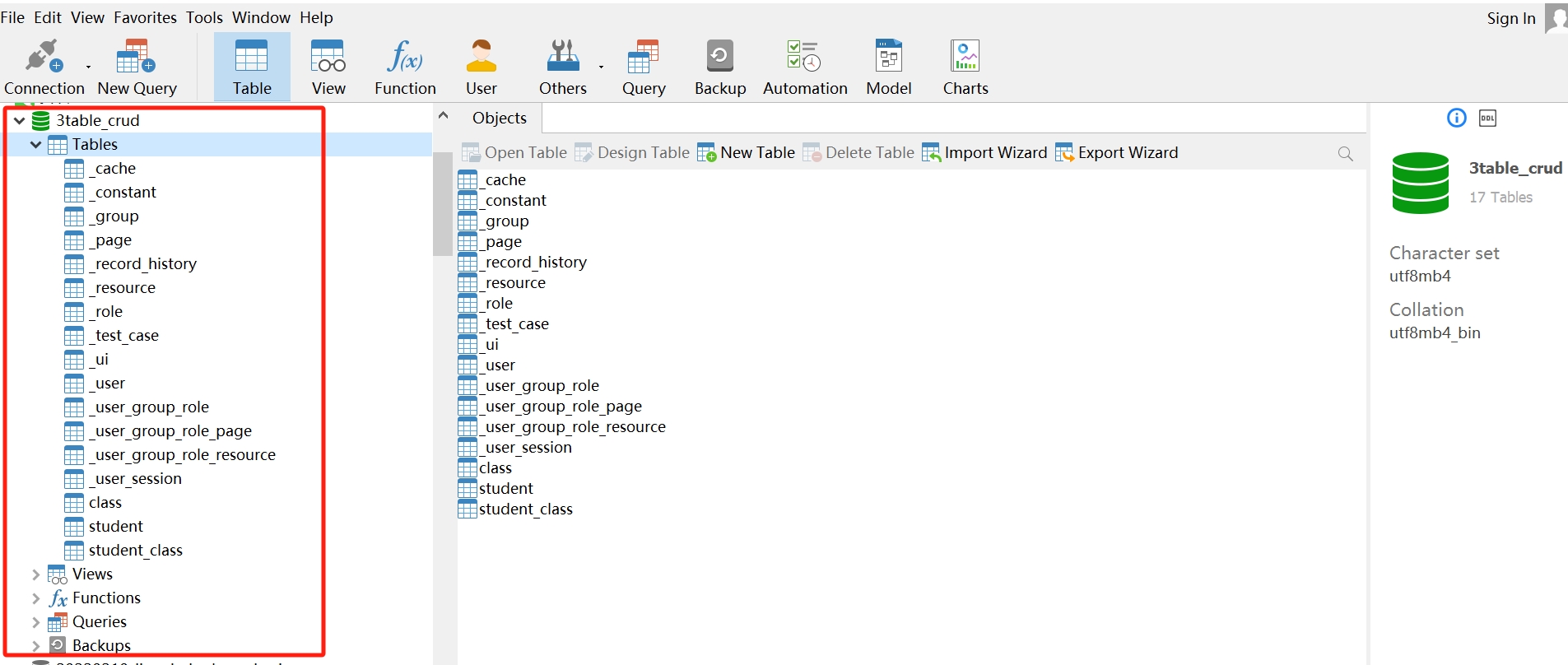
- Confirm in Navicat that the project's database already exists
After the project is installed, open the terminal and run
npm run devto start the project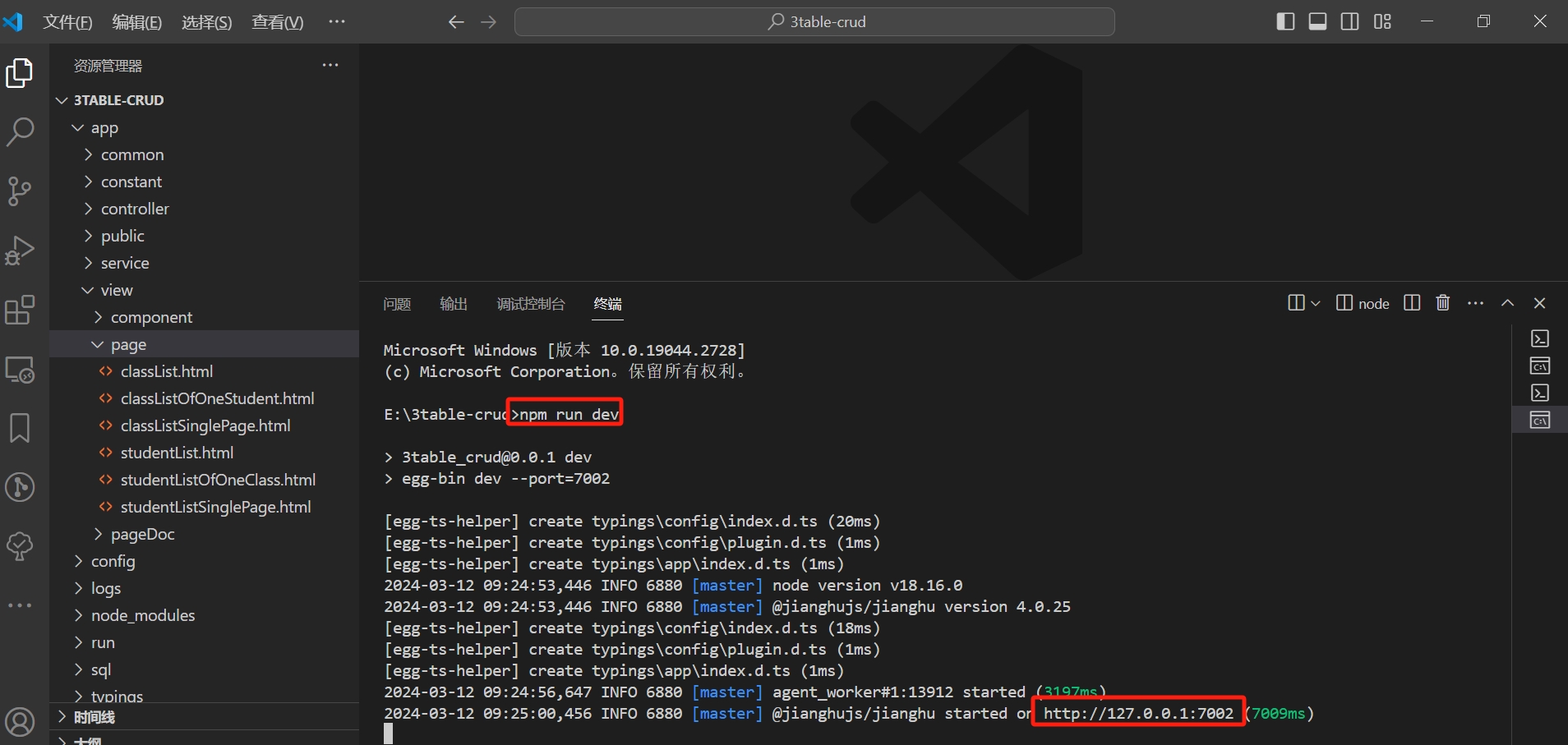
Access it in the browser at http://127.0.0.1:7002, enter username admin and password 123456
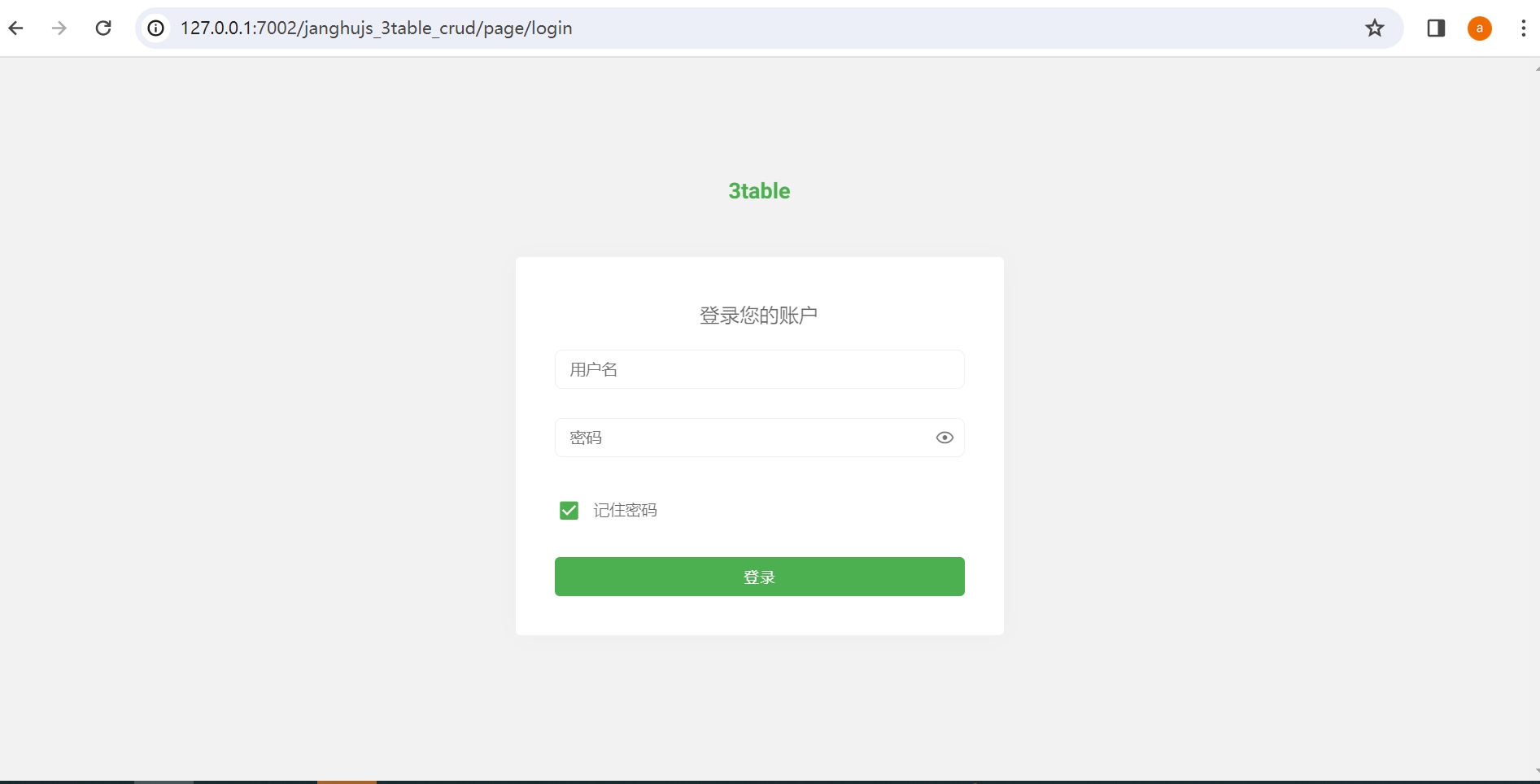
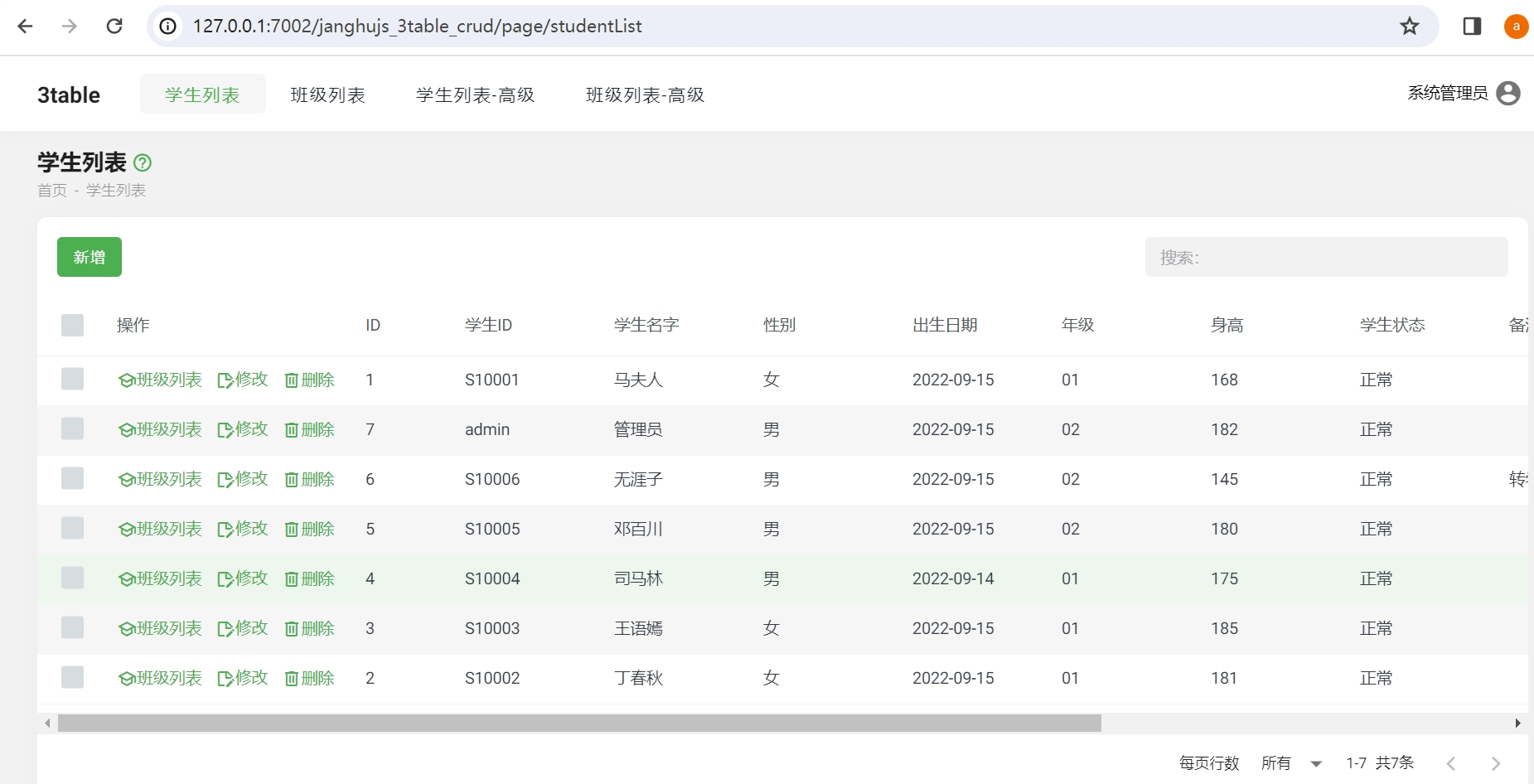
- Successfully logged in, this is the project for managing students and classes
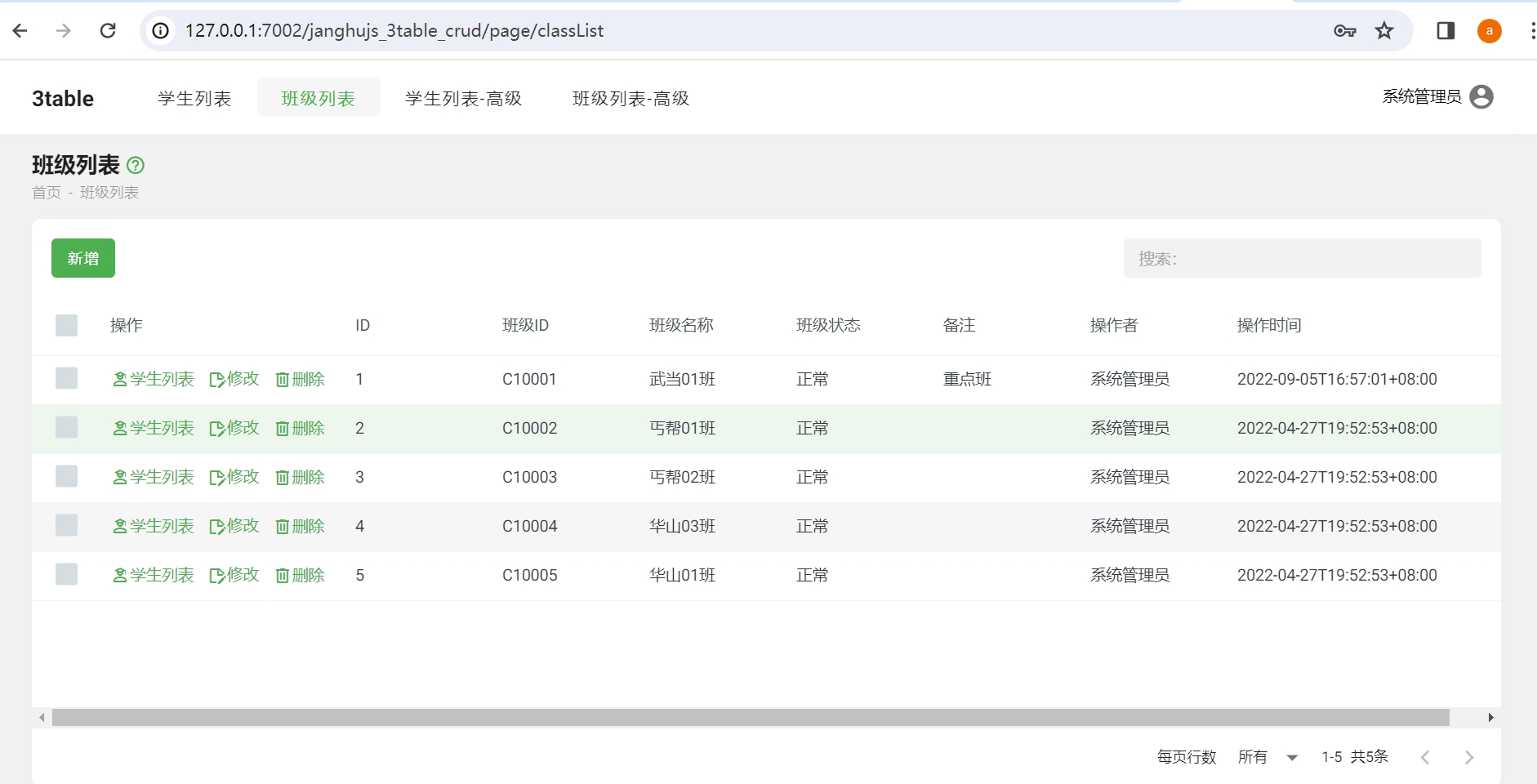
Project Code and Data Table
Open the project 3table-crud to see a series of generated HTML files:
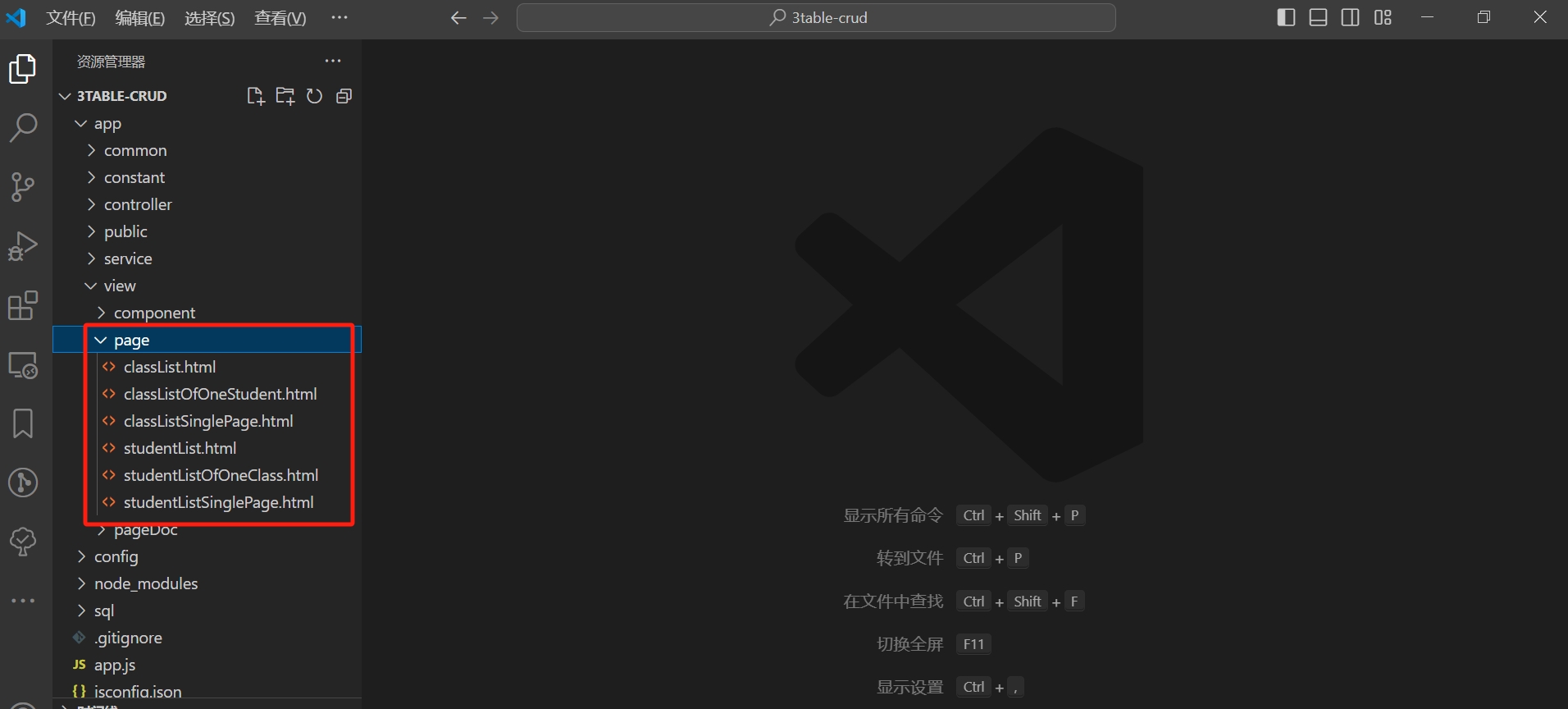
Uses of the HTML files:
studentManagement.htmlStudent ManagementclassListOfOneStudent.htmlAssigning Classes to StudentsstudentListSinglePage.htmlStudent Management with Class Assignment (written using components, completed in one page)classManagement.htmlClass ManagementstudentListOfOneClass.htmlAssigning Students to ClassesclassListSinglePage.htmlClass Management with Student Assignment (written using components, completed in one page)
In the 3table_crud database, you will see three data tables: single tables student, class; relationship table student_class
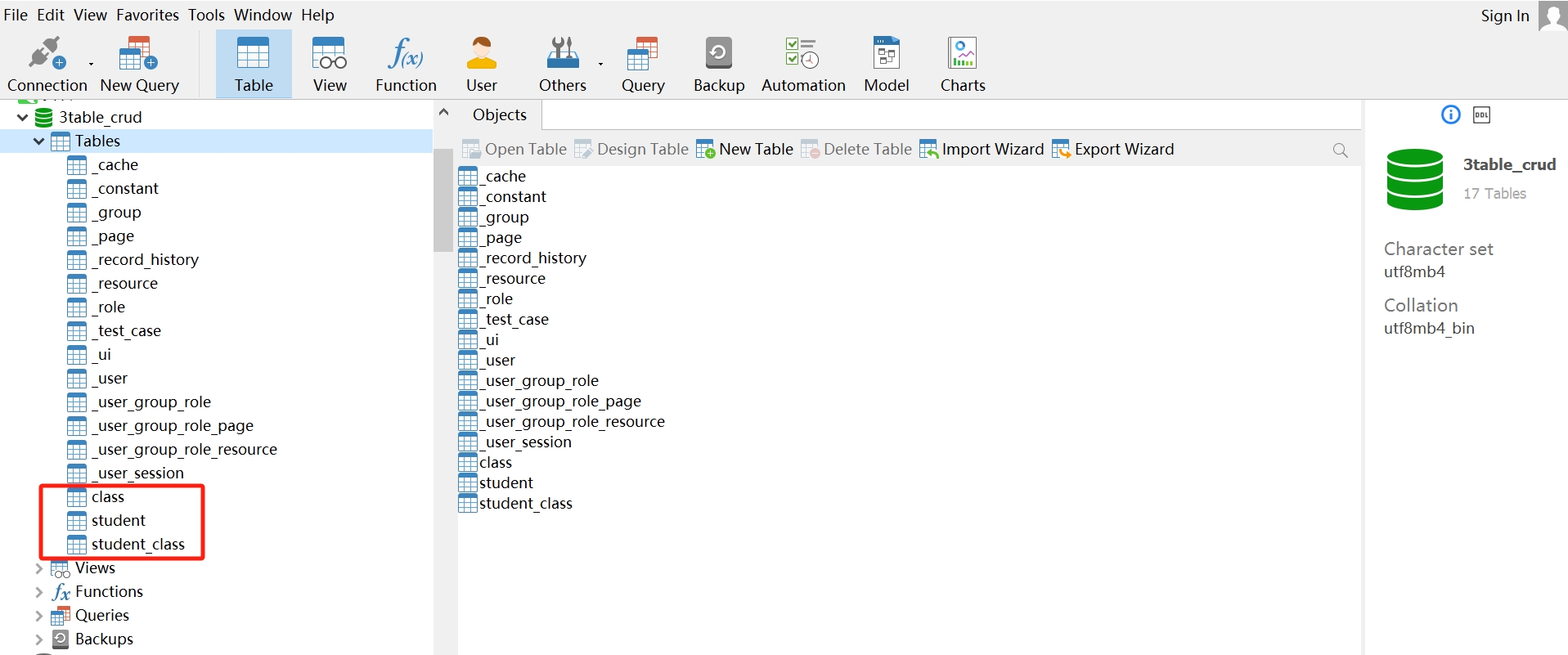
This project includes student management pages and class management pages, where you can add or remove classes for a specific student in the student management page, and add or remove students in the class management page.
Applicable Business Scenarios
This template is used for web applications involving three-table business, where data relationships are more complex, such as customer, product, and order management projects; client, room, and booking management projects, etc., with a wide range of use cases.