
Where Query Conditions and SQL Functions
12002Introduction to This Lesson
In this lesson, we will take the reading of the "Rookie Tutorial" documentation as an example to learn the correct method of reading documentation, and through reading the documentation, we will learn about the Where clause and SQL functions. We will focus on how to find and understand the content of the documentation, and deepen our understanding of the concepts and usage of the Where clause and SQL functions by operating on the example code in the documentation. By learning the techniques of reading documentation, you will be able to use databases more flexibly and write more efficient query statements.
1. Reading the Rookie Tutorial Documentation
In the previous lesson, we explained in detail how to create and query data in a MySQL database. In this lesson, we will further study the usage of the WHERE clause and functions commonly used in SQL query statements.
To better understand and master these usages, we will learn how to effectively find and understand the content in the documentation, as well as how to use the examples and code provided in the documentation. This is an important step in establishing correct learning methods and improving programming skills.
How to Find and Understand Content in the Documentation
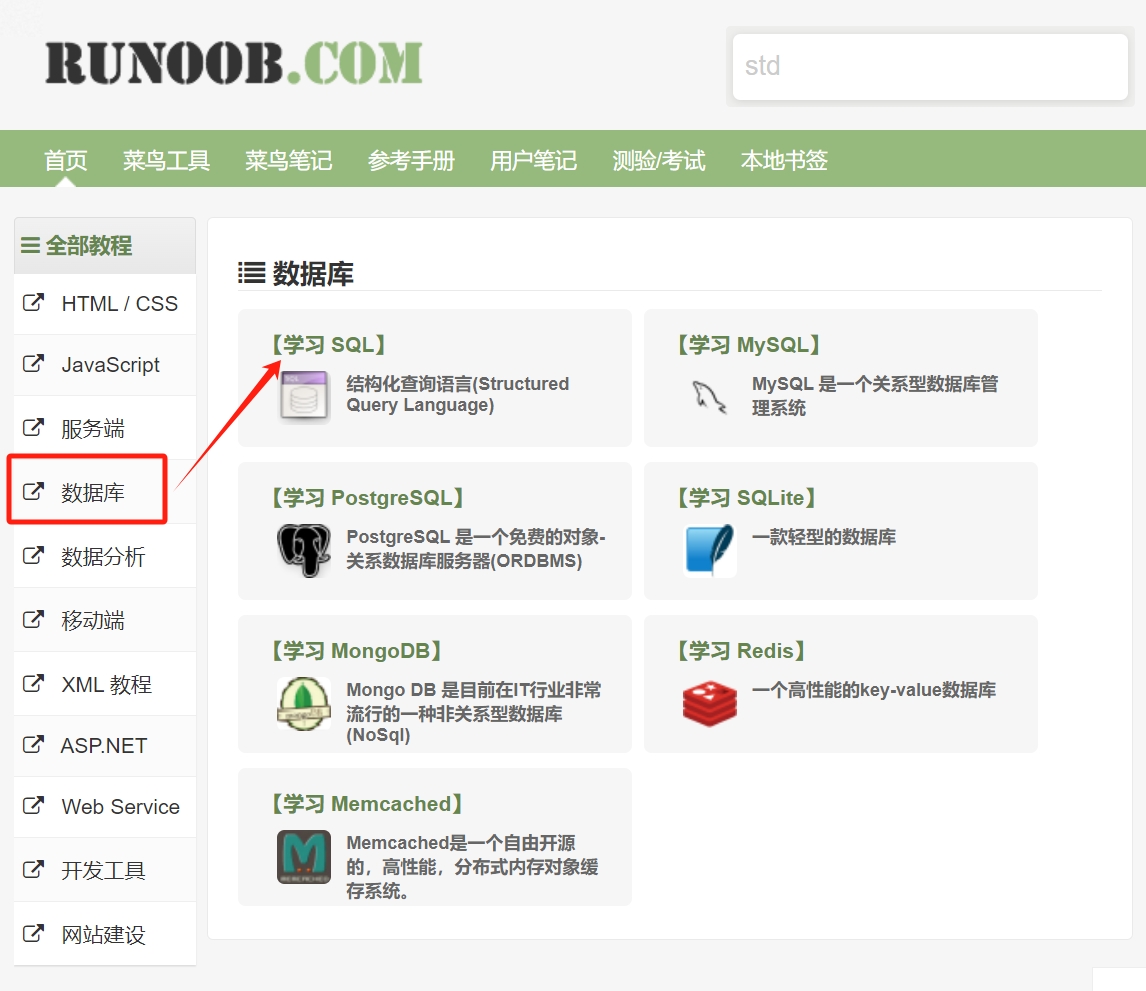
When we are reading the Rookie Tutorial documentation, do not be afraid of the large amount of content or feel unfamiliar with the English language. To learn through documentation, first, clarify what you need to learn or solve. For example, if we want to learn SQL tutorials, we need to find this course in the Rookie Tutorial. Based on what we have learned previously, we can determine that SQL tutorials belong to the study of databases, so we can quickly find the SQL tutorial on the homepage of the Rookie Tutorial.
Next, quickly browse the overall structure of the documentation, including the table of contents, quick reference manual, introduction, etc. This will help us locate the needed content more quickly.
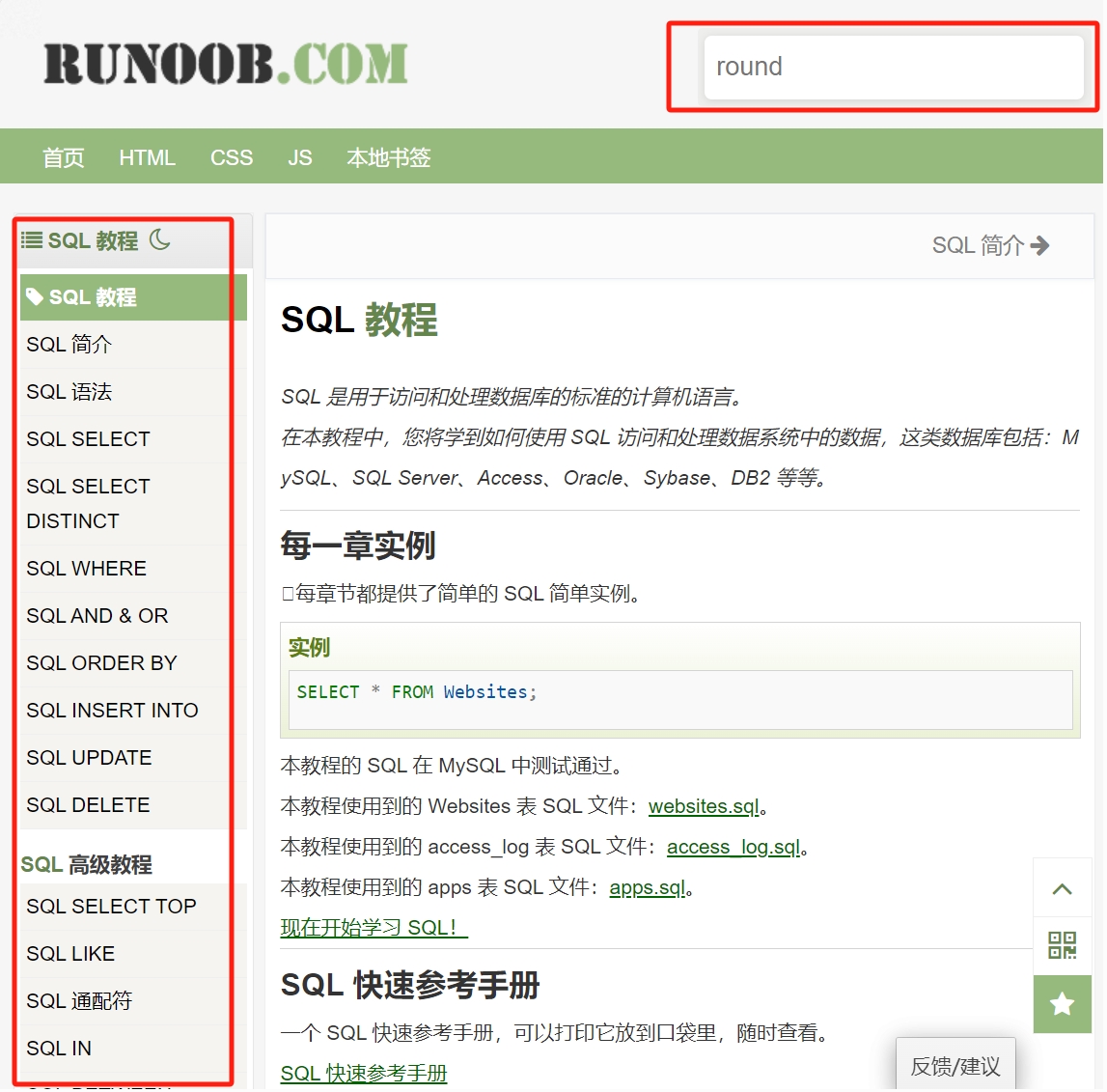
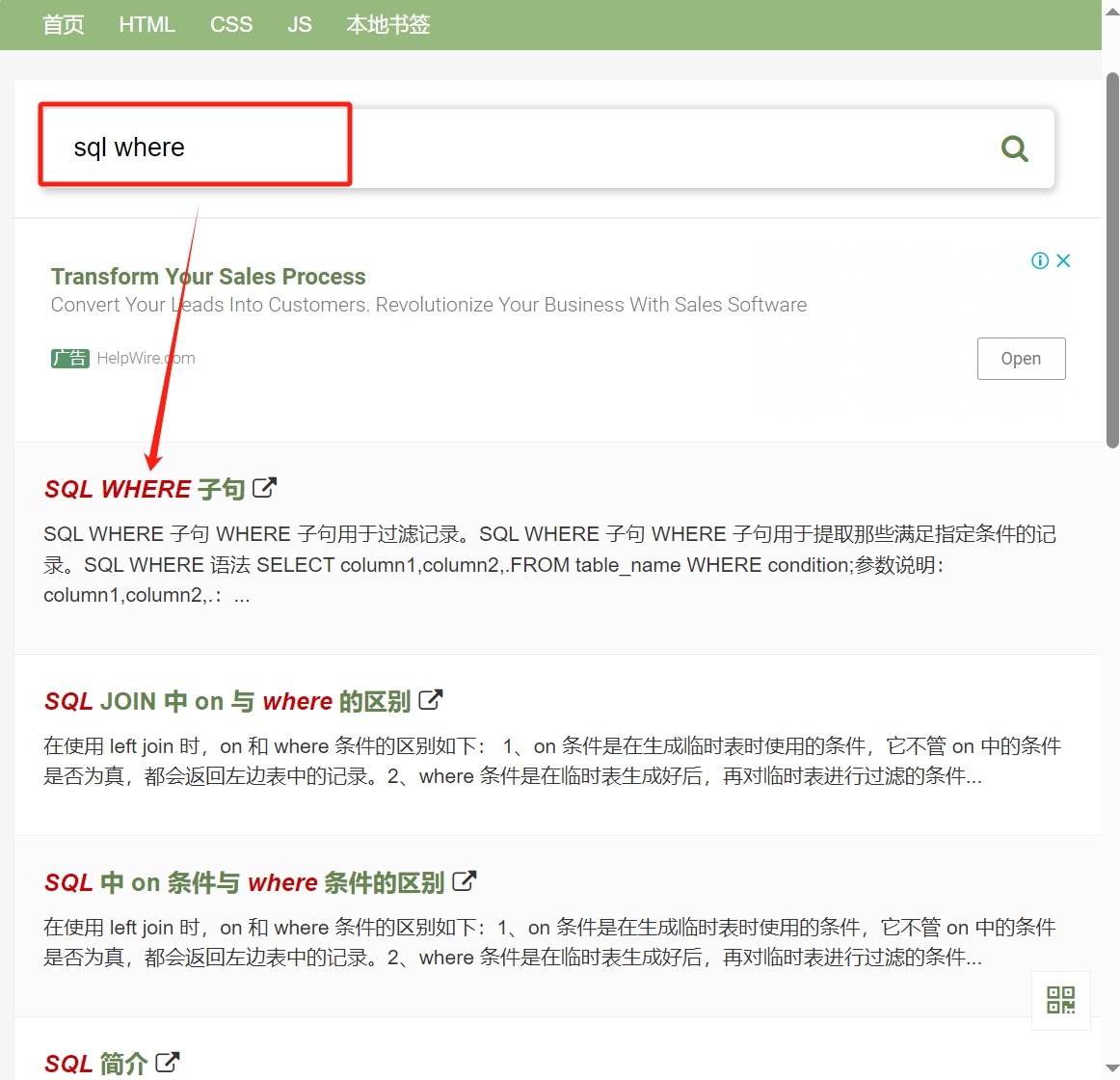
At this point, we already have a basic impression of the framework of the documentation. If we know what content we need to find, we can also use keywords to search. For example, if we want to learn about the SQL WHERE clause, we can enter the keyword: SQL where in the search box to quickly find the relevant section.
Carefully read the parts of the documentation related to your learning objectives, and understand the concepts and usages within. The Rookie Tutorial contains many explanations and examples, and all examples can be directly copied for execution in an actual programming environment.
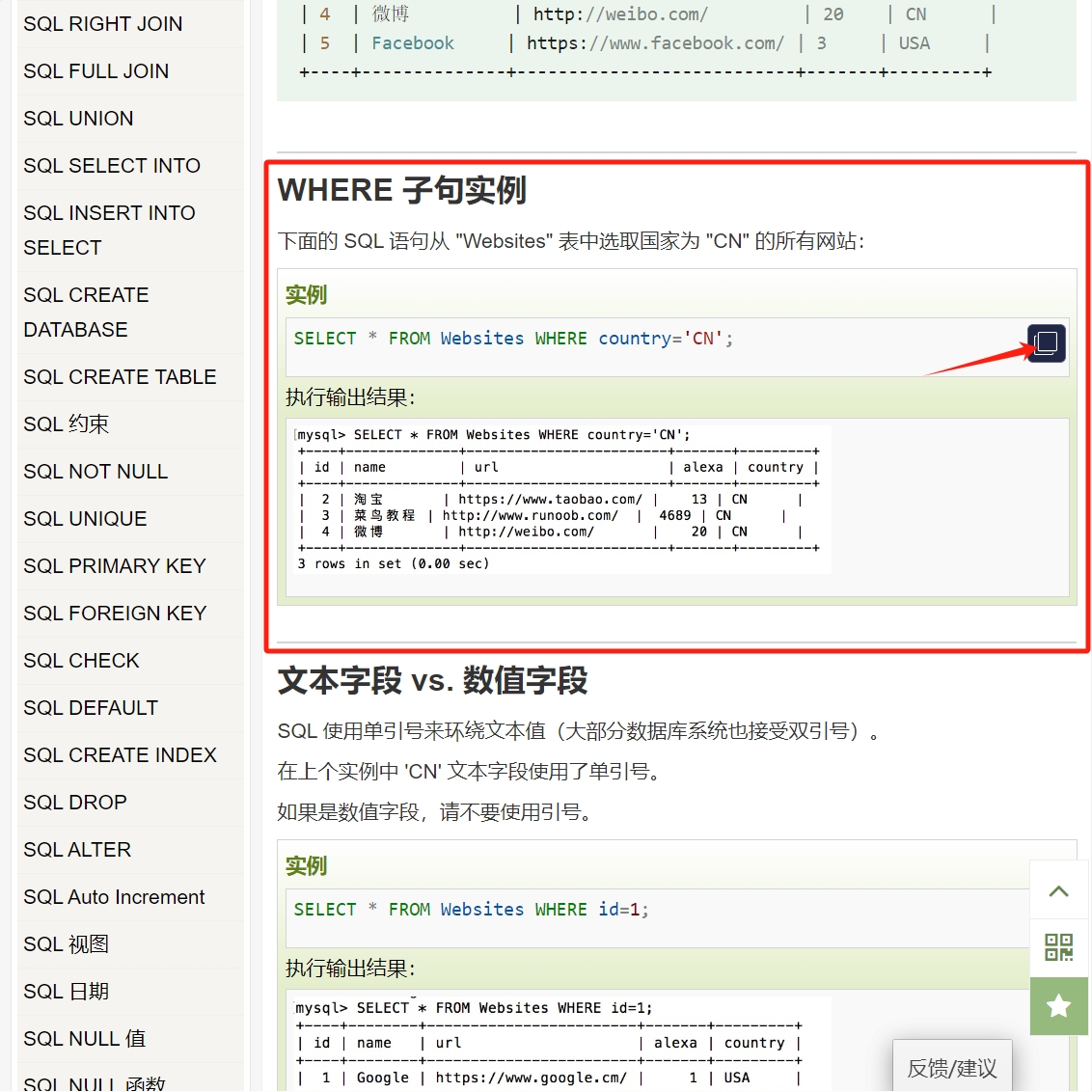
How to Use Examples and Code from the Documentation
Using examples and code from the documentation is one of the important ways to learn and understand concepts. Trying to run the example code provided in the tutorial in your own SQL database management tool can help deepen your understanding of the concepts. Here are some methods for using examples and code:
Read the example code: The documentation usually provides example code to illustrate the usage of a specific concept or syntax. By reading the example code, you can intuitively understand the structure and function of the code.
Run the example code: Attempting to run the example code in the documentation can help deepen your understanding of the concepts and verify the correctness of the code. Through practical operation, you can better experience the running process and effects of the code.
Modify the example code: Make modifications and adjustments to the example code, try different parameters and configurations, and observe the running results of the code. This can deepen your understanding of the code's functionality and syntax, as well as master the flexible use of the code.
The above are some methods and techniques for reading the Rookie Tutorial documentation. If you encounter difficulties in understanding concepts, you can also refer to supplementary explanations, comments, or links in the tutorial, or seek help from other resources. However, for important or difficult-to-understand content, it is still recommended to repeatedly learn and practice until mastery is achieved.
2. Learning the WHERE Clause
We begin to learn the SQL WHERE clause by reading the Rookie Tutorial documentation. First, we need to understand the function of the WHERE clause. In a SELECT statement, the WHERE clause is used to filter data that meets specific conditions; only the rows that satisfy the conditions specified in the WHERE clause will be filtered out.
Here is the general syntax of the WHERE clause:
SELECT column1, column2, ...
FROM table_name
WHERE condition;
In a SELECT statement, the WHERE clause usually follows immediately after FROM and is used to specify the query conditions. The condition following WHERE can be one or more query conditions. Query conditions can be simple filtering operations or complex logical expressions. You can deepen your understanding of the usage of the WHERE clause by reading the example code provided in the Rookie Tutorial and trying to run them in Navicat.
Adding Conditions to Queries Using the WHERE Clause
- Adding a Simple Query Condition
For example, to query student scores. In the data table "sc", we previously queried all students' exam subjects and scores. Now we want to add a condition to only query all scores of the student named 'Li Yun':
SELECT Sname, Cname, score
FROM sc
WHERE Sname = '李云';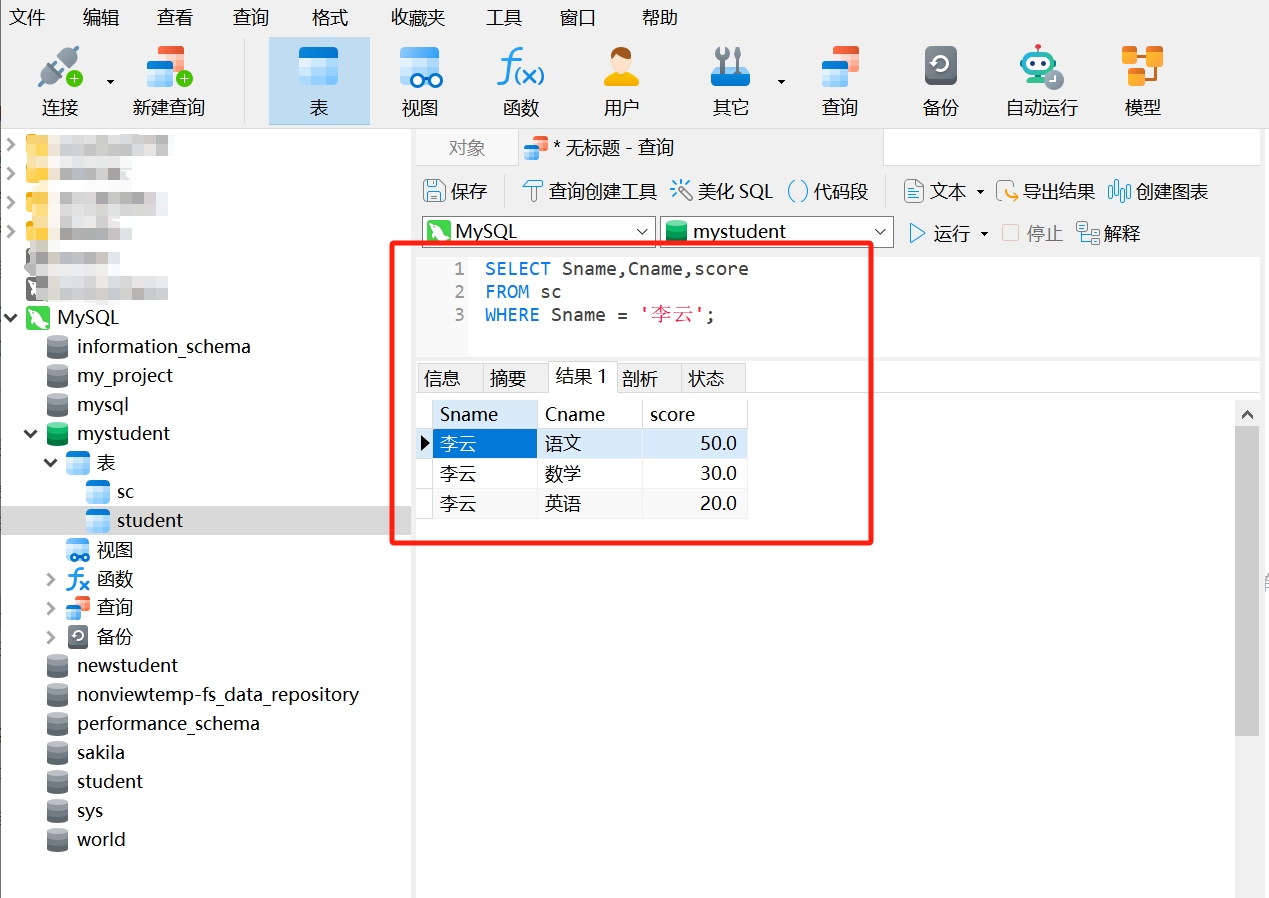
Try writing your own WHERE clause: Query all students' math scores.
- Adding Comparison Operators
In the WHERE clause, you can use the following comparison operators to filter query conditions:
Equal: =
Greater than: >
Less than: <
Greater than or equal to: >=
Less than or equal to: <=
Not equal: != or <>
For example, in the data table "sc", query students with scores above 60:
SELECT *
FROM sc
WHERE score > 60;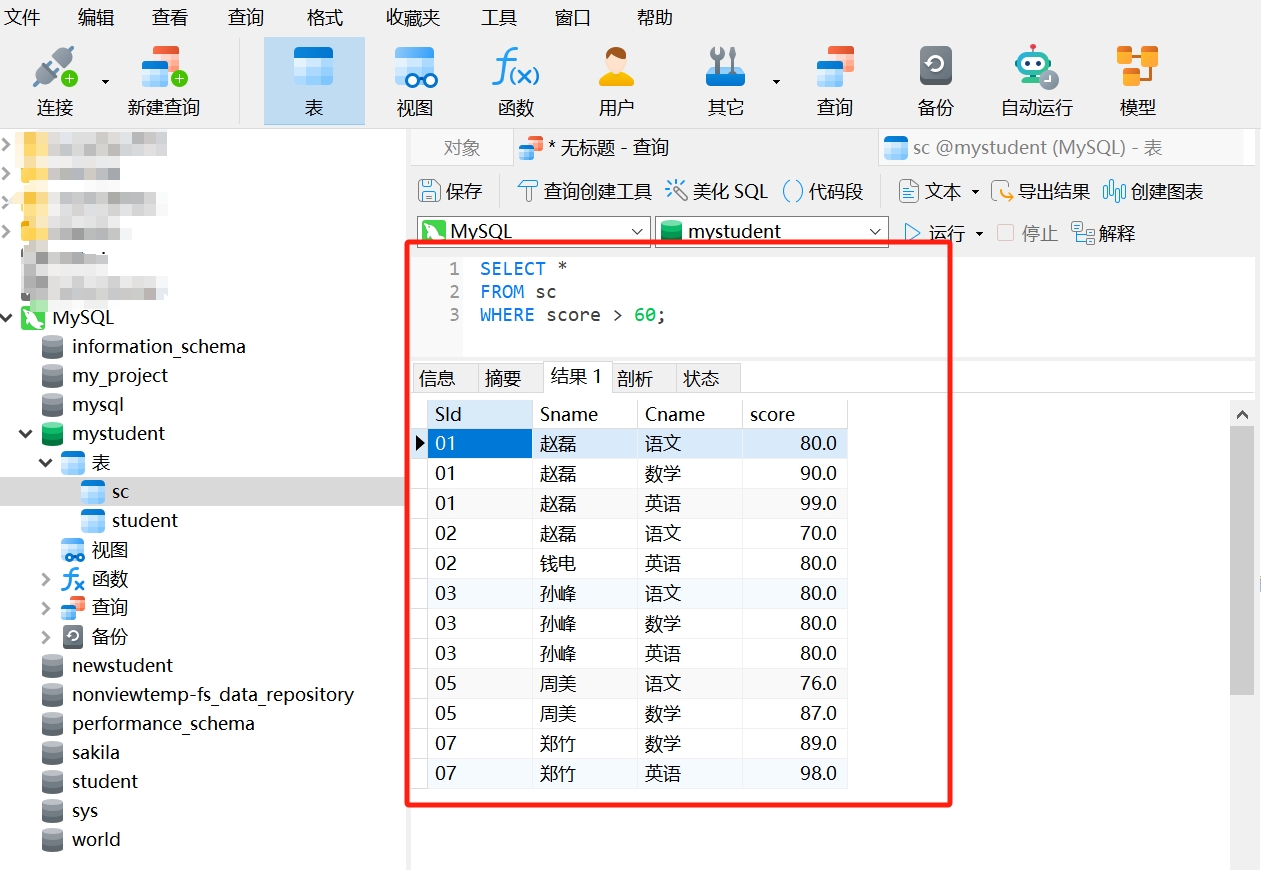
Try writing your own WHERE clause: Query students with scores below 80.
- Adding AND & OR Operators
AND and OR in SQL are logical operators used to combine multiple conditions in the WHERE clause to filter data.
- AND Operator: If multiple conditions are used in the WHERE clause and these conditions are connected by AND, then only the data that satisfies all conditions will be queried.
For example, in the data table "sc", query students with math scores above 60:
SELECT *
FROM sc
WHERE score > 60
AND Cname = '数学';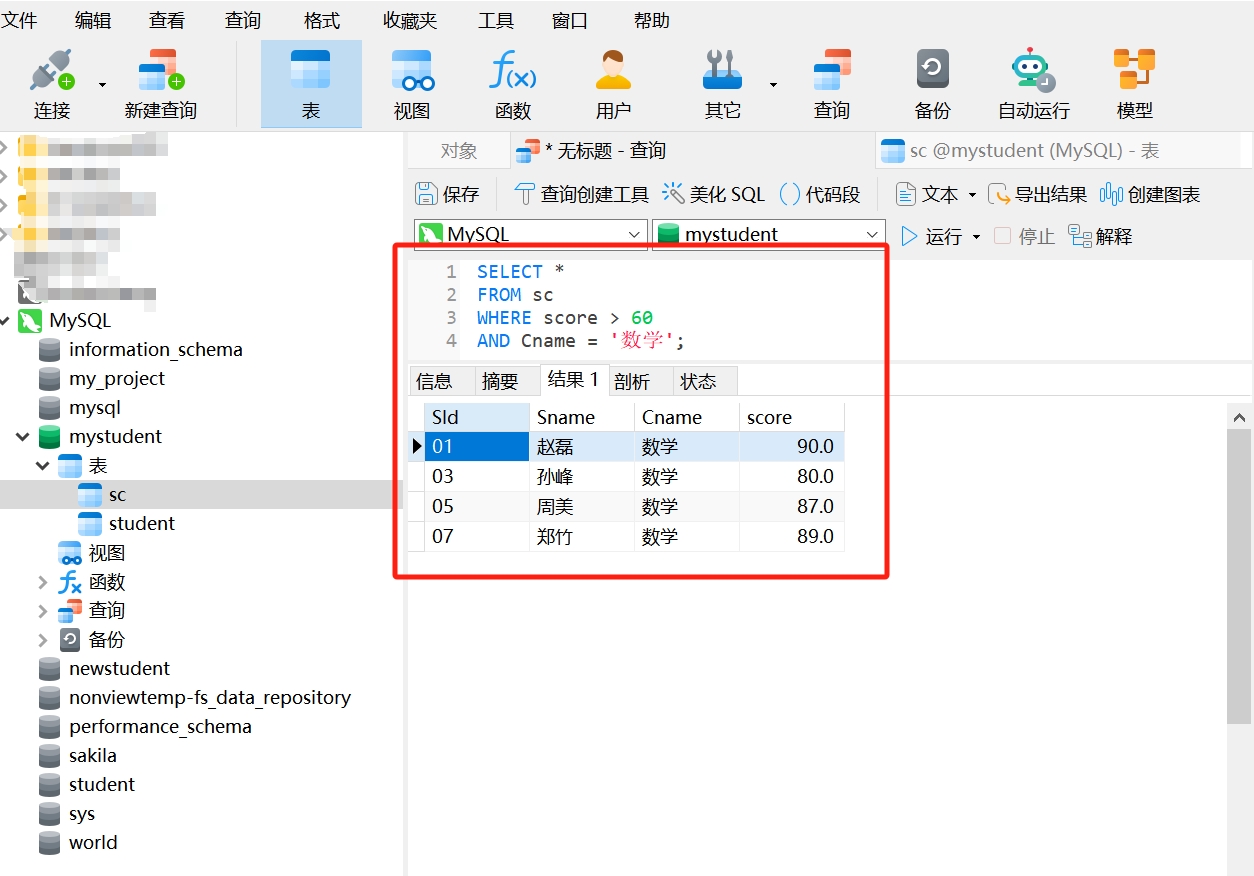
Try writing your own WHERE clause: Query students with English scores below 60.
- OR Operator: If multiple conditions are used in the WHERE clause and these conditions are connected by OR, then any data that satisfies at least one of the conditions will be queried.
For example, in the data table "sc", query students' math or Chinese scores:
SELECT *
FROM sc
WHERE Cname = '数学'
OR Cname = '语文';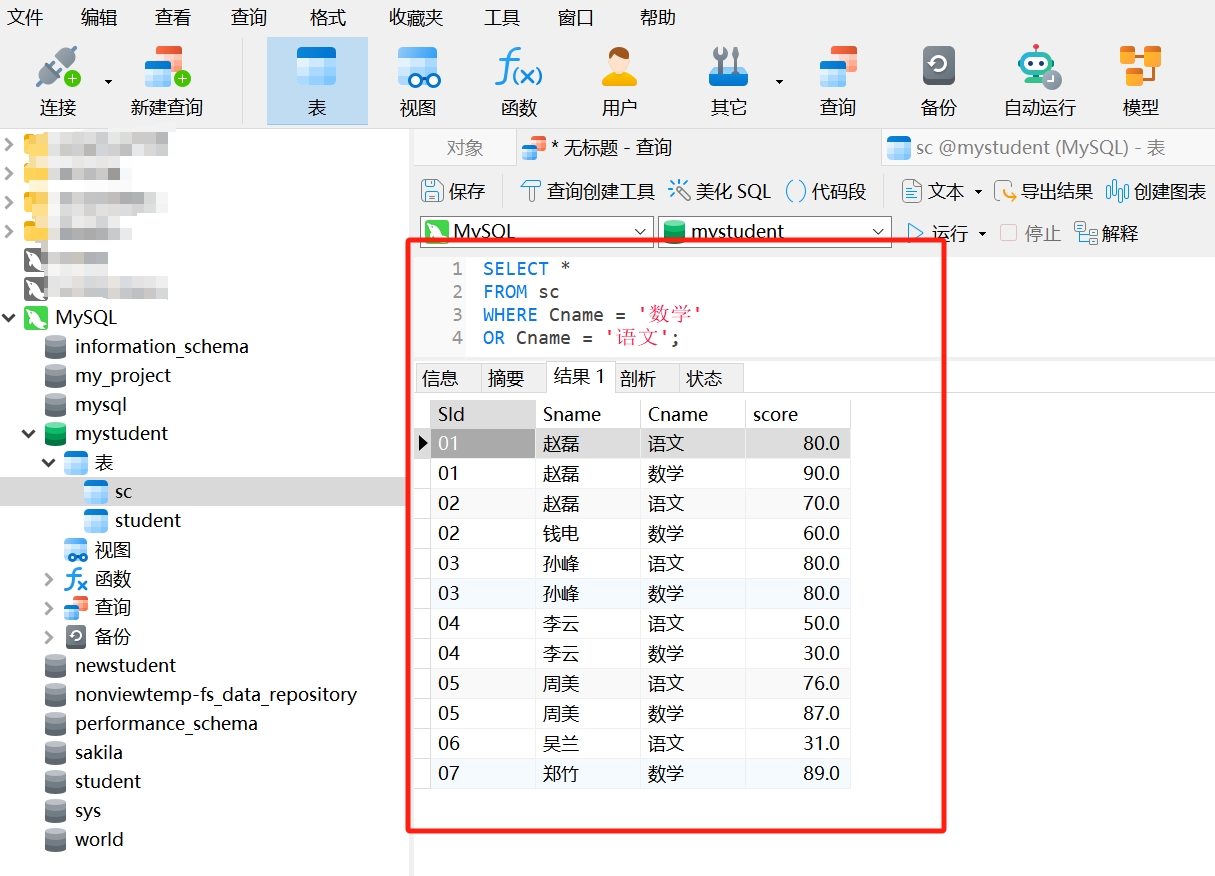
Try writing your own WHERE clause: Query the scores of students Zhao Lei or Sun Feng.
3. Learning SQL Functions
Learning SQL functions is an important step in understanding and using SQL. SQL functions are used to perform specific operations in the database, such as mathematical calculations, date processing, string manipulation, etc.
Common SQL functions include COUNT, SUM, AVG, MAX, and MIN, which are used for statistical analysis, summation, calculating averages, maximums, and minimums. SQL functions can help you handle data more flexibly and efficiently, completing complex data manipulation tasks.
For example, in the data table "sc", query the average score of students in math:
SELECT Cname, AVG(score)
FROM sc
WHERE Cname = '数学';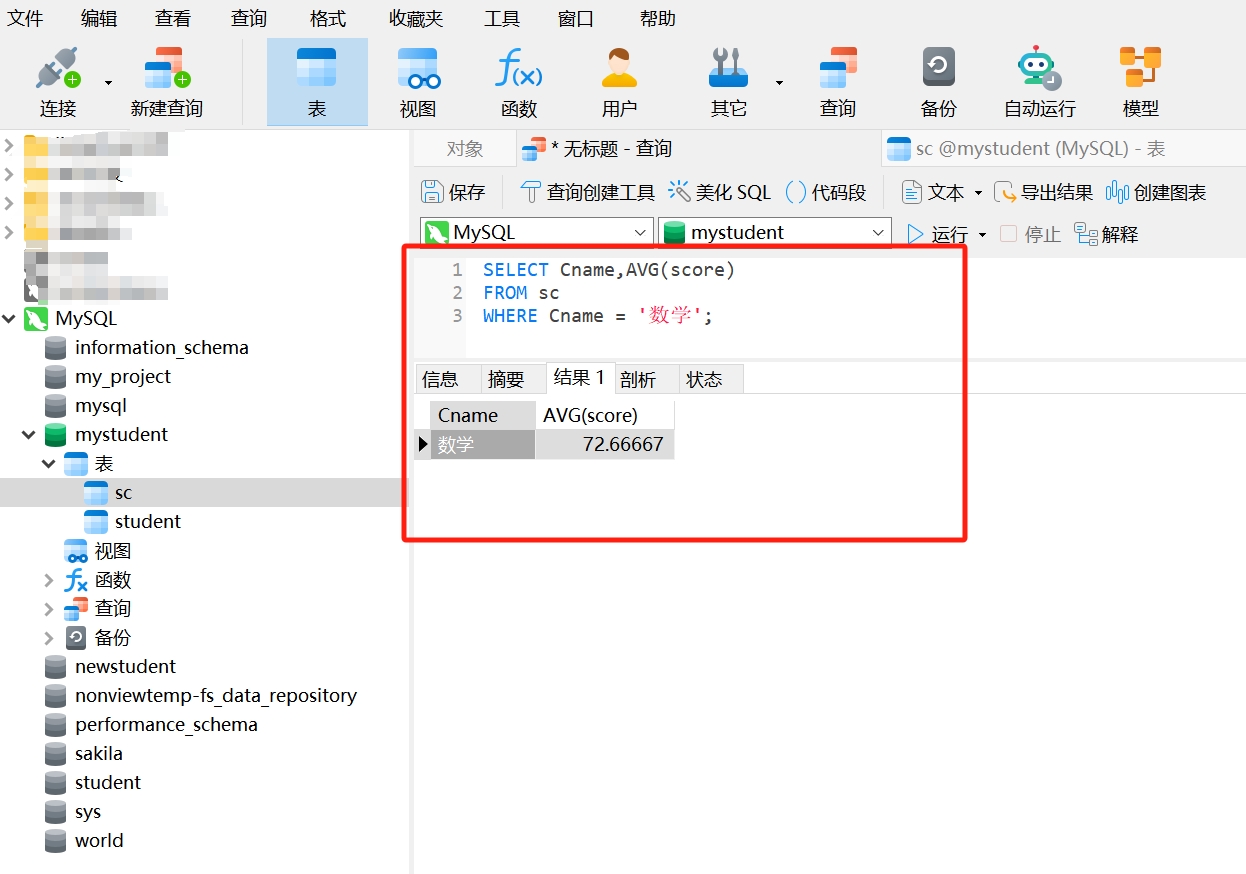
In this part of the study, you can deepen your understanding and application of SQL functions by reading the Rookie Tutorial documentation and operating on the example code.
Read the content about SQL functions in the Rookie Tutorial documentation and try to practice the concepts and usages of functions like COUNT, SUM, AVG, MAX, and MIN.
This concludes the basic knowledge of SQL SELECT statements. By proficiently using the WHERE clause and SQL functions, you can effectively query and analyze data from the database. Remember, practice is the best teacher, and the correct learning method is to deepen your understanding of these concepts through practical operation.